Launching a run
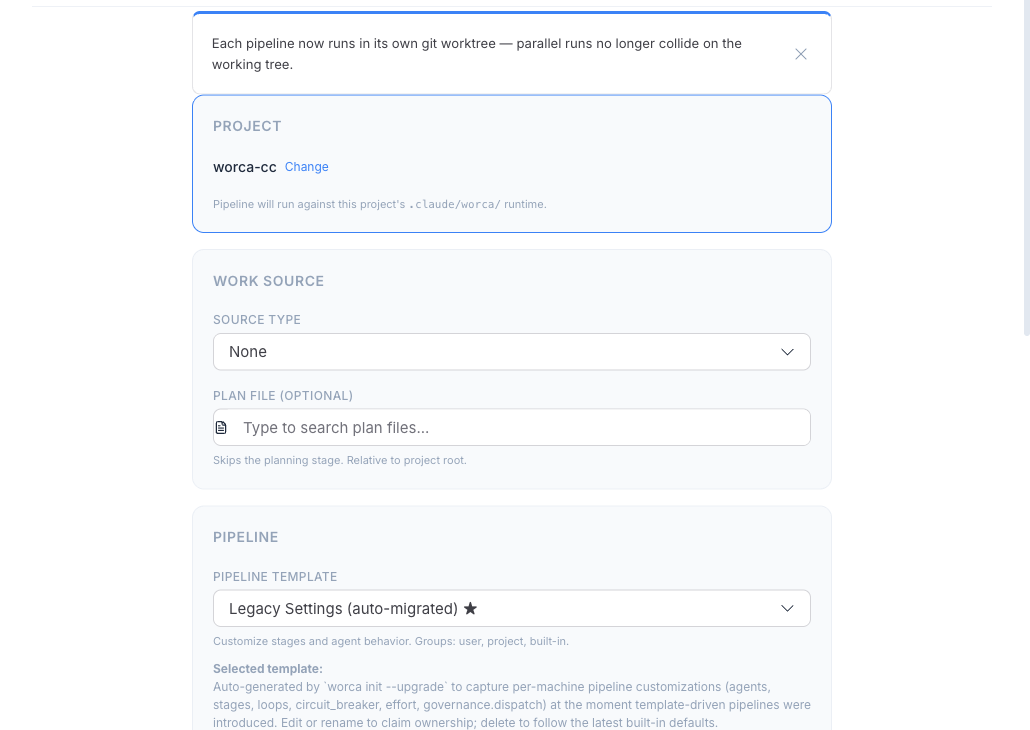
You launch every run from the dashboard’s Run Pipeline button. There’s no terminal command to learn for day-to-day work — describe the task, pick a template, and click Launch.
Describe the work
Section titled “Describe the work”A run needs a work request. The launcher accepts three sources:
- Prompt — type the task in plain language (“Add rate limiting to the public API”).
- GitHub issue — point at an issue; worca reads its body, and if the issue links a plan file, the Planner is skipped.
- Spec file — point at a Markdown file already in the repo.
Triage a GitHub issue (optional)
Section titled “Triage a GitHub issue (optional)”If your work starts from a GitHub issue, the /worca-analyze skill turns it into a well-scoped run in one pass. In a Claude Code session in your project, call it by issue number, by full issue URL, or with a natural phrase:
/worca-analyze 127/worca-analyze https://github.com/your-org/your-repo/issues/127A bare number uses the current repo’s gh default; a URL works against any repo. You can also just say “analyze https://github.com/your-org/your-repo/issues/127”.
It reads the issue, surfaces open design decisions with a recommended option for each, can append a ## Decisions section back to the issue, recommends the most appropriate template, and can launch the run for you.
Pick a template
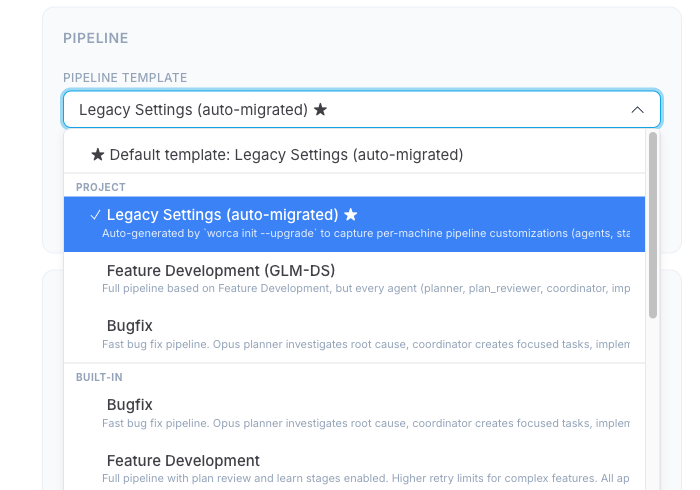
Section titled “Pick a template”The Pipeline dropdown tailors the run to the kind of work — which stages run, how the agents are tuned, and the retry limits. The full set is described in Pipeline templates.
The first item in the dropdown reflects what runs if you don’t pick a specific template:
No template (raw settings.json)— noworca.default_templateis pinned for this project; the run uses project Settings as written.★ Default template: <name>—worca.default_templateis pinned and the dropdown will pre-select that template’s behavior. Pick a different template from the list to override for just this run.
The remaining options are grouped by tier, with section labels separating each group, in this order:
- User — templates from
~/.worca/templates/. - Project — templates from
.claude/templates/. - Built-in — the eight templates shipped with worca (
feature,feature-fast,feature-minor,bugfix,quick-fix,refactor,investigate,test-only).
The pinned default carries a ★ suffix wherever it appears in the list, so you can spot it at a glance regardless of which group it’s in.
Pick the template that matches your task before launching. If you’re unsure and your project doesn’t have a pinned default, feature runs the complete pipeline with every gate active.
Let worca pick for you — the Suggest button
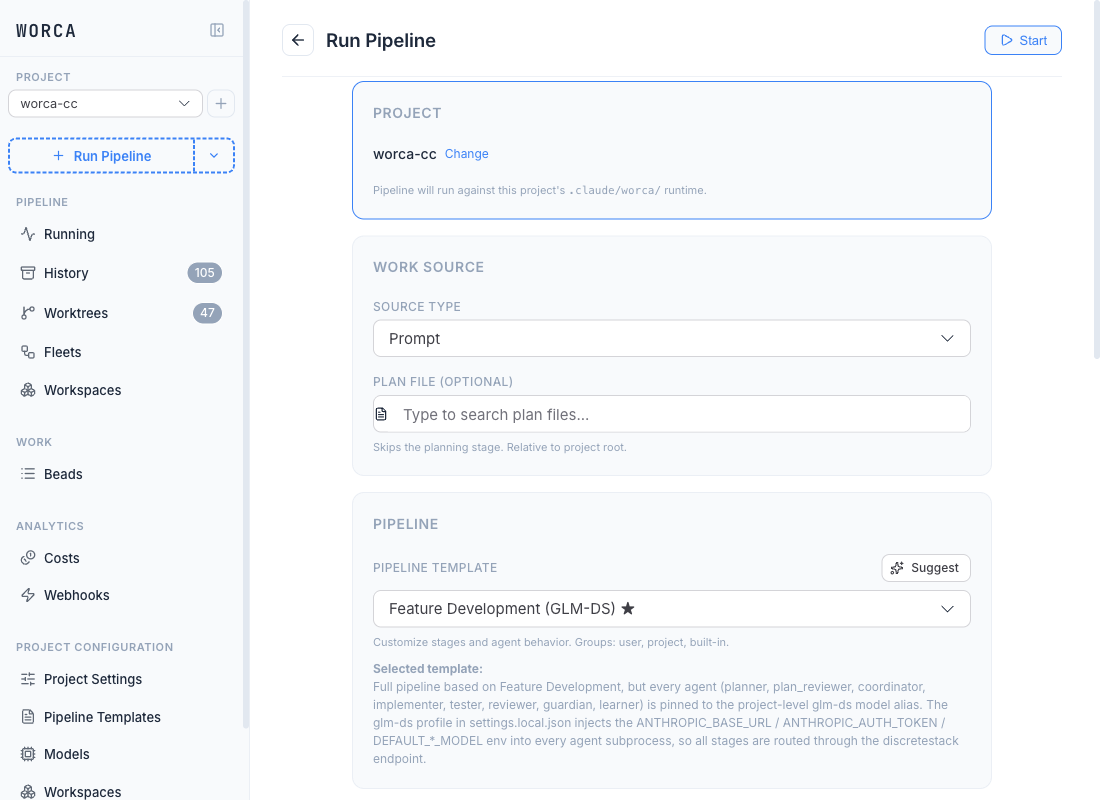
Section titled “Let worca pick for you — the Suggest button”Next to the Pipeline dropdown is a Suggest button (sparkles icon). It analyses your work source — prompt, spec file, GitHub issue, or GitHub PR with review comments — via an LLM agent and recommends a best-fit template from your catalog (built-in + project + user) with a confidence level and one-sentence rationale.
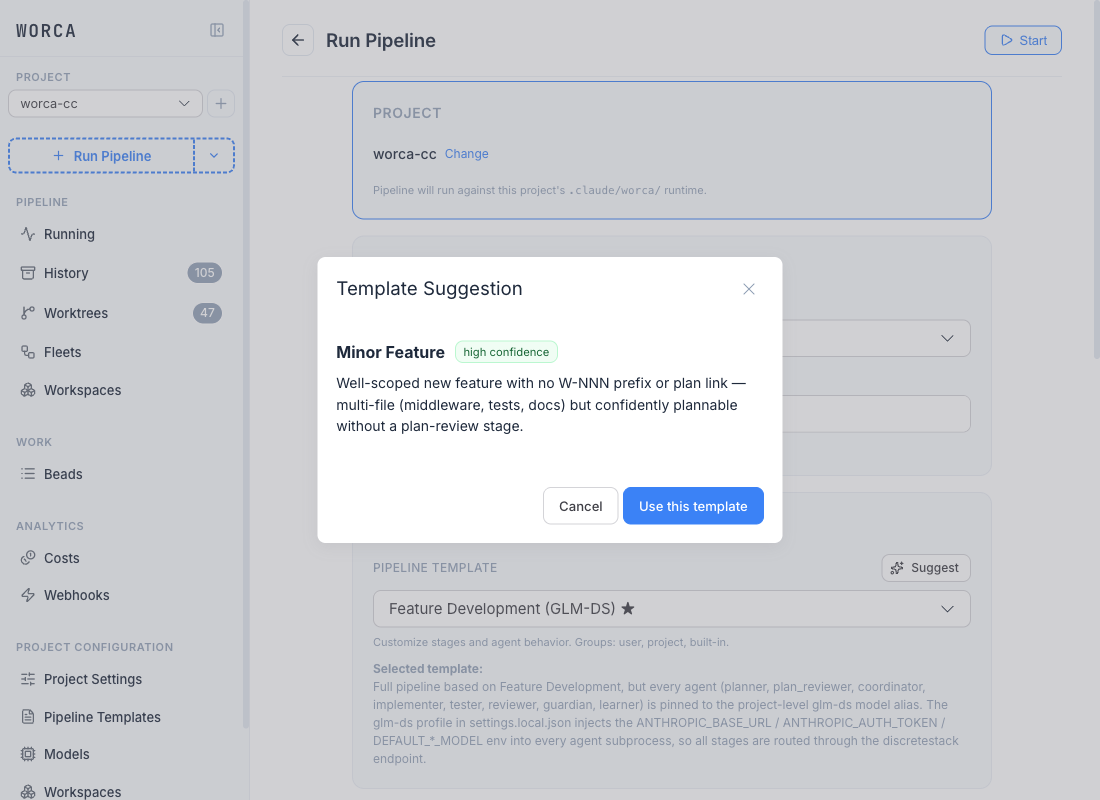
The result dialog shows the recommended template name, a confidence badge (high confidence / medium / low), the rationale, and a Use this template action that selects it in the dropdown:
If the work source is a GitHub URL whose owner/repo doesn’t match the project’s, the advisor short-circuits with a clear “This source belongs to X, but this project’s repository is Y” message before calling the agent — you don’t pay for a confused recommendation.
The same recommender is available on the CLI as worca templates advise for scripting or CI.
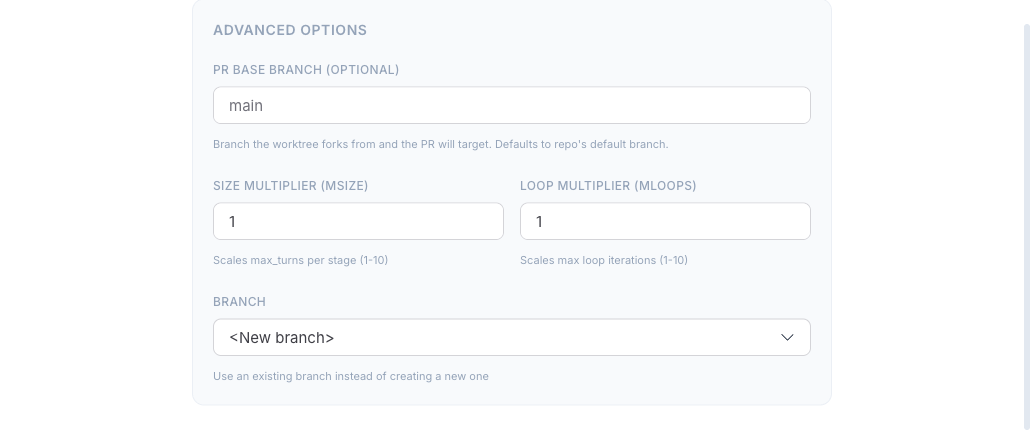
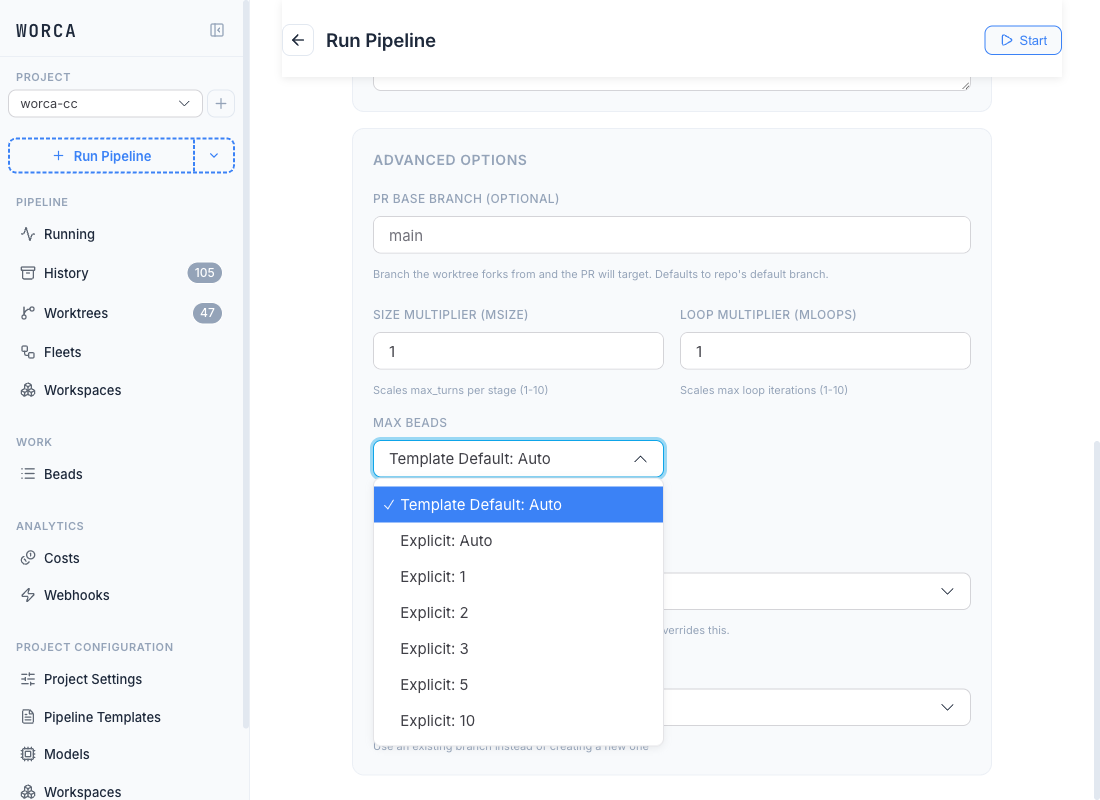
Advanced options
Section titled “Advanced options”The launcher exposes a few optional knobs:
- Size / loop multipliers — scale the per-agent turn budget and the retry-loop limits up for unusually large tasks.
- Base branch — the branch the run’s worktree forks from (defaults to the project’s current HEAD).
- Plan file — supply a pre-written plan to skip the Planner stage.
- Max Beads — cap on how many beads the Coordinator may decompose the work into. The dropdown distinguishes Template Default: X (which re-resolves to whatever the current template ships) from Explicit: N (which overrides the template default for this run and survives template switches).
- CLAUDE.md Mode — pin which
CLAUDE.mdfiles load for every agent in this run. Same Template-Default / Explicit pattern as Max Beads. Use Explicit: project for hermetic, reproducible runs across machines. See CLAUDE.md load mode.
Leave these at their defaults for most runs.
Launch
Section titled “Launch”Click Launch. The run opens in its own git worktree — your working tree is never touched — and the dashboard switches to the run detail view so you can watch it live.