Models
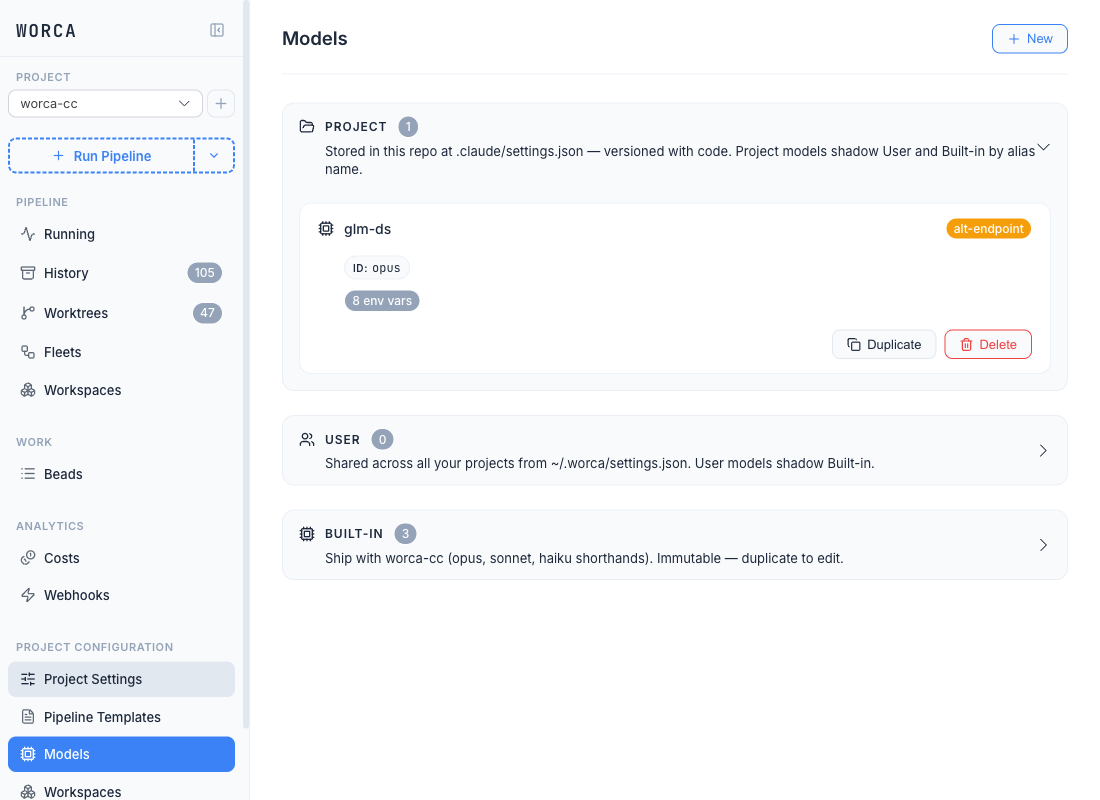
The Models page lives under Configuration in the sidebar, next to Pipeline Templates. From it you can browse every model alias across all three tiers, edit a model’s id, env, and pricing in one place, and see which templates reference it — without touching the CLI or editing settings.json by hand.
What a model alias actually is
Section titled “What a model alias actually is”Agents are configured by alias, not by raw model id. The shipped aliases — opus, sonnet, haiku — let you swap the underlying model for every agent that references the alias by editing one place. An alias resolves to:
- a model id (e.g.
claude-opus-4-7, or whatever identifier an alt-endpoint accepts), and - an optional env block — environment variables that get merged into the Claude CLI subprocess when this alias runs.
The env block is the seam for routing through an alternate endpoint (ANTHROPIC_BASE_URL), tuning per-model output limits, or carrying any other variable the model needs to behave correctly.
The three tiers
Section titled “The three tiers”The list view splits aliases into three sections by where they live on disk:
| Section | Default state | Where it lives | Who can see it |
|---|---|---|---|
| Project | Open | .claude/settings.json (committed) + .claude/settings.local.json (gitignored). | Anyone with the repo. |
| User | Collapsed | ~/.worca/settings.json + ~/.worca/settings.local.json. | Only you. |
| Built-in | Collapsed | Ship with worca-cc — opus, sonnet, haiku. Read-only. | Everyone. |
Each section shows a count badge. Cards are clickable: click anywhere on a card to open the editor (read-only for built-ins). The card surfaces an alt-endpoint badge when the env block sets ANTHROPIC_BASE_URL, and a “Not configured” danger badge when any env value is still a <YOUR-SECRET-HERE> placeholder (typically right after a bundle import).
Cross-tier resolution: whole-entry replace
Section titled “Cross-tier resolution: whole-entry replace”When an alias is defined in multiple tiers, Project replaces User replaces Built-in in entirety. There is no field-level merge across tiers — a project-tier glm-ds entry shadows a user-tier glm-ds entry completely, including its env block and pricing.
Within a single tier the id (in settings.json) and env (in settings.local.json) still compose — they’re the same logical entry, split across the committed and gitignored files for secret hygiene.
Creating a new alias
Section titled “Creating a new alias”Click + New in the list view. The editor opens on a blank entry with a Storage field pill at the top — that’s the tier picker. Pick Project to commit the alias to the repo, or User to keep it on your machine only.
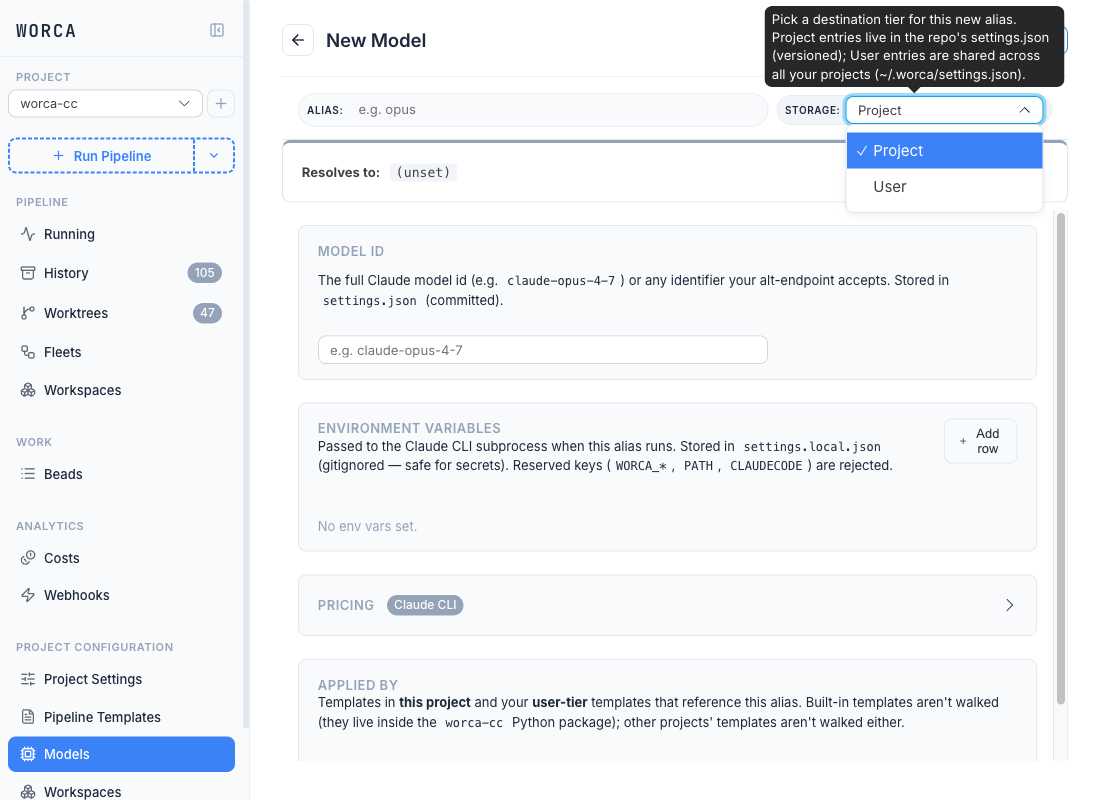
The editor has four sections:
| Section | What it controls | Where it’s stored |
|---|---|---|
| Model id | The full Claude model id (claude-opus-4-7) or any identifier your alt-endpoint accepts. | settings.json (committed) |
| Environment variables | Variables merged into every agent subprocess that runs this alias. | settings.local.json (gitignored — safe for secrets) |
| Pricing | Per-token rates for cost accounting. | settings.json under worca.pricing.models.<alias> |
| Applied by | Templates that reference this alias. Read-only — informational. | derived |
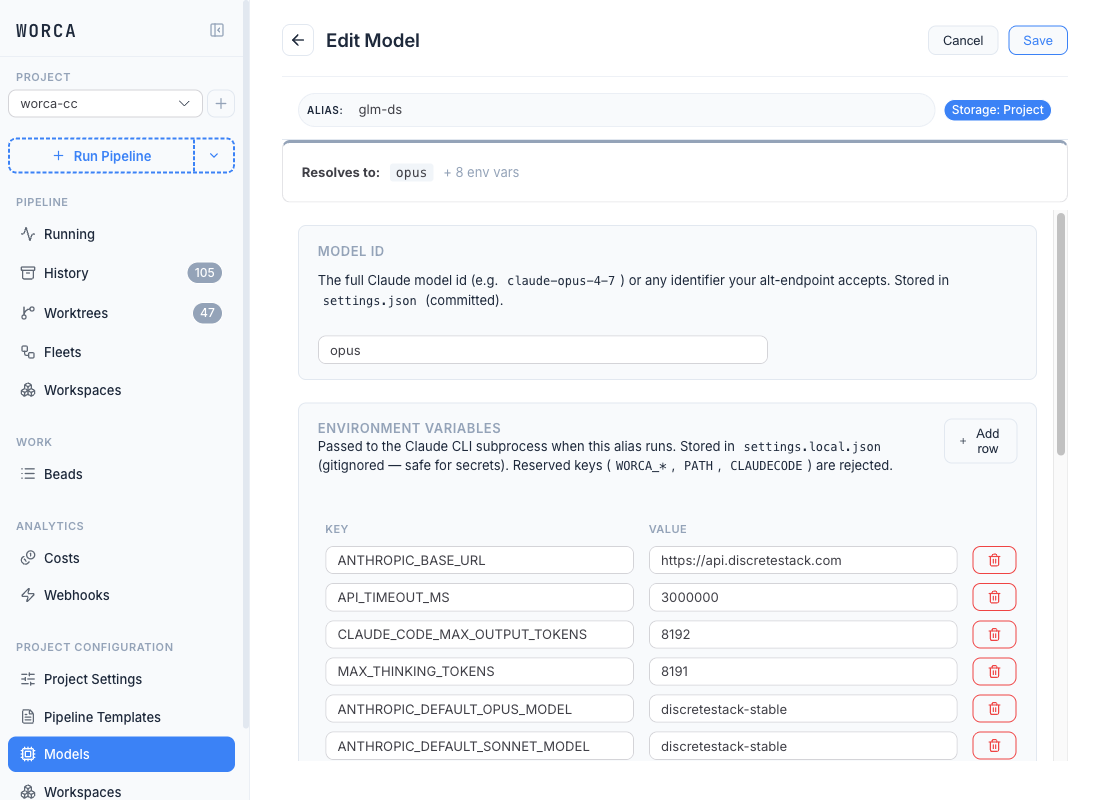
Reserved env keys (WORCA_*, PATH, CLAUDECODE) are silently dropped on save — they belong to the pipeline runtime, not to a model profile.
Editing an alias
Section titled “Editing an alias”Click any project or user card and the editor opens with current values pre-filled. Save writes to the alias’s files and stays on the page. The card-level Duplicate and Delete actions are also available from inside the editor’s action row.
The same editor surfaces in read-only View mode for built-in aliases. To customize a built-in (opus, sonnet, or haiku), duplicate it to your project or user tier and edit the copy — the built-ins are force-synced on every worca init --upgrade, so editing them directly never sticks.
Pricing — co-located, not separate
Section titled “Pricing — co-located, not separate”Each model card has its own Pricing accordion in the editor. The badges describe the cost source:
- explicit — you’ve set ≥1 per-token rate; worca uses your value.
- Claude CLI (neutral) — default endpoint + no rates → worca trusts the number the Claude CLI returns.
- no badge — alt-endpoint + no rates; the card’s alt-endpoint badge flags the missing-pricing risk.
The Clear pricing button (visible when ≥1 rate is set) wipes all four fields and removes the worca.pricing.models.<alias> entry on save. Project-wide pricing — currency, budget — lives under Project Settings → Costs & Budgets.
Imported aliases — provenance badge
Section titled “Imported aliases — provenance badge”Aliases that arrived via worca templates import carry an _imported_from: "<bundle-name>" marker. The list view surfaces this as an Imported · bundle badge on the card and a banner in the editor. The badge drops on the first UI save — that’s the ownership-transfer signal: once you’ve touched it, it’s yours.
If any imported env value is still <YOUR-SECRET-HERE>, the card shows a danger Not configured badge and the value cell is outlined in red inside the editor. Saving stays enabled (placeholders are valid JSON), but the visual signal is unmistakable.
Per-agent dropdown — tier-aware
Section titled “Per-agent dropdown — tier-aware”In the Pipeline Templates editor, the per-agent Model dropdown shows every alias known across all three tiers — grouped by PROJECT, USER, and BUILT-IN section headers — with a small jump arrow (↗) that opens the alias in the Models page editor.
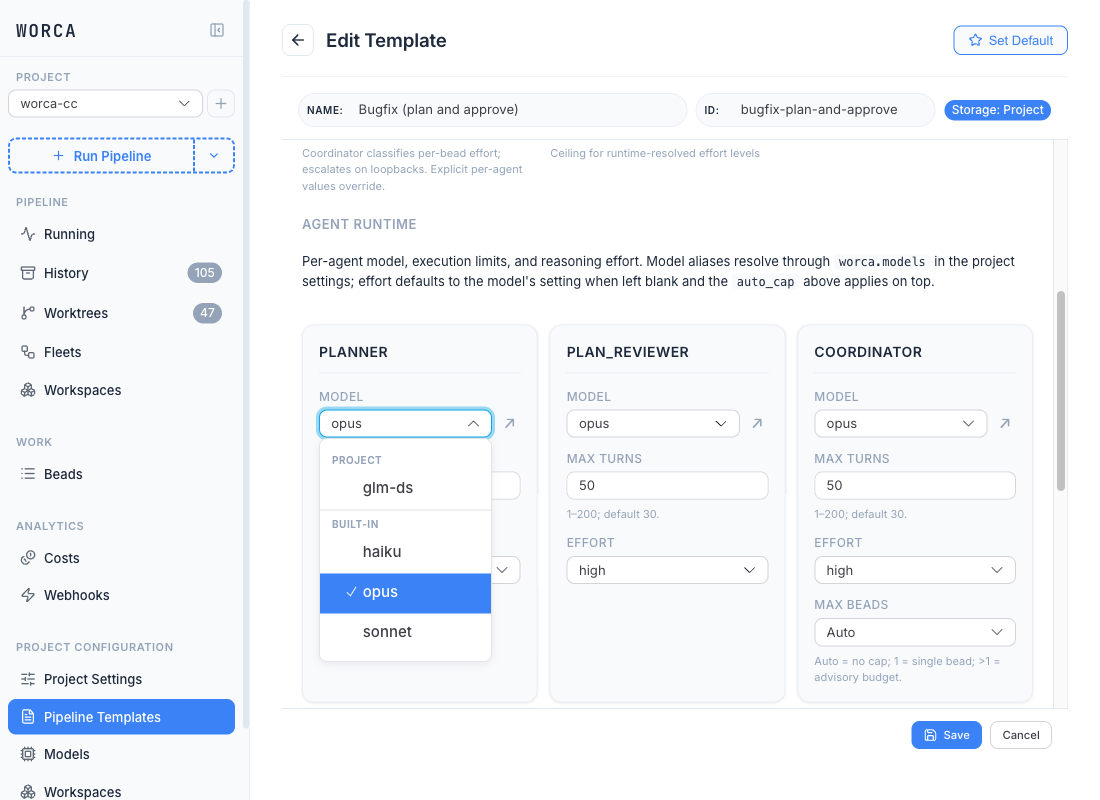
Aliases that aren’t defined locally (e.g. a user-tier alias on a different machine) still appear in the dropdown so a template that references them stays editable. The template’s runtime resolution always uses whatever is on disk at run start, so an undefined alias surfaces as a clear error rather than a silent fallback.
See also
Section titled “See also”- Adding & routing models — the JSON shape behind the Models page, alt-endpoint routing, and the
haikuwork-request gotcha. - Agents & models — how the per-agent Model dropdown in the template editor selects from these aliases.
- Secrets — where
<YOUR-SECRET-HERE>placeholders get filled in. - Configuration precedence — how
worca.models.*andworca.pricing.models.*interact with the rest ofsettings.json. - Authoring, sharing & importing templates — bundle import, collision dialog, and the provenance badge lifecycle.