Agents & models
Each stage is run by an agent, and you can tune three things per agent: the model, the max turns, and the reasoning effort.
Per-agent settings live inside Pipeline Templates, not Project Settings — every run uses an active template, so the template owns the agent config. To change it: open Pipeline Templates, pick the template you want to edit (or duplicate a built-in), and use the Agents tab. See Configuration precedence for the full strip-and-merge rules.
Model and turns
Section titled “Model and turns”- Model — which Claude model the agent runs. Defaults track stage complexity: the reasoning-heavy stages (Planner, Plan Reviewer, Coordinator, Reviewer, Guardian, Learner) typically run Opus, while the build-and-test stages run a faster model.
- Max turns — the per-iteration turn budget. Raise it for agents that hit the ceiling on large tasks.
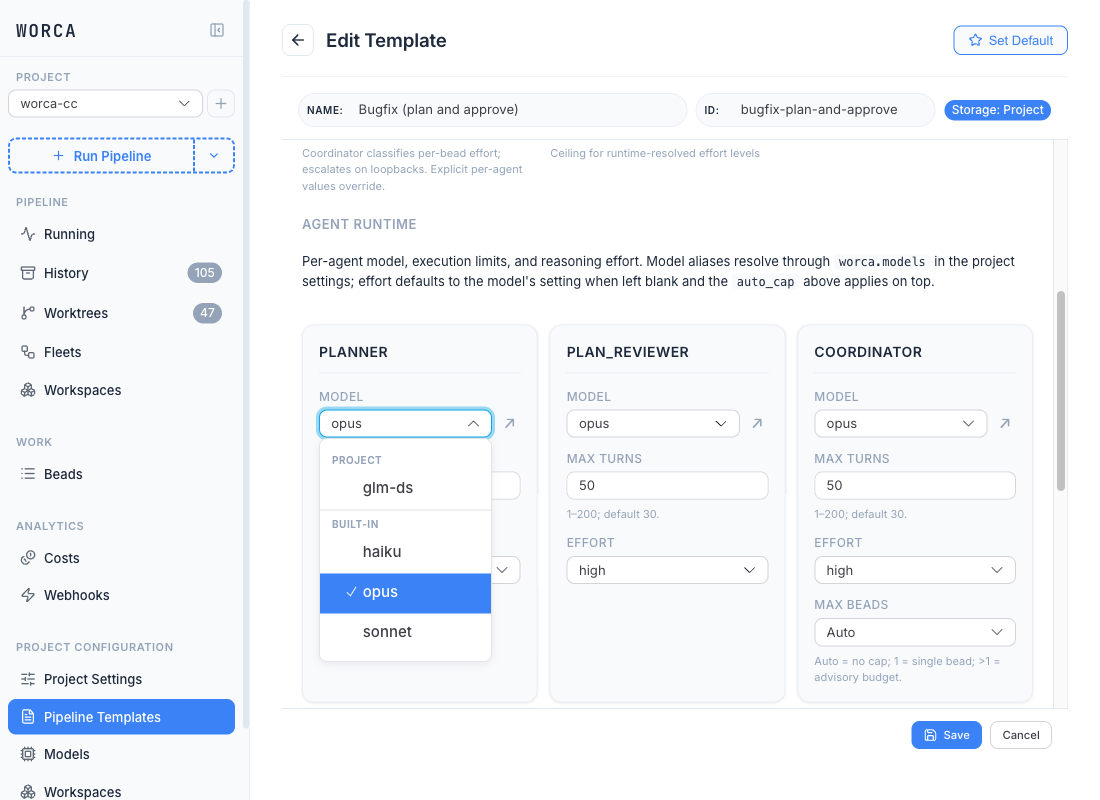
Models are referenced by short aliases (opus, sonnet, haiku) that map to full model IDs. The per-agent Model dropdown lists every alias known across Project, User, and Built-in tiers — grouped by section header — and includes a small jump arrow (↗) that opens the alias in the Models page editor.
To change what an alias points at, route a model through an alternate endpoint, or add a new profile, see Models for the UI walkthrough and Adding & routing models for the JSON shape.
Effort
Section titled “Effort”Each agent also has a reasoning effort level (low → max) that controls how much reasoning budget it spends — orthogonal to the model. Effort is governed pipeline-wide by an automatic mode that can escalate on retries, and the level an iteration actually used shows as a badge in the run-detail view.
The defaults are sensible (heavy upfront reasoning for the Planner, mechanical verification for the Tester). The full model — modes, escalation, and the ceiling — is covered in Tuning effort.
Advisory min-effort indicators
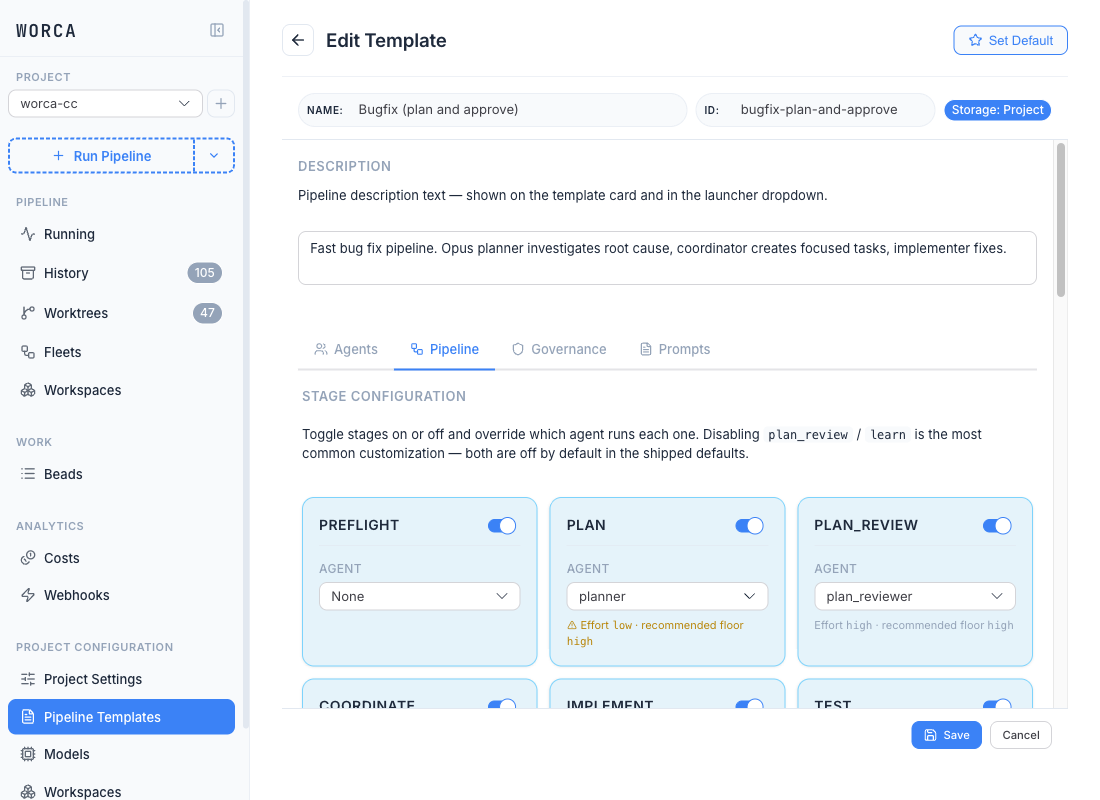
Section titled “Advisory min-effort indicators”The Agents tab and Pipeline tab both render an advisory yellow indicator when an agent’s configured effort falls below a hardcoded recommended floor. The map is informational only — it isn’t persisted to the template config and the pipeline runtime never reads it; it just helps you spot accidental under-tuning of the reasoning-heavy roles.
| Floor | Agents |
|---|---|
high | planner, plan_reviewer, reviewer, workspace_planner |
medium | coordinator, guardian |
low | implementer, tester, learner |
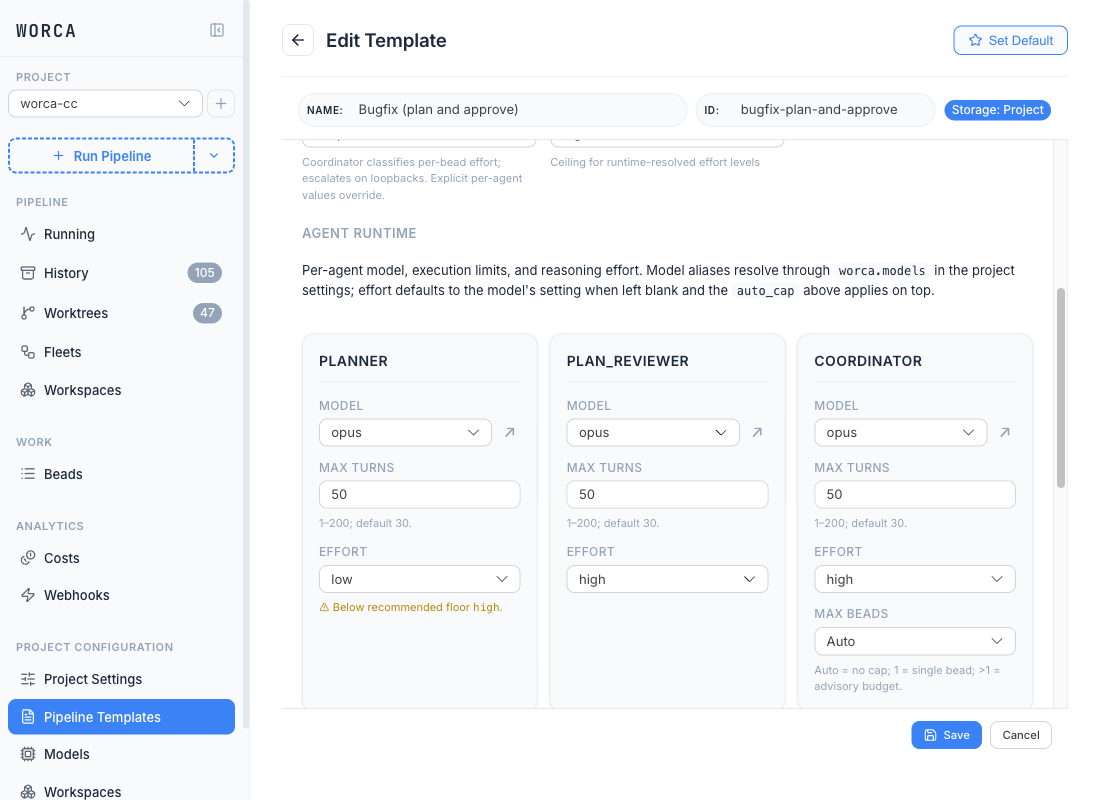
On the Agents tab, the indicator is a small chip below the Effort field reading “Below recommended floor high”:
The same advisory surfaces on the Pipeline tab as a chip under each stage’s agent picker, so you can see the floor mismatch while you’re toggling stages on and off: