Fleet & workspace runs
A single run touches one project. For multi-project work, the Run Pipeline split-button (the chevron) exposes two more modes.
Fleet runs
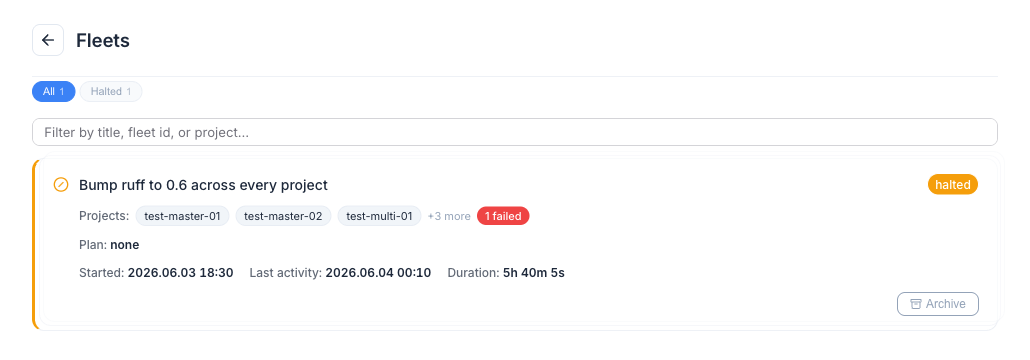
Section titled “Fleet runs”A fleet fans the same work request out to many independent projects in parallel — “upgrade the linter config across ten repos.” Each target runs its own full pipeline in its own worktree and opens its own PR, all grouped under one fleet.
Launch one from Run Pipeline ▸ Run Fleet: multi-select the target projects, enter the prompt, optionally attach a guide, and set concurrency. The dashboard groups the children under a collapsible fleet header with an aggregate status badge and progress (N/M completed · K failed).
Workspace runs
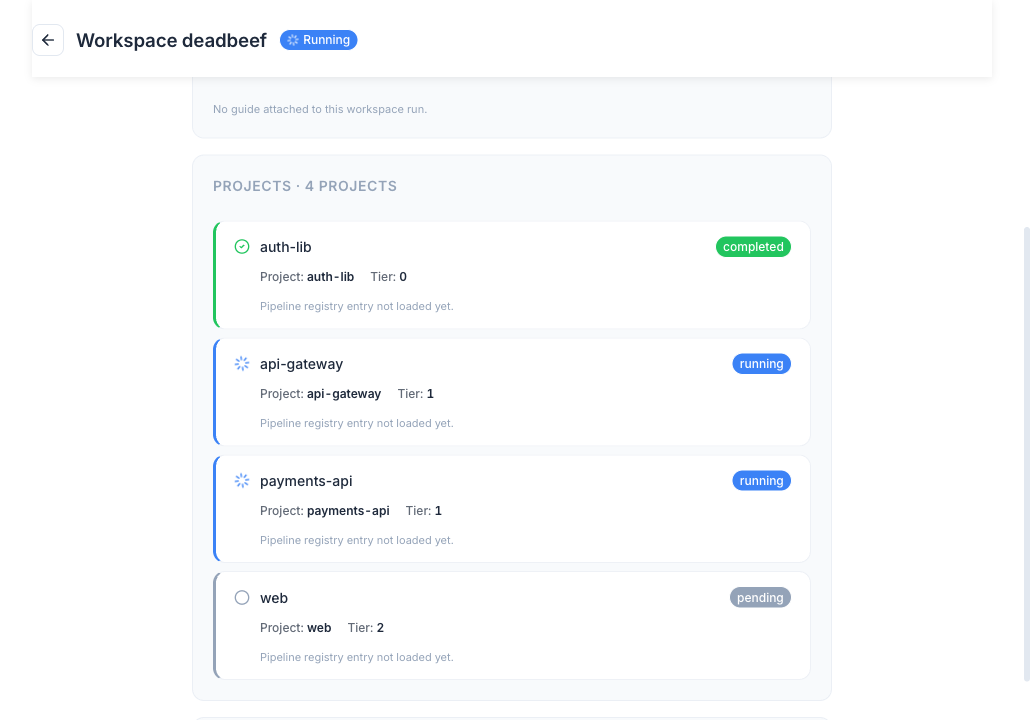
Section titled “Workspace runs”A workspace carries one prompt across interdependent projects in the right order. Unlike a fleet, it decomposes the prompt into per-project sub-plans, runs them tier-by-tier (feeding each tier’s changes to the next), runs cross-project integration tests, and opens linked PRs with dependency metadata.
Launch one from Run Pipeline ▸ Run Workspace: pick a registered workspace, enter the prompt, and choose a planning strategy. The detail page shows the dependency graph with propagation arrows and a per-project run card list.
Global mode is required
Section titled “Global mode is required”Fleet and workspace grouping only appears in global mode (the dashboard’s default — every registered project visible at once). In single-project mode the cross-project siblings are invisible, and the UI surfaces a notice prompting you to switch.