Non-Anthropic providers
worca’s model alias and per-agent effort axes were designed around the Anthropic API. Any provider that exposes an Anthropic-compatible endpoint can be wired up via the Environment variables table on a model alias (see Adding & routing models) — but each provider’s thinking/reasoning semantics differ, so the effort ladder doesn’t always translate 1:1.
This page collects the quirks per provider: which endpoint to point at, how worca’s effort levels actually map onto the provider’s API, and how to drive the provider’s thinking modes from the Pipeline Templates editor without hand-editing JSON.
MiniMax
Section titled “MiniMax”MiniMax exposes an Anthropic-compatible endpoint at https://api.minimax.io/anthropic covering the M2.x family (M2, M2.1, M2.5, M2.7, plus -highspeed variants) and M3.
Endpoint setup — on the Models page
Section titled “Endpoint setup — on the Models page”Open the Models page, click + New to create a MiniMax alias, and fill the Environment variables table:
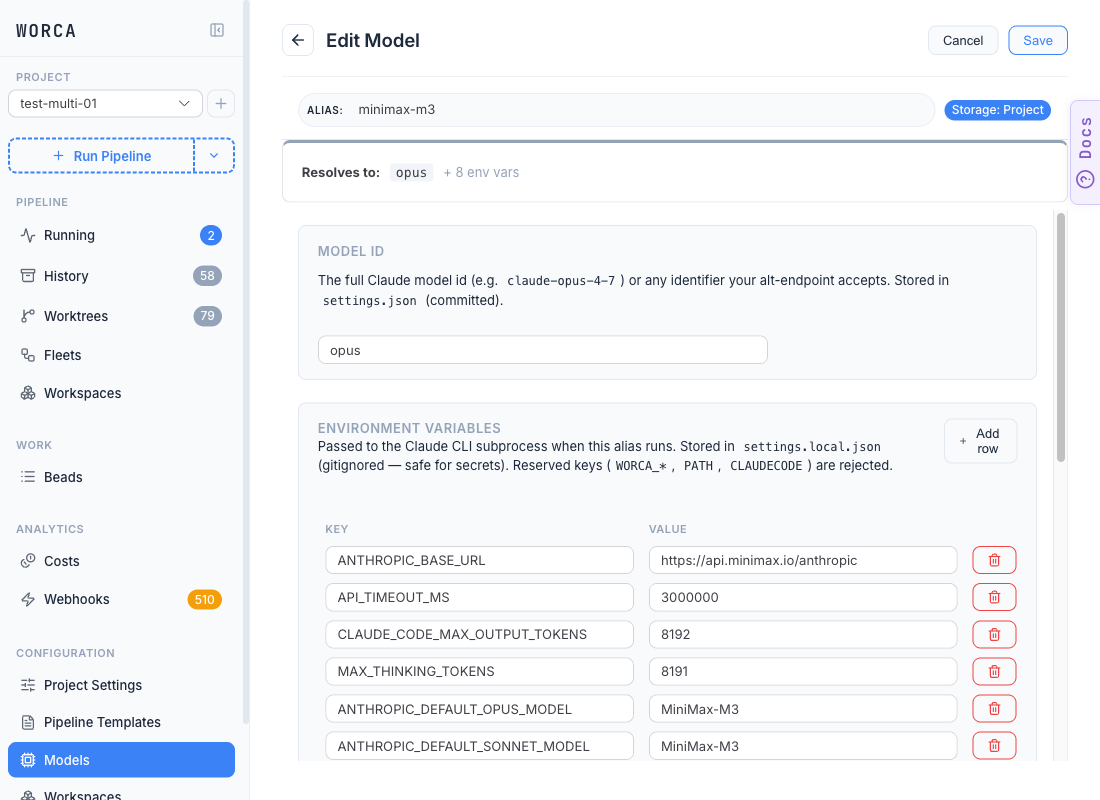
Minimum required env keys:
| Env key | Value |
|---|---|
ANTHROPIC_BASE_URL | https://api.minimax.io/anthropic |
ANTHROPIC_AUTH_TOKEN | your MiniMax API key (lives in settings.local.json — gitignored) |
ANTHROPIC_DEFAULT_OPUS_MODEL / ANTHROPIC_DEFAULT_SONNET_MODEL / ANTHROPIC_DEFAULT_HAIKU_MODEL | the MiniMax model id the alias should route each tier to (e.g. MiniMax-M3, MiniMax-M2.7-highspeed) |
The MODEL ID field above the env table can stay set to opus, sonnet, or haiku — the ANTHROPIC_DEFAULT_*_MODEL env vars override it on the wire, so the same alias can serve as a drop-in replacement for any Anthropic tier.
Set per-token rates in the alias card’s Pricing accordion — alt-endpoint runs override the Claude CLI’s total_cost_usd from your configured rates so cost accounting stays accurate.
Thinking semantics
Section titled “Thinking semantics”MiniMax’s thinking parameter is binary, not graded. It does not honour budget_tokens.
| Model family | Thinking control |
|---|---|
| M3 | thinking: {"type": "adaptive"} or {"type": "disabled"}. Off by default. |
| M2.x (M2, M2.1, M2.5, M2.7) | Always on. No off switch. |
Compared to Anthropic’s API where each rung is a different reasoning budget, on MiniMax all five worca rungs collapse to “thinking on” — the model does not differentiate between low and max.
Effort level mapping
Section titled “Effort level mapping”How worca’s per-agent effort rung translates on MiniMax models in practice:
| worca per-agent effort | MiniMax M3 effective | MiniMax M2.x effective |
|---|---|---|
(default) (unset) | thinking off (M3 default) | on (forced) |
low / medium / high / xhigh / max | thinking on — all five identical | on |
Escalation +1 on test_failure (loopbacks) | no-op (already on) | no-op |
Escalation +2 on review_changes | no-op | no-op |
auto_cap ceiling | no-op | no-op |
The whole effort ladder — explicit per-agent values, adaptive bead labels, loopback escalation, and the cap — collapses to a single boolean on M3 and to a no-op on M2.x.
Recipe — disable thinking on M3 via the template editor
Section titled “Recipe — disable thinking on M3 via the template editor”In the Pipeline Templates editor (see Pipeline templates), two settings together pin every stage to a thinking-off request:
Step 1. On the Agents tab, set Auto mode in the Effort Mode card to disabled:
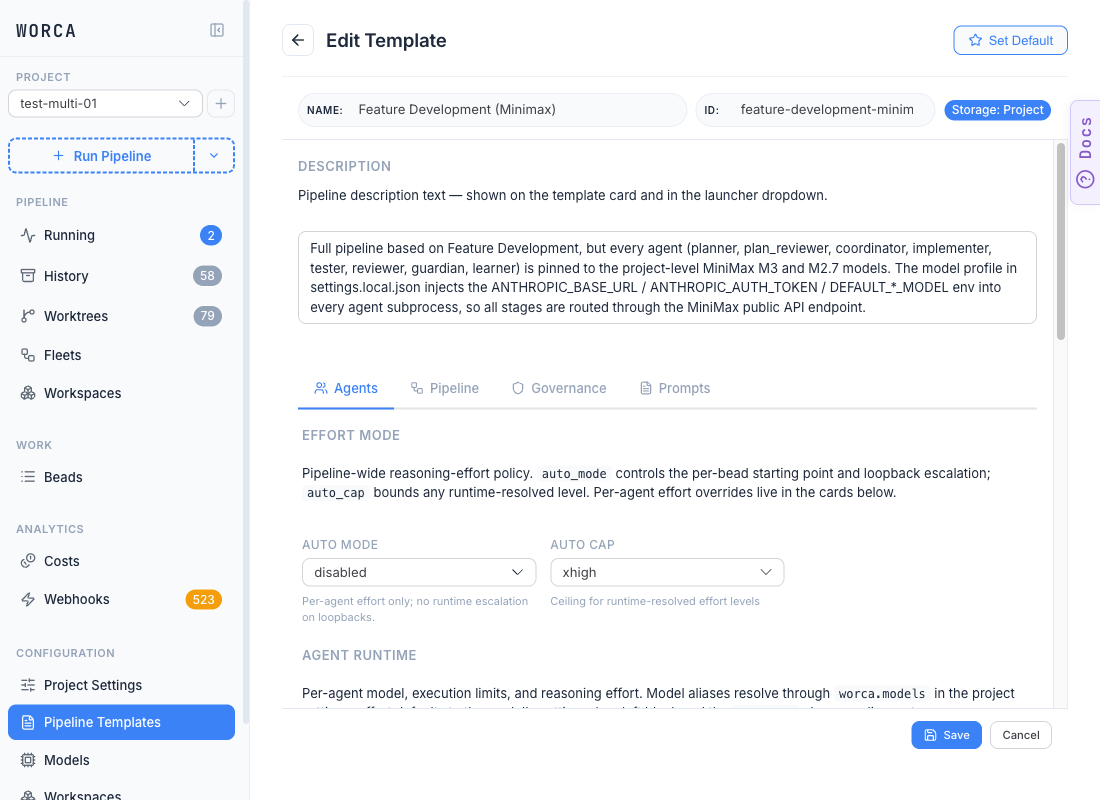
Why: adaptive mode would otherwise inject the coordinator’s bead-complexity label as the implementer’s starting point, which becomes a non-null effort level → sets CLAUDE_CODE_EFFORT_LEVEL → the Claude CLI emits a thinking block → M3 turns thinking on. Pinning disabled removes that path.
Step 2. On the same tab, set every per-agent Effort field to (default):
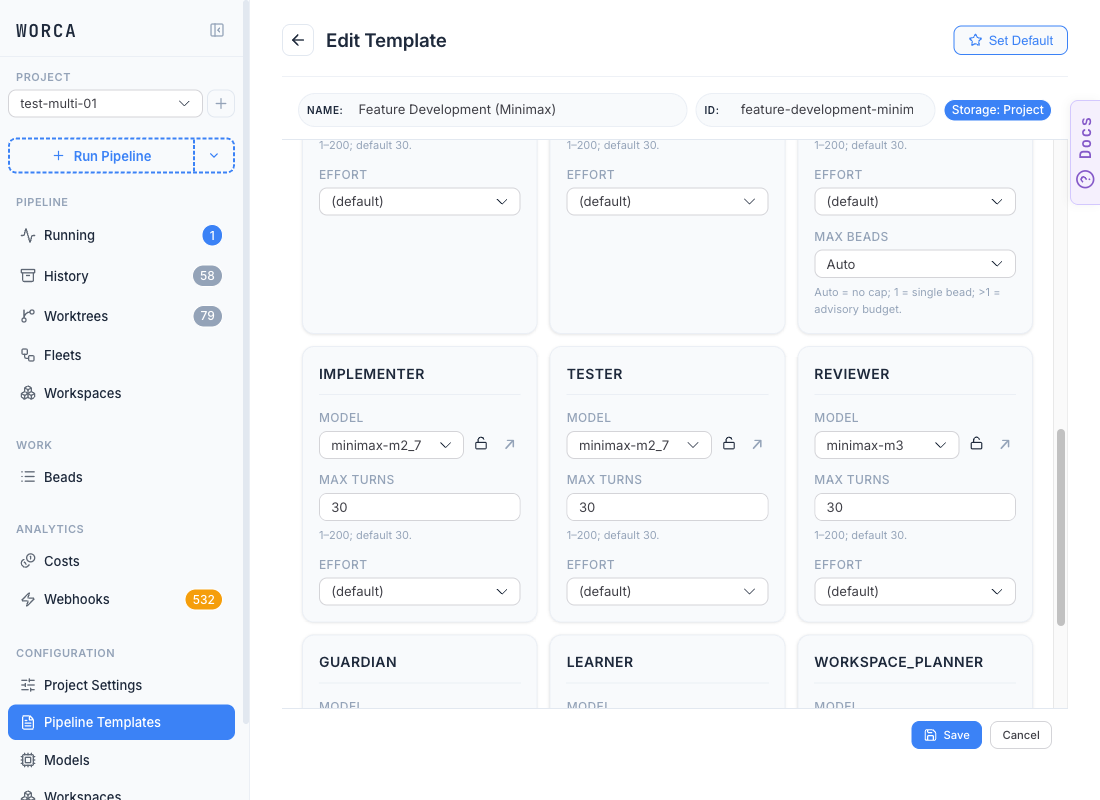
Why: (default) stores effort: null, which omits CLAUDE_CODE_EFFORT_LEVEL from the subprocess env. No env var → no thinking block in the request → M3 falls back to its default (off).
Recipe — enable thinking on M3
Section titled “Recipe — enable thinking on M3”Set any per-agent Effort to a literal rung (low through max — all equivalent on M3). The Claude CLI will emit a thinking block, which M3 interprets as on. There is no graduated control beyond on/off, so pick one rung consistently rather than tuning per agent.
Caveats
Section titled “Caveats”- M2.x always thinks. The Effort field is purely cosmetic for M2.x models — no setting on either axis changes the request. Treat the effort policy as Anthropic-only when running M2.x; pin Auto mode to
disabledto avoid misleading escalation telemetry instatus.json. - Advisory min-effort indicators are false signals. The yellow ⚠ “Below recommended floor” chip on
planner/reviewer/guardian(see Tuning effort § Advisory recommended floors) is calibrated for Anthropic’s reasoning ladder. On MiniMax,lowandmaxare identical — ignore the indicator. - Forensic
requestedvslevelis misleading. The iteration record instatus.jsonreportsrequested: "xhigh"/level: "high"based on the model’s ladder, but the request actually carriedthinking.enabledregardless of the rung. The forensic pair is only meaningful for Anthropic models. - Template scope, not project scope. Effort lives on the template, not in project settings — configure these two knobs on whichever template runs MiniMax. See Configuration precedence for the strip-and-merge rules.
More providers will be documented here as they’re validated. If you’ve wired up a non-Anthropic provider with a different thinking-mode surface, the file lives at docs-site/src/content/docs/advanced/non-anthropic-providers.md — PRs welcome.