Your first run
With your project added, you’re ready to run the pipeline — all from the dashboard.
Launch a run
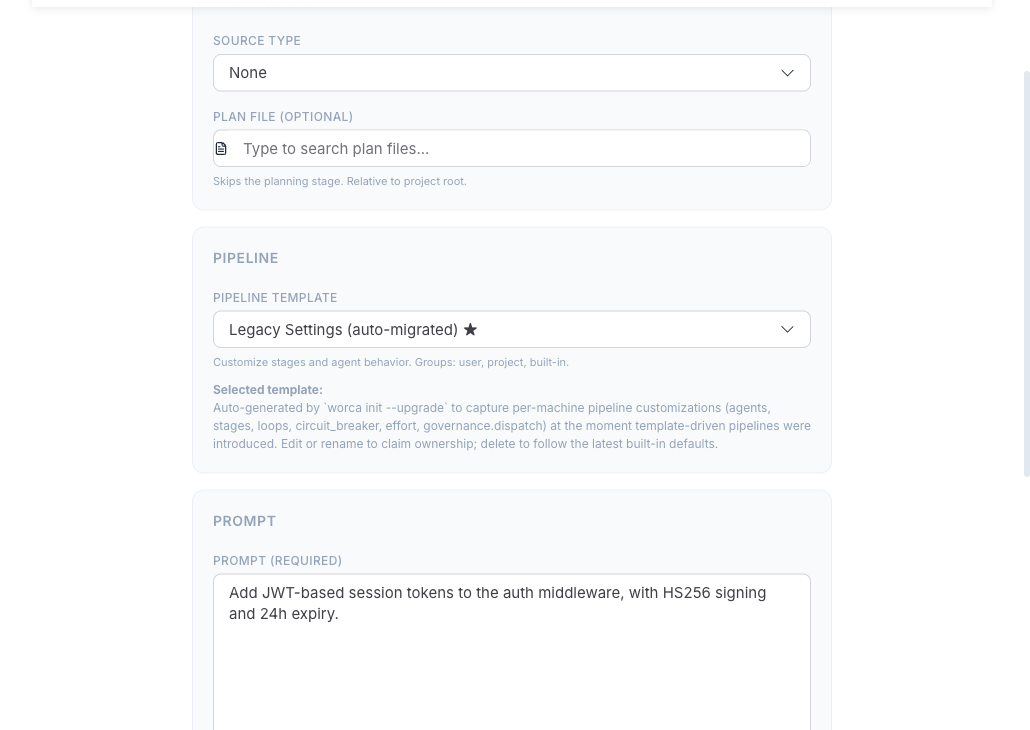
Section titled “Launch a run”- Select your project in the sidebar.
- Click Run Pipeline.
- Describe the work: type a prompt, or point at a GitHub issue or a spec file.
- (Optional) Pick a template —
feature,feature-minor,bugfix,quick-fix,refactor,investigate, ortest-only— to tailor the stages and rules to the kind of work. - Click Launch.
Watch it run
Section titled “Watch it run”The run opens in the run detail view. Stages stream live as the pipeline moves through Plan → Coordinate → Implement → Test → Review → PR — each showing iteration counts, cost, duration, and logs. Use the pause / resume / stop controls in the header at any time.
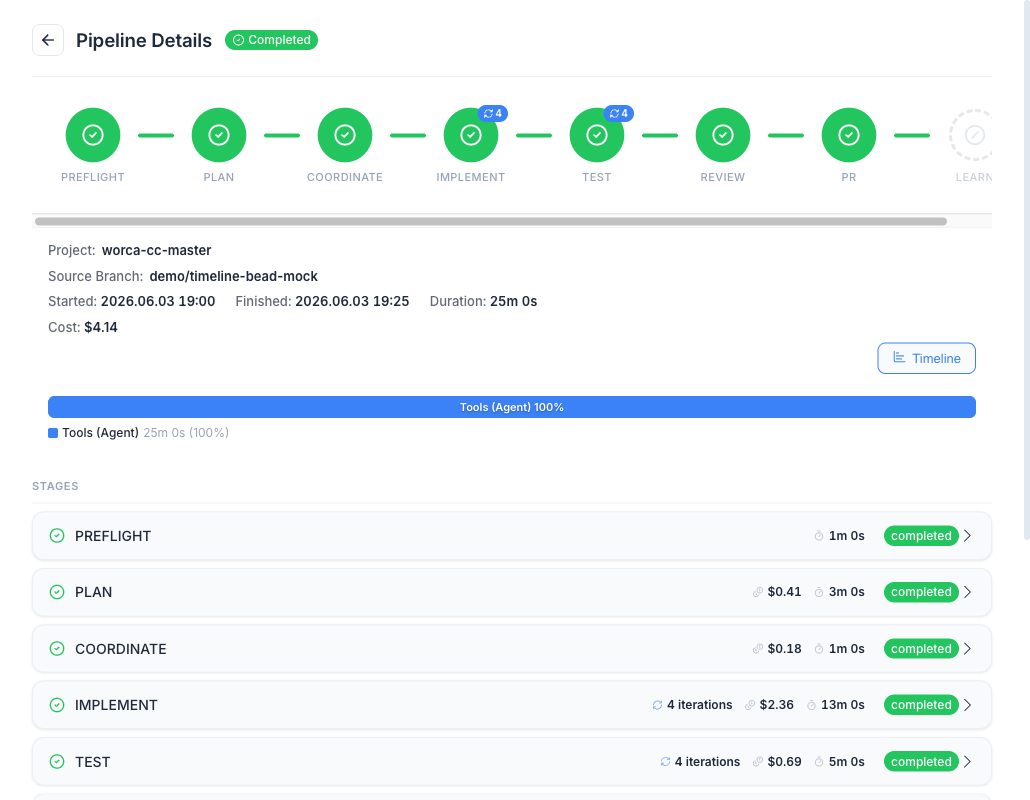
The run executes in its own git worktree, so your working tree is never touched. When the pipeline finishes, the Guardian agent opens a pull request with the implemented, tested, and reviewed change.