Worktree cleanup
Every run executes in its own git worktree under <project>/.worktrees/pipeline-<run_id>/. Worktrees persist after a run finishes — by design, so you can inspect the result — which means they accumulate. worca cleanup removes them.
The Worktrees view
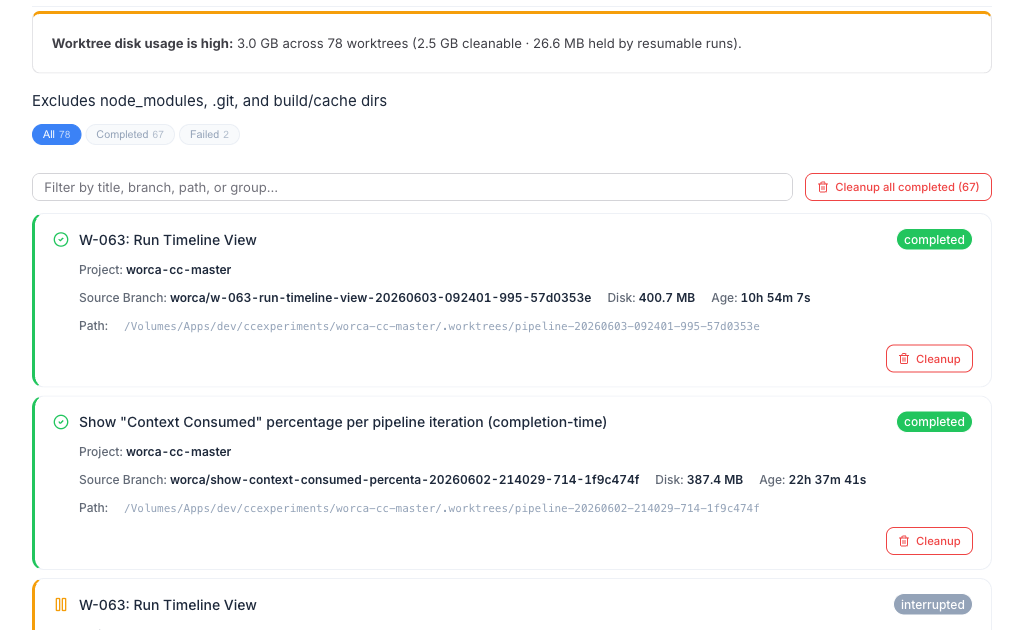
Section titled “The Worktrees view”The dashboard’s Worktrees view lists every worktree across registered projects with its disk usage and age, plus one-click cleanup. The sidebar badge flips orange when total worktree disk usage crosses the warning threshold (default 2 GB), so you get a nudge before it grows unbounded. Both that threshold and the automatic cleanup policy are configurable in Settings → Worktrees — they aren’t fixed.
From the CLI
Section titled “From the CLI”worca cleanupWith no flags, cleanup is interactive — it lists completed worktrees and prompts before removing. Flags make it non-interactive:
| Flag | Effect |
|---|---|
--all | Remove all completed/failed worktrees without prompting. |
--run-id ID | Remove one worktree by run ID. |
--fleet-id ID | Remove a fleet and all its child worktrees. |
--workspace-id ID | Remove a workspace and all its child worktrees. |
--older-than DURATION | Only remove worktrees older than e.g. 7d, 24h, 30m. |
--dry-run | List what would be removed without removing it. |
Always safe to preview first:
worca cleanup --dry-run --older-than 7dWhat cleanup never touches
Section titled “What cleanup never touches”Running worktrees are never eligible for cleanup — a run in flight is always protected.