Add your project
You add projects from the dashboard. Adding a single project registers it and then opens the Project Setup wizard, which installs worca into the project and walks you through its initial configuration.
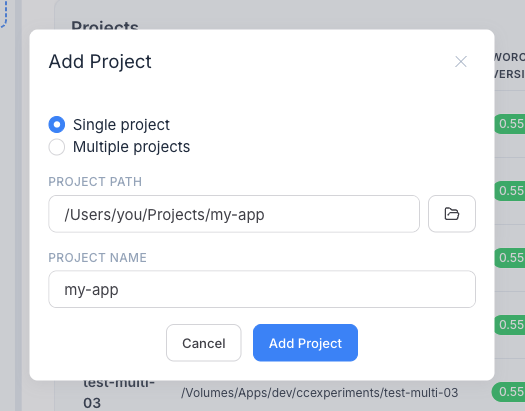
- In the sidebar, click the + button next to the project picker.
- Choose Single project (one repository) or Multiple projects (scan a parent folder and register several repositories at once).
- Enter the path — the Project Path for a single repo, or the Parent Path to scan for repositories when adding multiple. The dialog validates it and, in single mode, generates a name.
- Confirm. worca registers the project.
The setup wizard
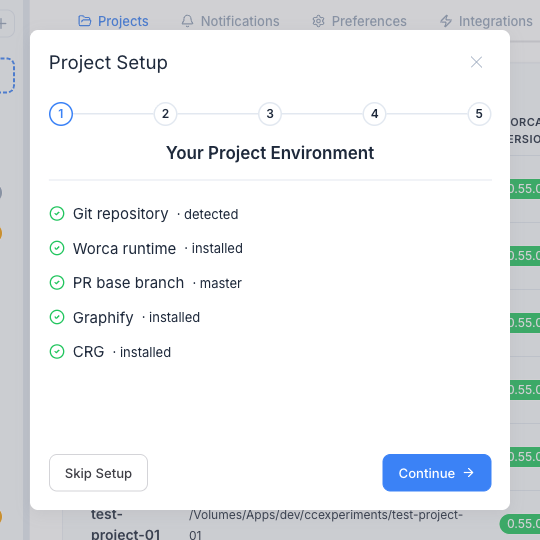
Section titled “The setup wizard”After you add a single project, the Project Setup wizard opens automatically. It checks your environment and walks you through the essentials. Every step is skippable, and you can re-open the wizard at any time from Settings → Projects (the gear icon on a project’s row).
- Your project environment — a read-only preflight: git repository, the detected PR base branch, and whether Graphify and Code Review Graph are installed.
- Install Worca — shown only when the project doesn’t have the worca runtime yet. Click Install Worca to run
worca init --upgrade, which scaffolds the pipeline into.claude/worca/(it creates.claude/if needed and preserves any existing settings). This step requires a git repository. - Set PR base branch — confirm or change the branch new pull requests target (detected from the git remote).
- Enable optional tools — turn on Graphify and/or Code Review Graph when they’re installed.
- Set default template — optionally pin a default pipeline template for the project.
Multiple projects vs. workspaces
Section titled “Multiple projects vs. workspaces”Multiple projects in the Add Project dialog simply registers several repositories at once — each becomes an independent project in the dashboard. It does not create a workspace.
A workspace is a separate concept: a parent folder with a workspace.json that declares dependencies between repositories, enabling workspace runs where one prompt is coordinated across them in dependency order. Create one with worca workspace init or from the Workspaces page.
Next: run your first pipeline.