Tuning effort
Effort is how much reasoning budget an agent spends per step — Claude Code’s low | medium | high | xhigh | max scale, surfaced per agent and per iteration. It’s orthogonal to the model and the turn budget.
You set every effort knob in the Pipeline Templates editor — no JSON. The level each iteration actually ran at then appears as a badge in the run-detail view. This page explains what the controls do.
The Effort Mode card (pipeline-wide policy)
Section titled “The Effort Mode card (pipeline-wide policy)”Open a template and switch to the Agents tab. The first card is Effort Mode — the pipeline-wide policy that controls where every agent’s starting effort comes from and whether loopbacks bump it:
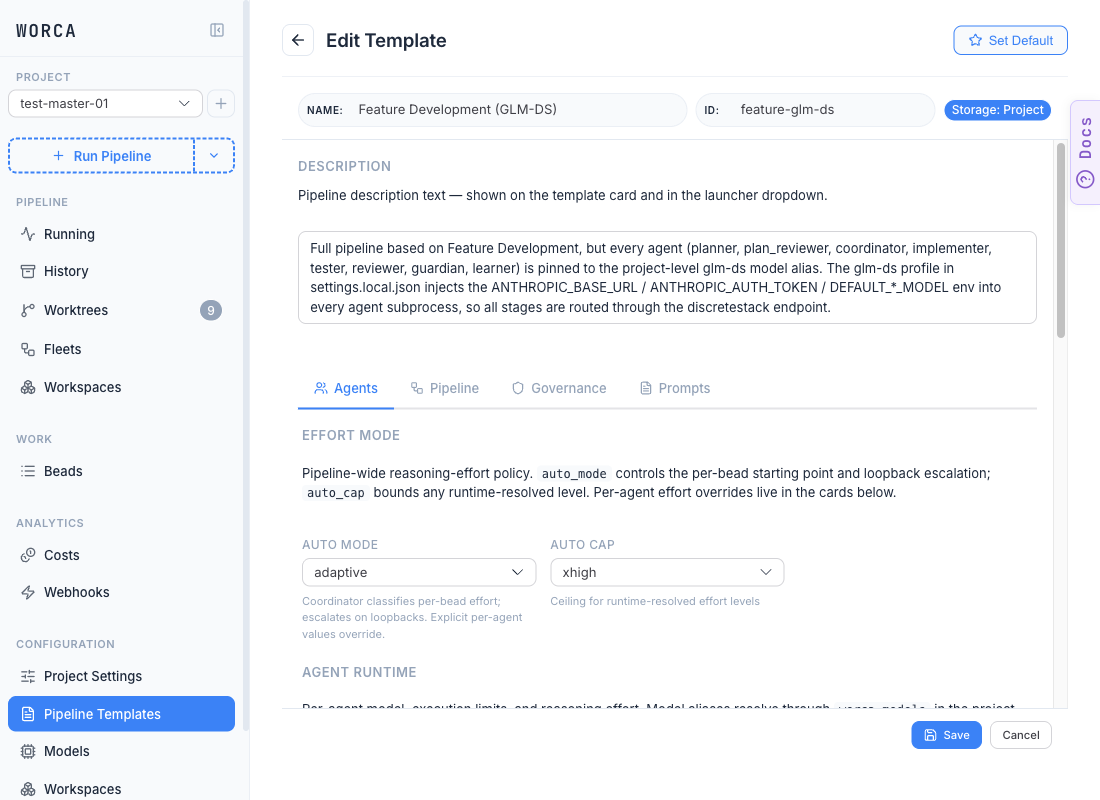
| Auto mode | Starting point | Escalates on loopbacks? |
|---|---|---|
disabled | Per-agent value, else model default | No |
reactive | Per-agent value, else model default | Yes |
adaptive (default) | Per-agent value if set, else the Coordinator’s per-task complexity label | Yes |
Auto cap is the ceiling escalation can reach (default xhigh).
Under adaptive, the Coordinator classifies each task’s complexity during decomposition and the Implementer starts from that label — unless you set an explicit per-agent value, which always wins.
Per-agent overrides (the agent cards)
Section titled “Per-agent overrides (the agent cards)”Scrolling down on the same tab, every agent gets its own card with Model, Max Turns, and Effort fields. Effort is a dropdown with rungs low → max plus a (default) option:
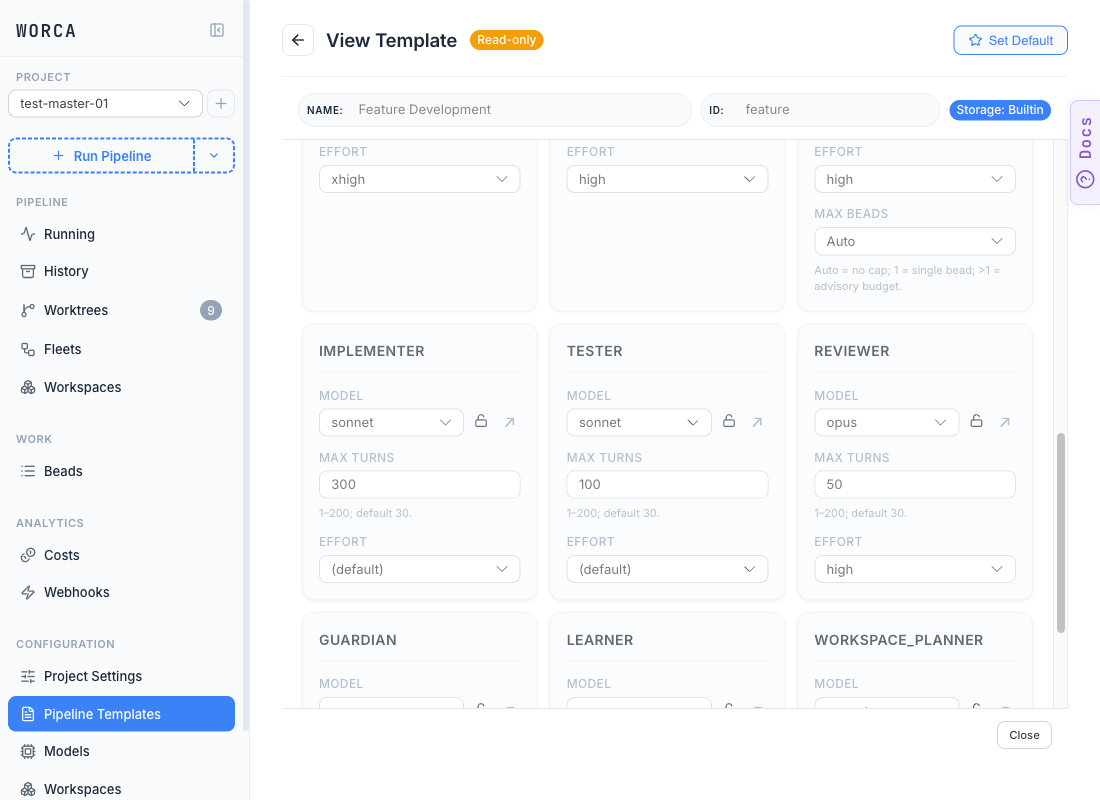
The shipped defaults set explicit effort where judgment matters and leave it (default) where work is mechanical:
| Agent | Default | Why |
|---|---|---|
| planner | xhigh | Plan quality compounds downstream. |
| coordinator | high | Complexity classification is a judgment call. |
| reviewer | high | Review quality controls how many fix loops run. |
| guardian | high | Commit and PR creation are irreversible. |
| implementer | (default) | The adaptive label drives its starting point. |
| tester | (default) | Deterministic pass/fail; model default suffices. |
Set explicit effort for high-stakes or heavy-reasoning stages; leave it (default) for mechanical ones.
Advisory recommended floors
Section titled “Advisory recommended floors”When you pick an Effort below a hardcoded recommended floor, the editor renders a yellow ⚠ chip beneath the Effort field on the Agents tab, and a matching chip beneath each stage’s agent picker on the Pipeline tab:
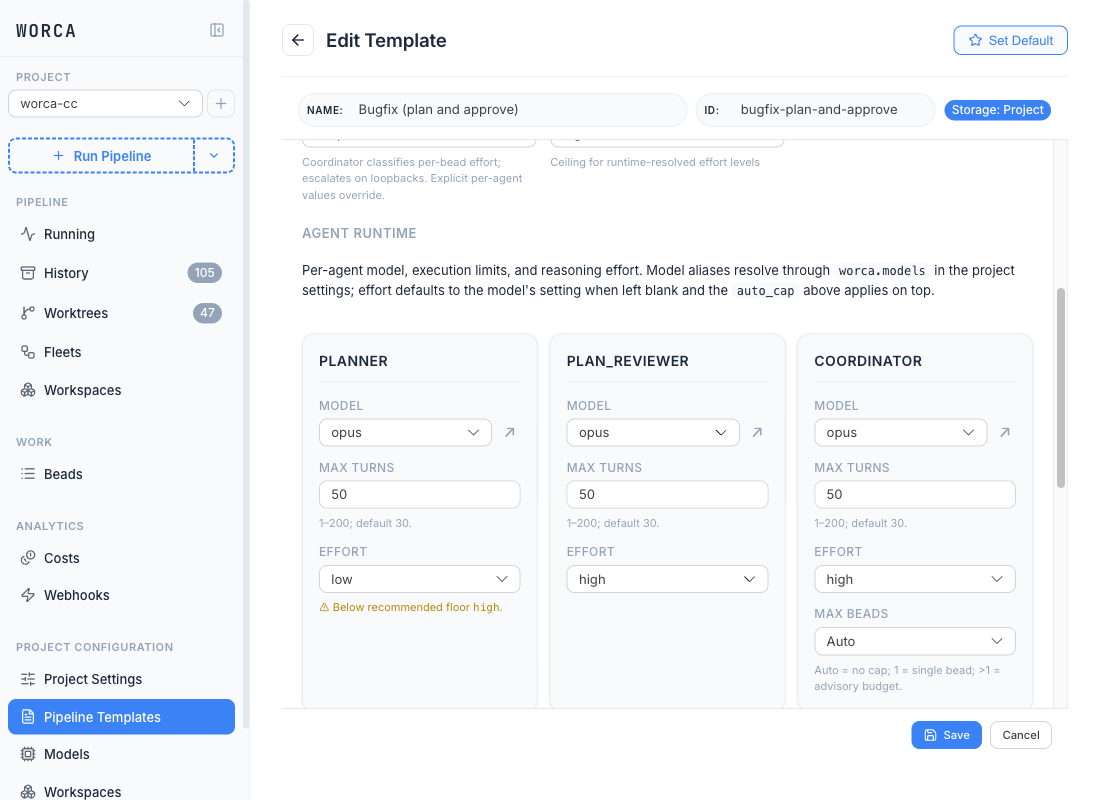
The hint is purely advisory — it isn’t persisted to the template, the pipeline runtime never reads it, and saving stays enabled.
| Floor | Agents |
|---|---|
high | planner, plan_reviewer, reviewer, workspace_planner |
medium | coordinator, guardian |
low | implementer, tester, learner |
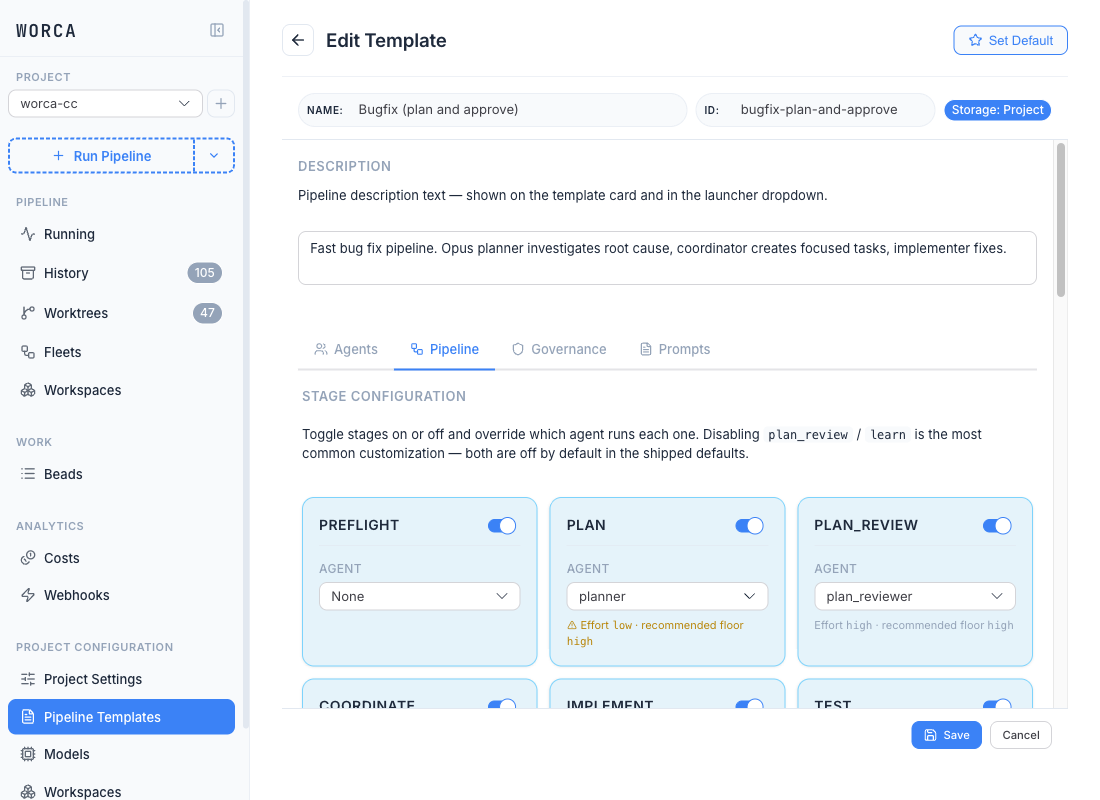
The same advisory chip surfaces on the Pipeline tab under each stage’s agent picker, so you can see floor mismatches while you’re toggling stages on and off:
Escalation and the cap
Section titled “Escalation and the cap”On a loopback (tests fail, changes requested), the re-running agent steps up the ladder — +1 rung for a test failure, +2 for a review change-request. The Auto cap dropdown is the ceiling escalation can reach.
Model-aware ladders (the important caveat)
Section titled “Model-aware ladders (the important caveat)”Effort rungs are model-specific, and the shipped aliases resolve to 4-rung models:
| Model | Rungs |
|---|---|
| Opus 4.7 | low, medium, high, xhigh, max |
| Opus 4.6 / Sonnet 4.6 (shipped) | low, medium, high, max — no xhigh |
On a 4-rung model, a requested xhigh collapses down to high, and auto_cap: xhigh rounds up to max — so a single test-failure loopback can take a high-base agent straight to max. To prevent auto-escalation to max on these models, set the Auto cap dropdown to high.
Pointing worca.models.opus at Opus 4.7 from the Models page restores the 5-rung ladder and gentler escalation. See Adding & routing models.
Reproduce the flat behaviour
Section titled “Reproduce the flat behaviour”Set the Auto mode dropdown to disabled. Every agent then pins to its configured Effort value (or the model default if (default)) with no escalation. The card’s inline description spells it out: “Per-agent effort only; no runtime escalation on loopbacks.”