Choosing a run mode
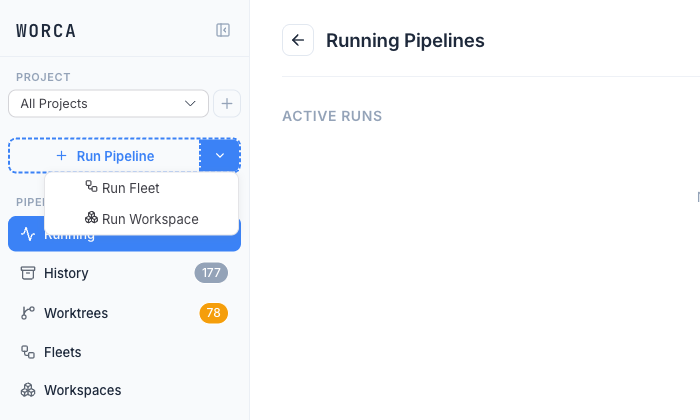
worca can run a task three ways, all launched from the dashboard’s Run Pipeline split-button.
| Mode | Use it when | How it runs |
|---|---|---|
| Single run | You want one change in one project. | Run Pipeline → one worktree-isolated pipeline. |
| Fleet run | You want the same task applied across many independent projects. | Run Pipeline ▸ Run Fleet → N pipelines in parallel, each opening its own PR. |
| Workspace run | You want one prompt carried across interdependent projects in the right order. | Run Pipeline ▸ Run Workspace → projects run in dependency-tier order with linked PRs. |
Every mode runs each pipeline in its own git worktree, so working trees are untouched and runs are parallel-safe.
- Single is the default and what you’ll use most.
- Fleet fans a single work-request out to a list of projects — for example, “update the linter config” across ten repos.
- Workspace decomposes one prompt into per-project sub-plans and runs them tier by tier, feeding each tier’s changes to the next.
Start with a single run in Your first run. Fleet and workspace runs get their own guides in the Running Pipelines section (coming soon).