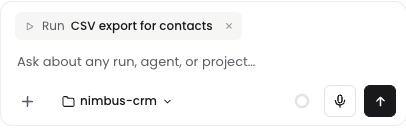
Side chat.
Bitbucket.
Ask Worca about the page you are on without leaving it, open pull requests on Bitbucket Cloud, give a feature its files and a chat, send a spec to Jira, and keep every call behind your proxy.
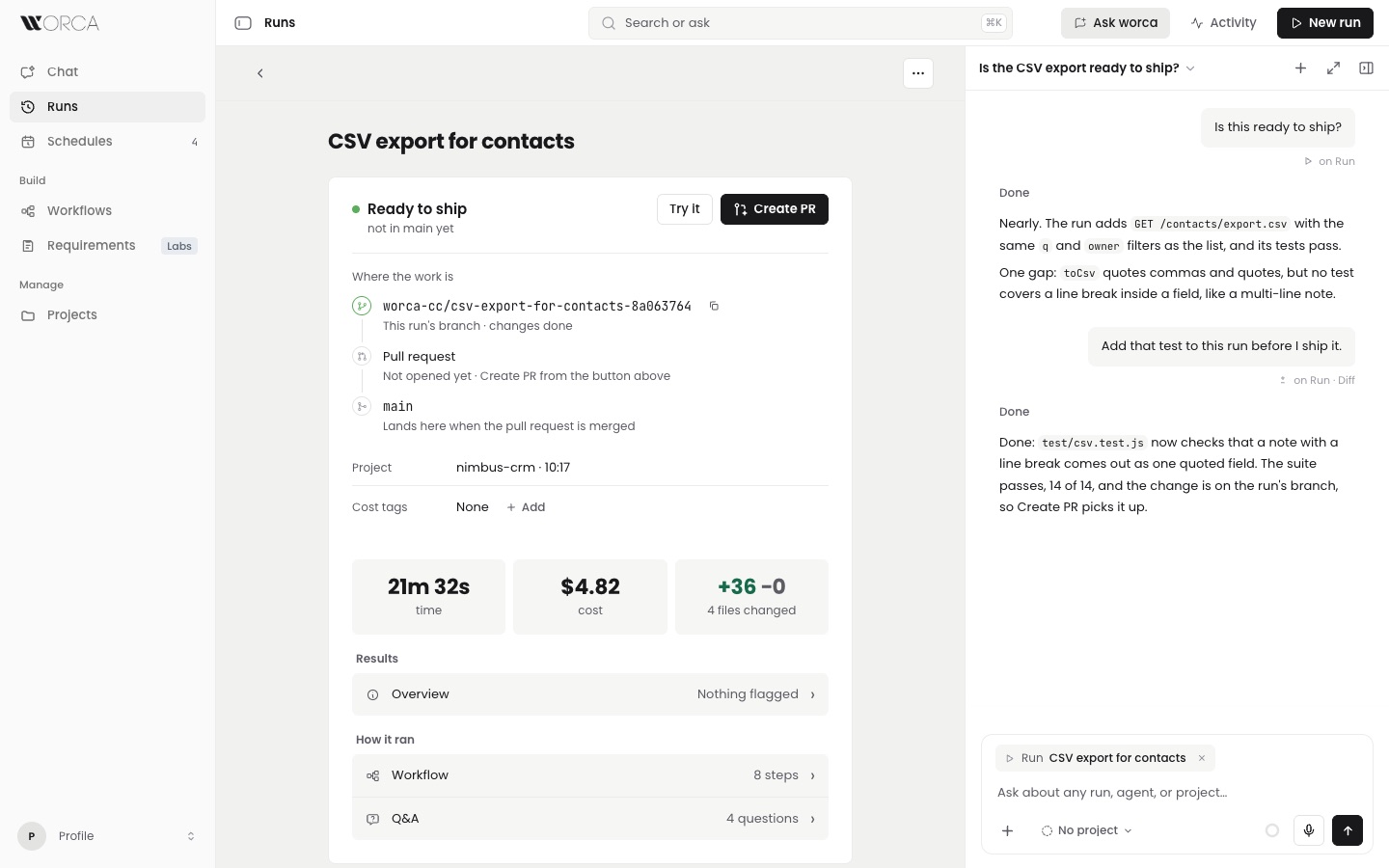
Ask Worca beside any page.
Had to leave a run to ask about it, then find your way back?
Now Ask worca opens a chat column beside the page you are on. It knows that page, so "is this ready to ship?" is about this run, and every question shows where you asked it.
- 1Open a finished run
- 2Look at one of its files
- 3Open a feature you are defining
- 4Check this month's spend
The same chat stays open while you move between pages.
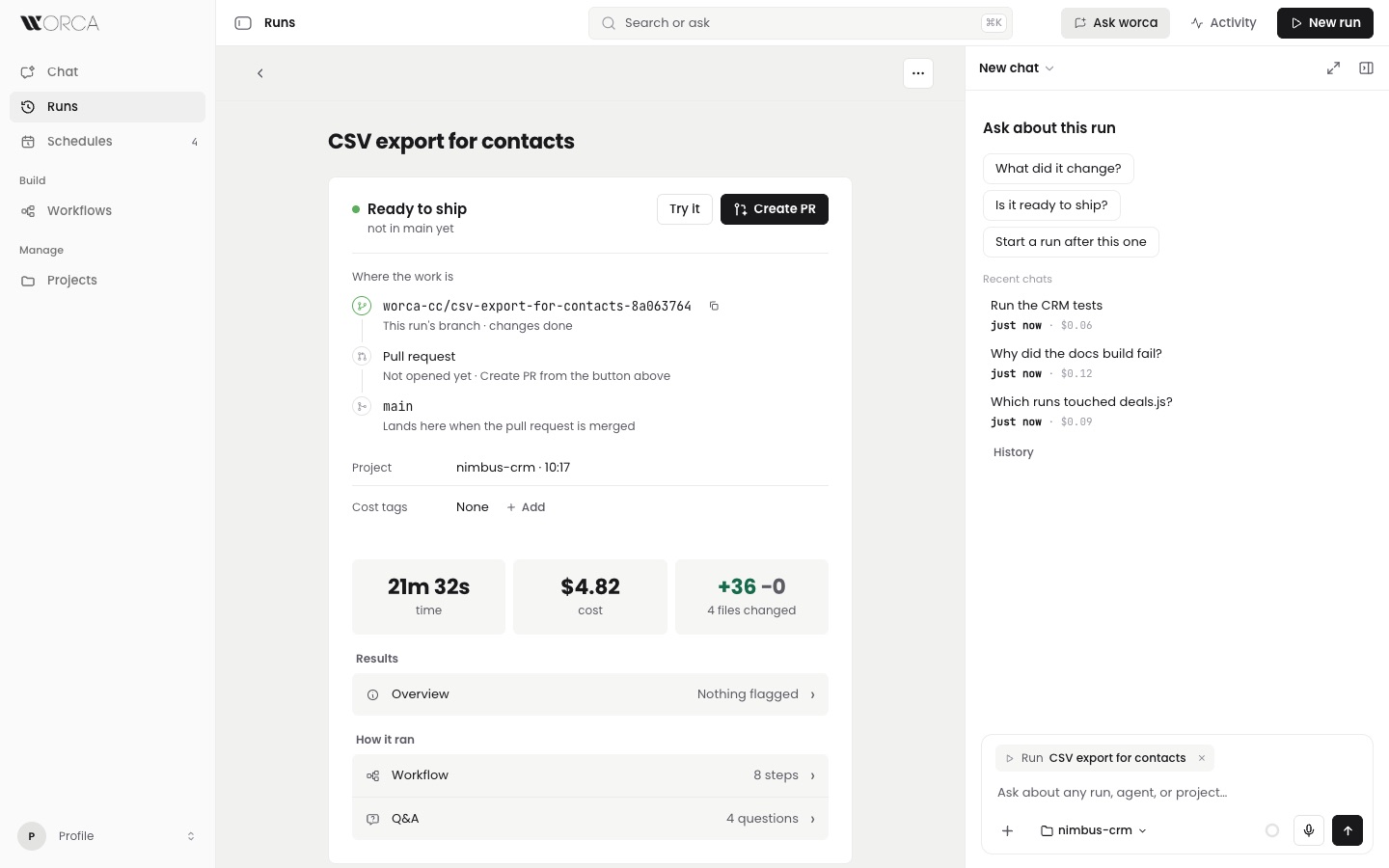
On a run: suggestions for it, your recent chats, and the run named in the composer.
Bitbucket Cloud, just like GitHub.
Your code lives on Bitbucket, so Create PR never showed up?
Now a project whose origin is on bitbucket.org gets Create PR, Watch PR and Resolve, clone and sync, and merge dates in team metrics, the same as GitHub and Azure DevOps.
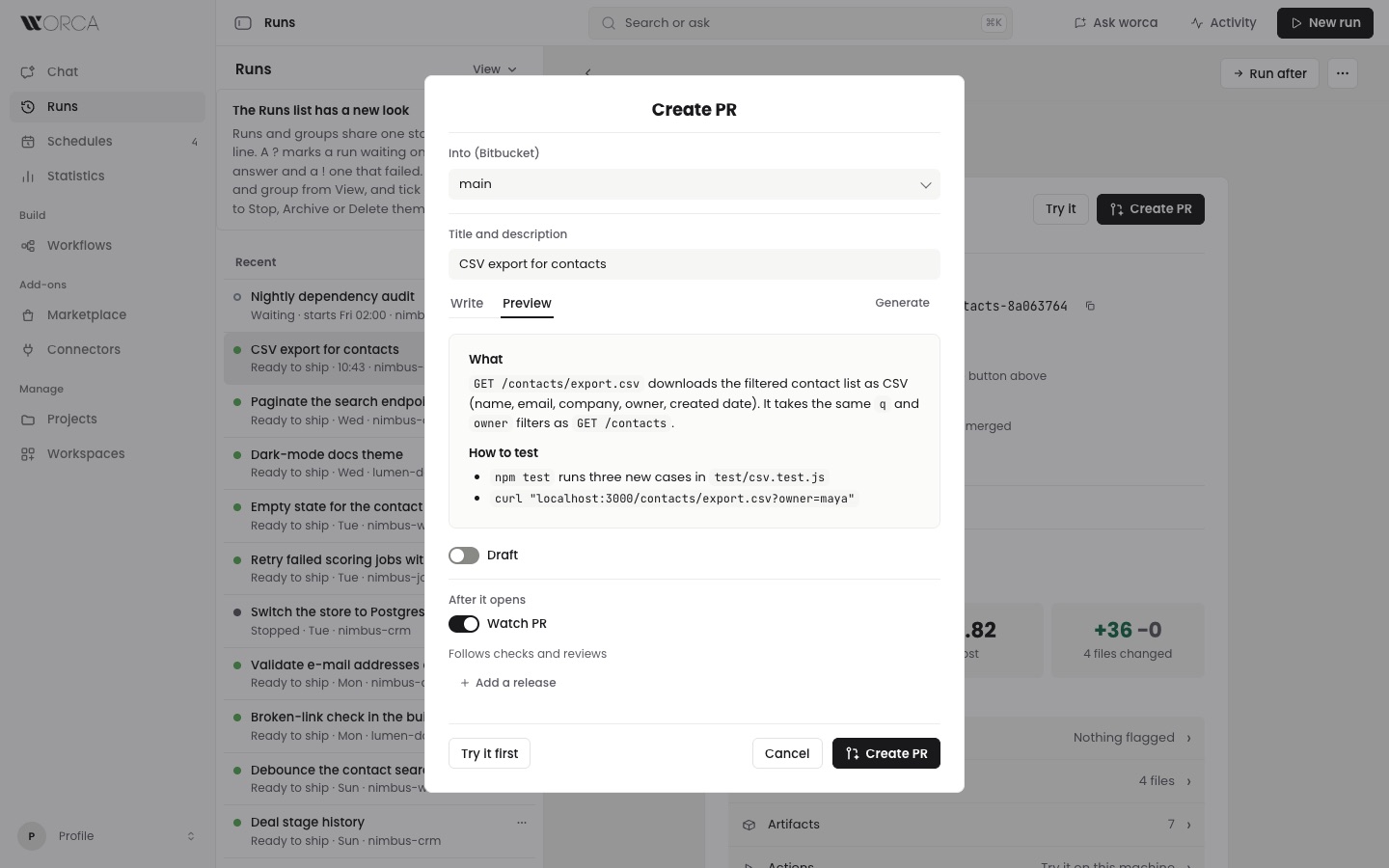
Create PR on a Bitbucket project: the same dialog, pointed at Bitbucket.
Worca reads the host from the project's origin; there is nothing to pick.
Give a feature its files and a chat.
The rules lived in a document the interview never saw?
Now add files to a feature or a product brief. Worca reads each one once and asks about what it leaves open. Stuck on a question? Help me answer opens a Feature chat beside the spec that drafts an answer and suggests changes you accept or reject.
- 1Add the files support already keeps
- 2Worca reads each one once
- 3The next round asks what they leave open
- 4Help me answer drafts a reply for you
A draft is only a suggestion until you submit the round.
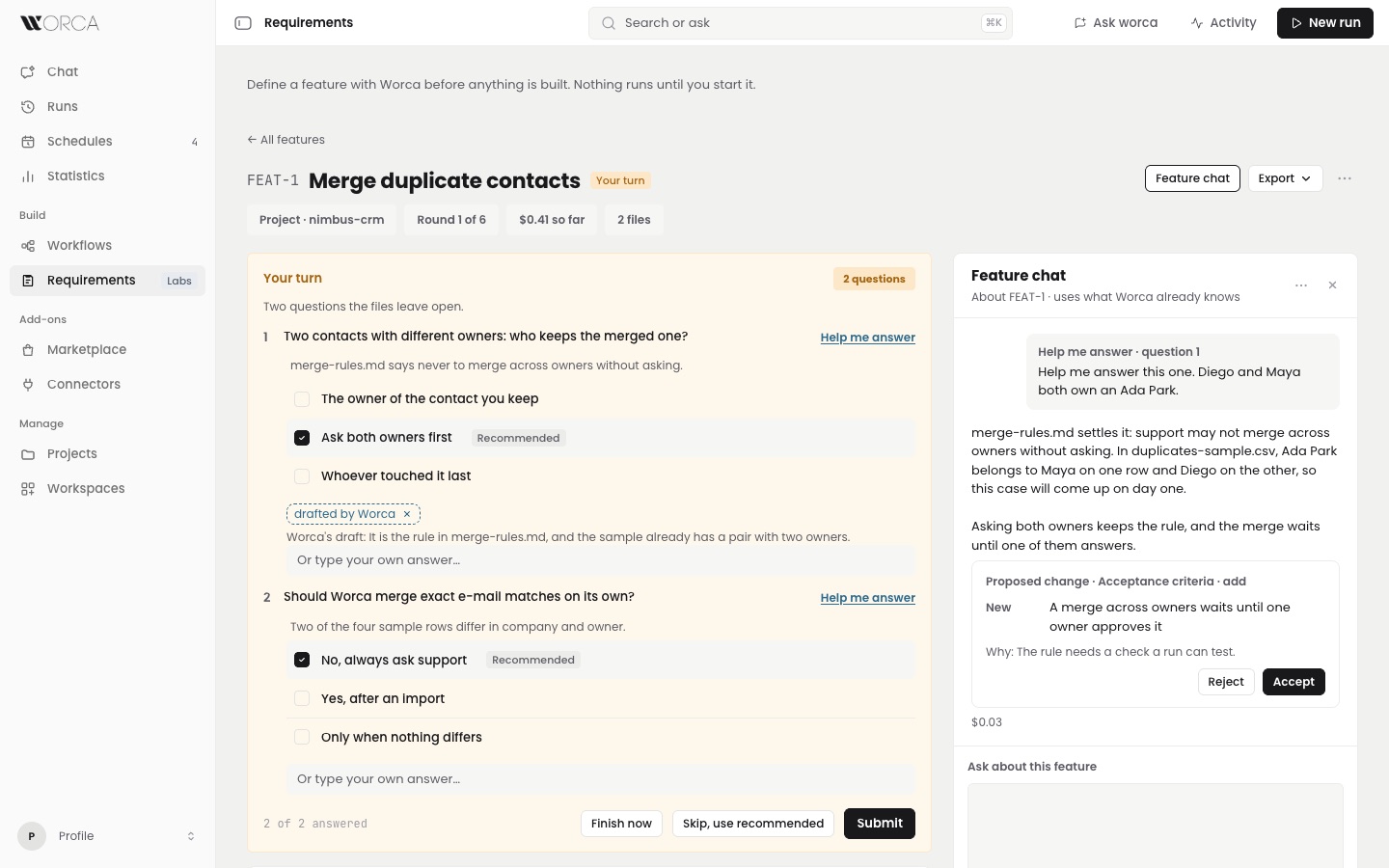
A feature mid-interview: Worca's draft on question 1, and a criterion it proposes.
Send a finished spec to Jira.
The spec was ready, and then someone retyped it into a ticket?
Now Export to Jira creates the ticket from the spec: goal, flow, rules and acceptance criteria, in the project and issue type you set once. You see what Jira will get before anything is sent, and exporting again updates the same ticket.
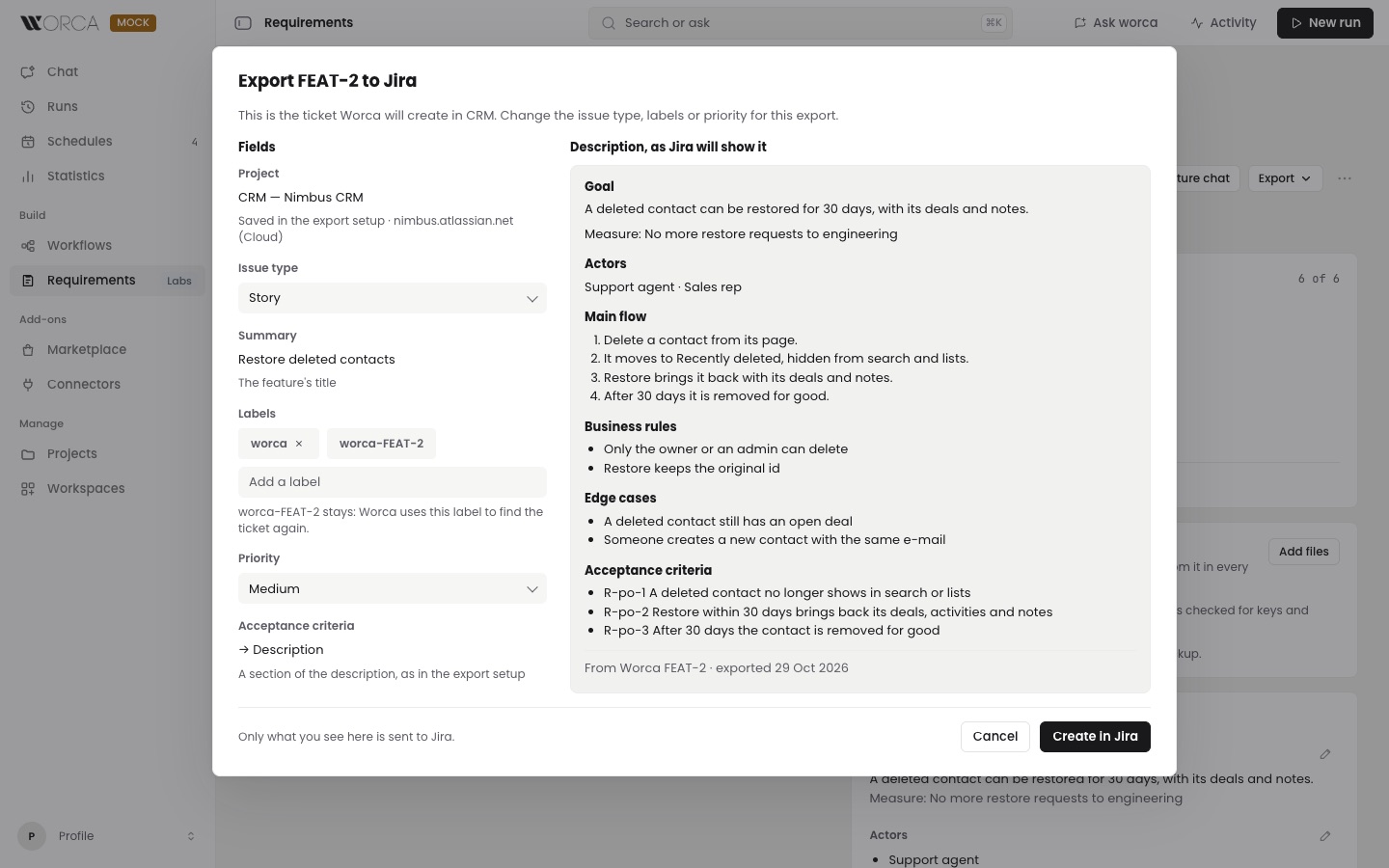
Export FEAT-2 to Jira: the fields on the left, the description as Jira will show it.
- 1Pick the Jira project and issue type once
- 2Read the ticket as Jira will show it
- 3Create in Jira
- 4The feature links to its ticket
Only what you see in the preview is sent to Jira.
Every call goes through your proxy.
Behind a corporate proxy, one kind of call still went direct and failed?
Now model calls, the chat's web search and fetch, plugins and the container all go through the proxy, on every supported Node. A proxy password in the environment stays with Worca: agents and scripts get a local address without it.
Worca's local proxy adds the login on the way out, so no child process ever holds it.
- 1On WSL, ask Windows itself
- 2GNOME's proxy settings
- 3KDE's proxy settings
- 4The proxy variables Worca started with
Headless servers and containers detect a proxy now, not only GNOME desktops.
Find what is ready to ship.
Looking for finished work meant scrolling past everything else?
Now the Runs View menu has Ready to ship, and Runs and Chats share the same day sections and View menus. Add to group works the same in both: search for a group or make one with a suggested name, from the keyboard.
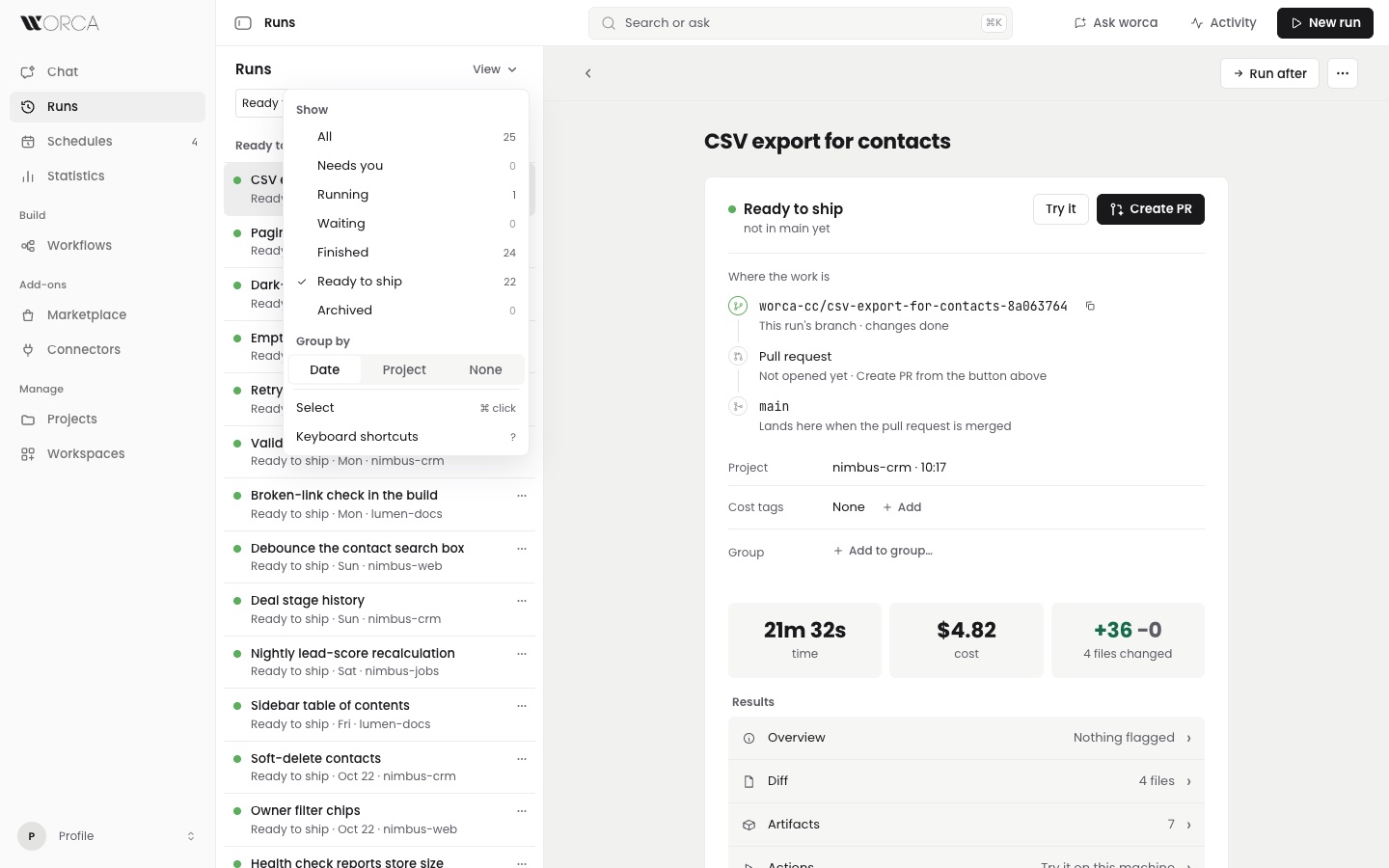
The Runs View menu: Ready to ship picked, grouped by date.
Recent
All groups
After the add, focus stays on what you added, and Undo is one click away.
Four features out of Labs.
Useful features, hidden behind a switch in Settings › Labs?
Now Shaper, Run presets and Cost tags are always on, and Keep awake is an ordinary switch in the account menu. There is nothing to turn on, and a Keep awake you turned off stays off.
The same choice, now in the account menu.
Shipped, tested, verified live.