Easy setup.
New engines.
Set up Worca with one assistant, run and chat on four new engines, open one pull request for a run or a whole feature, share agent memory with your team, keep chats in groups, and start runs from Jira tickets.
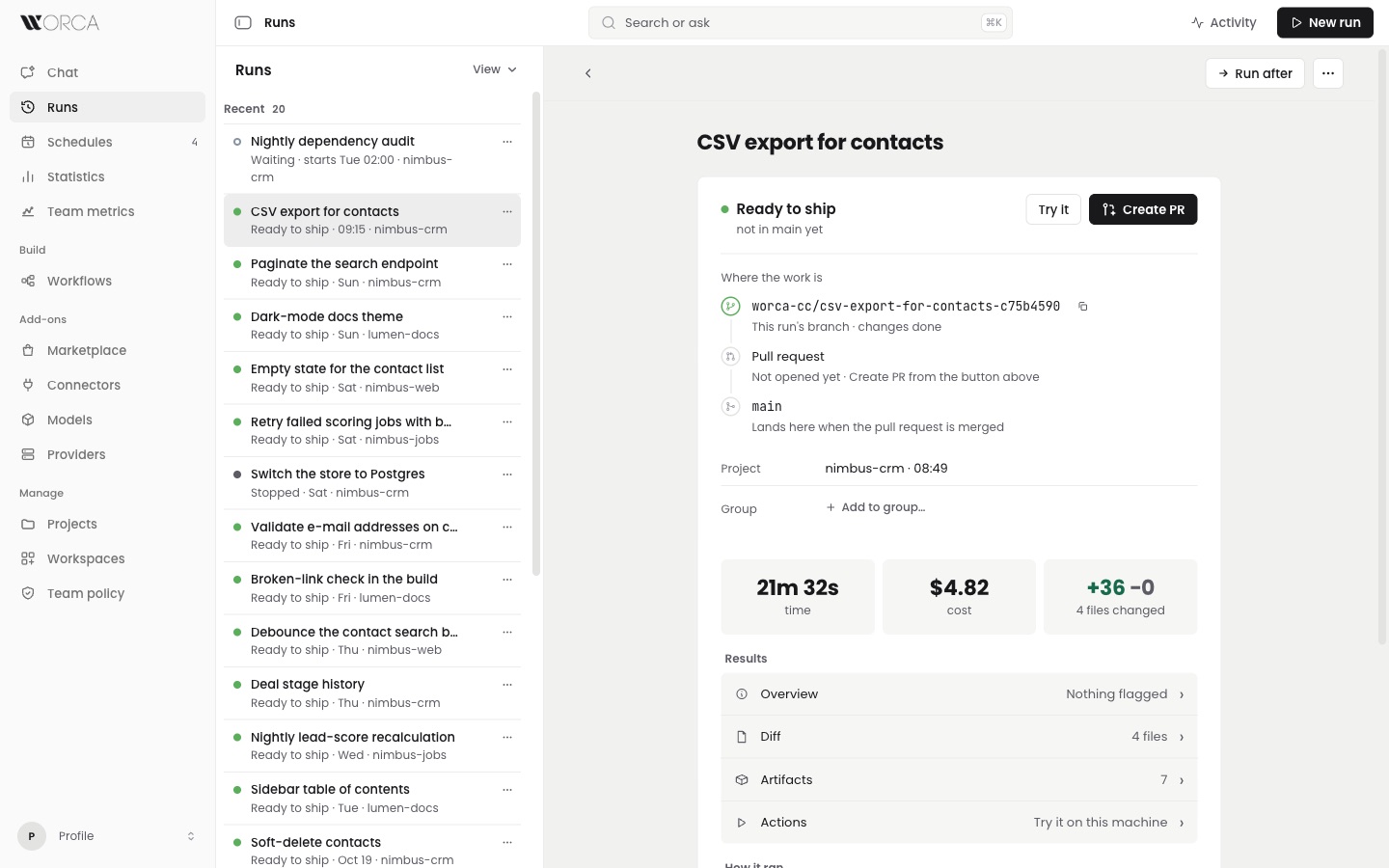
A setup assistant, proxy included.
Behind a corporate proxy, nothing worked until someone set environment variables?
Now the Setup assistant checks this machine, sets up the network, signs in to model providers and picks models, then applies everything in one step. On a corporate proxy, log in once with your Windows account: Worca keeps a hash, never the password. Chat can test the proxy and suggest a fix for you to apply.
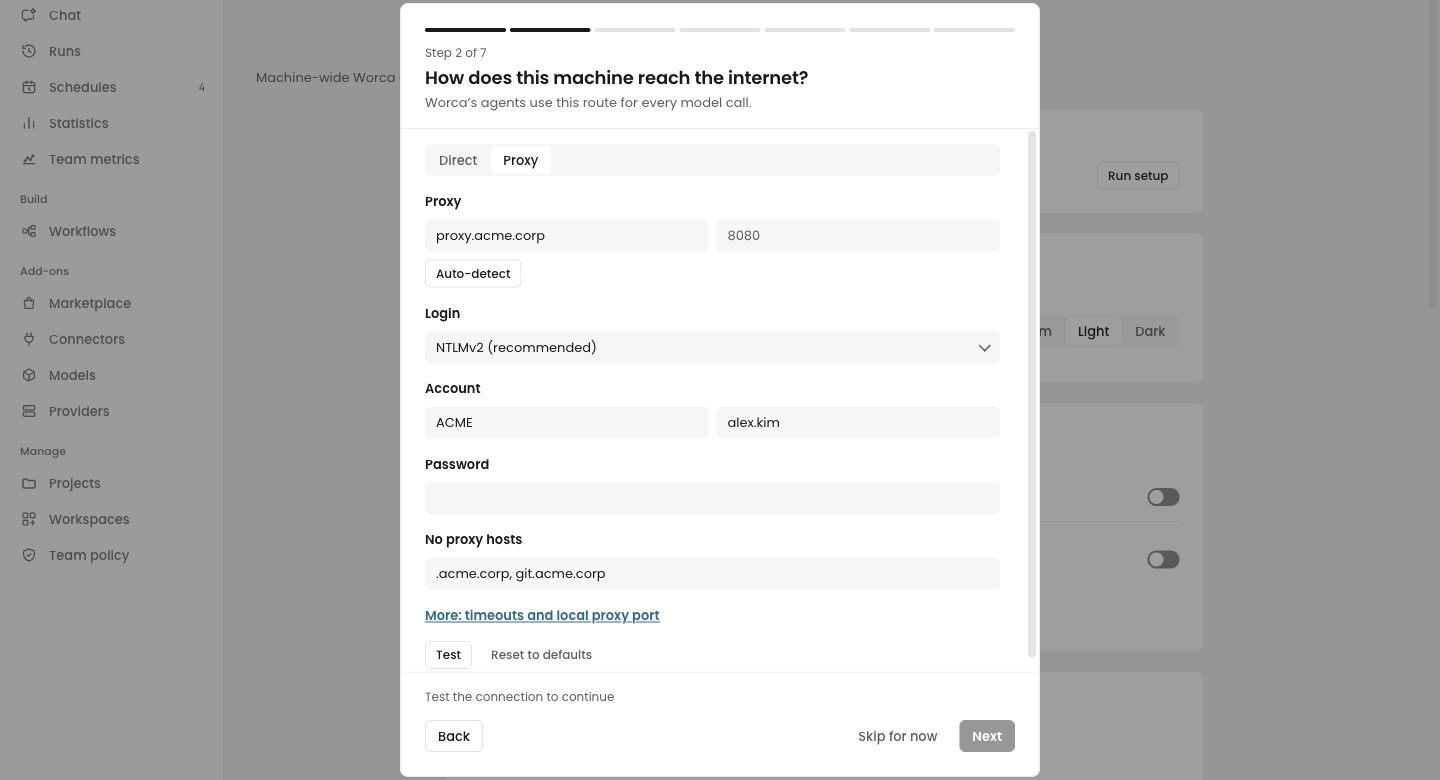
Setup assistant, step 2: a corporate proxy with an NTLM login.
- 1Check this machine
- 2Direct, or a proxy that is tested first
- 3Model access and models
- 4Review, then apply it all
The network step applies on Next, so later sign-ins already use the proxy.
Four more engines, for runs and chat.
Want Worca on a model your company already pays for?
Now Gemini CLI, Qwen Code, OpenCode and Goose run a workflow's steps, and Chat works on each of them, next to Claude, Codex and Copilot. Pick one per run on New run, or set a default in Settings › Models. In Chat, an engine's own tools stay off and every feature goes through Worca, so a chat behaves the same whichever engine answers.
Already there
New in 1.14.0
Each engine keeps its own step and helper models.
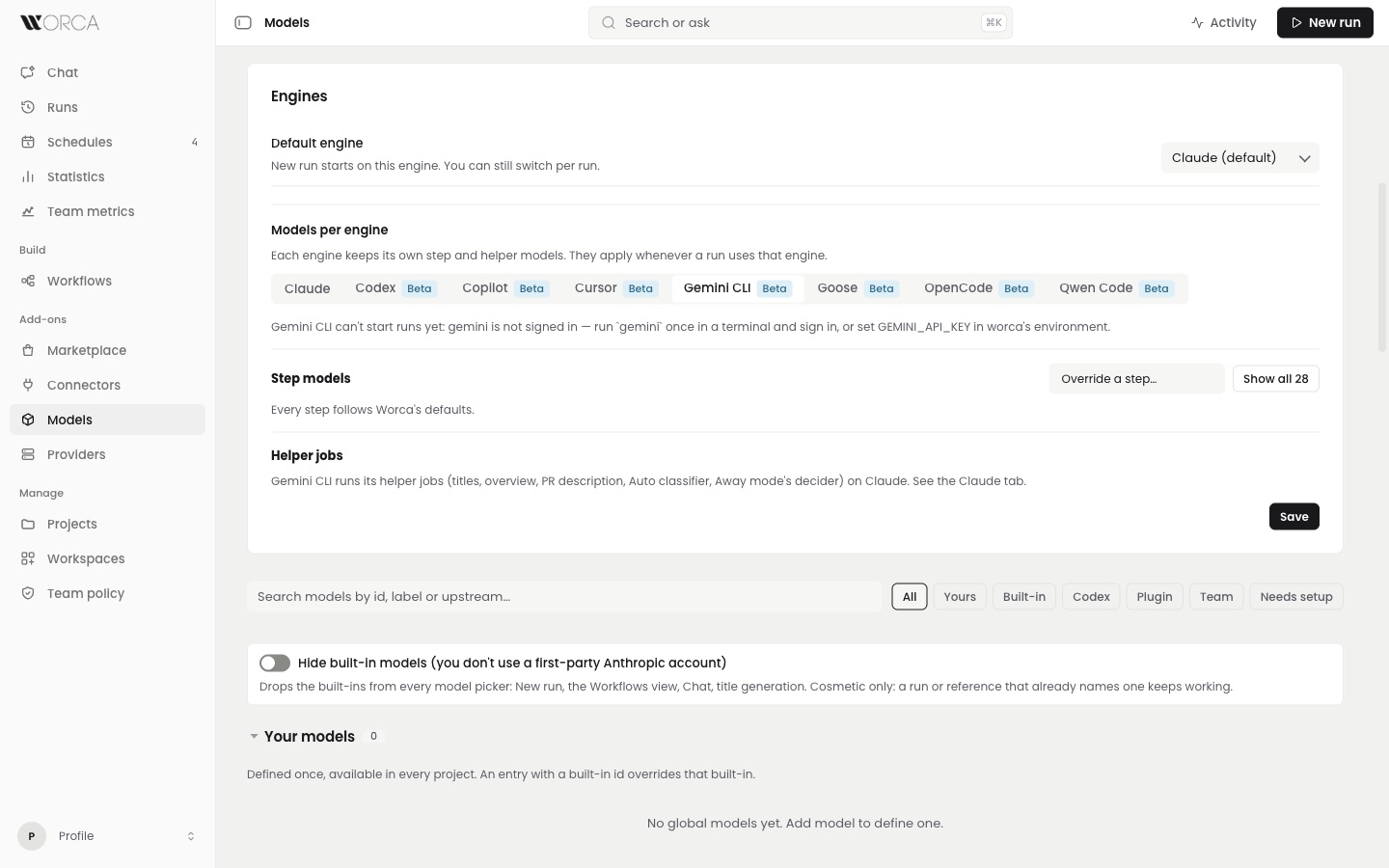
Settings › Models: one tab per engine, each with its own models.
One Create PR for runs and features.
A feature split into five runs meant five pull requests by hand?
Now Create PR works the same for one run, a feature, a chain or a group you made. Choose separate pull requests or one combined pull request; Worca builds the combined branch without touching your checkout. The dialog opens with a description already drafted, and Watch PR follows the checks and reviews.
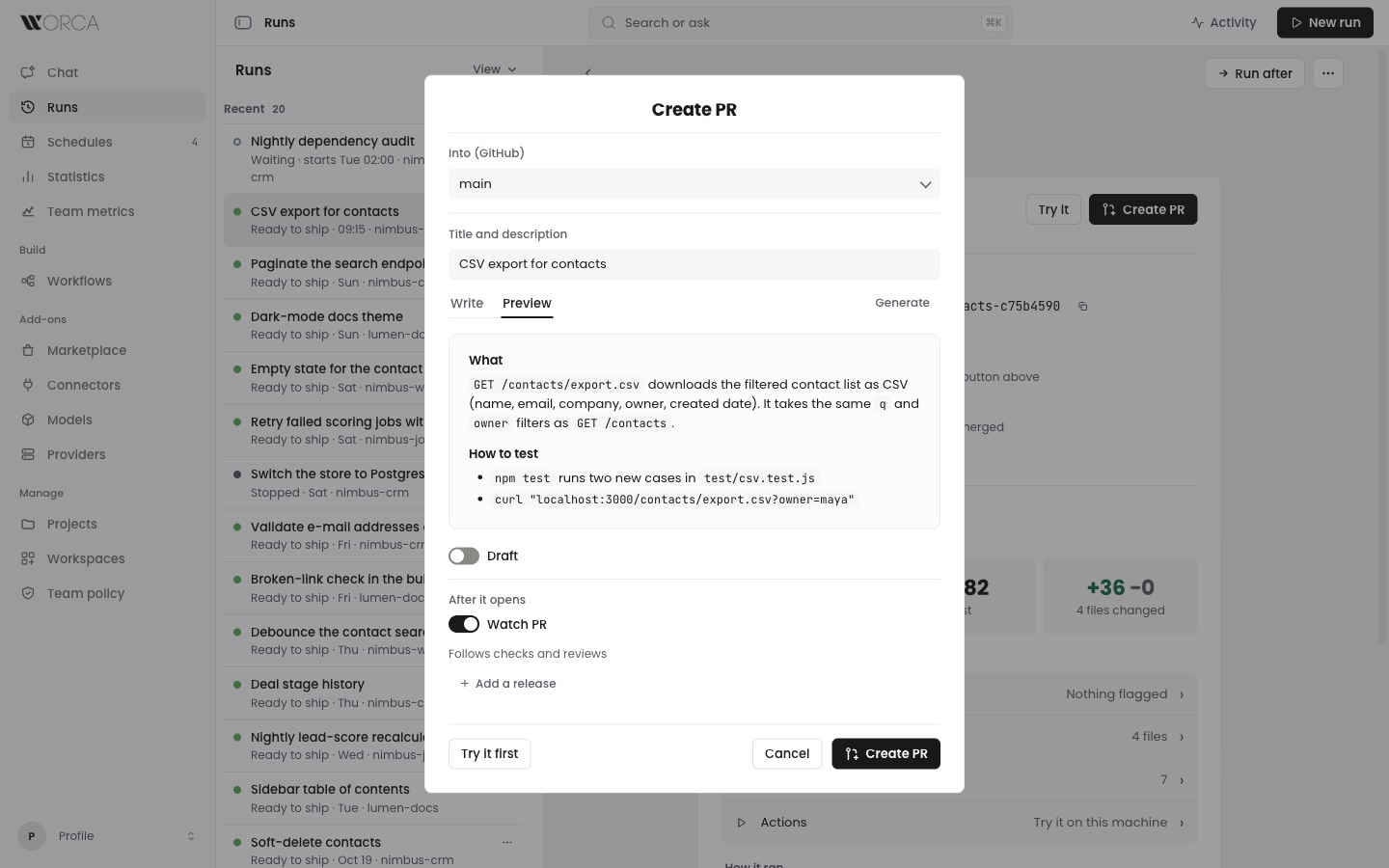
Create PR: where it goes, the drafted description, and what happens after.
- 1Open Create PR on the feature
- 2Separate pull requests, or one combined
- 3Check the drafted description
- 4Watch PR follows checks and reviews
Combining never checks out, merges or resets your branches.
Share agent memory with your team.
Your agents learned a project's traps, but a teammate's start from zero?
Now switch on team memory for a project, and the notes its agents keep are shared through a worca-memory branch in the project's own repository. Every note passes a secret check before it leaves your machine. Choose what runs and chats load: your notes, the team's, or both.
Notes outside a project load in every mode.
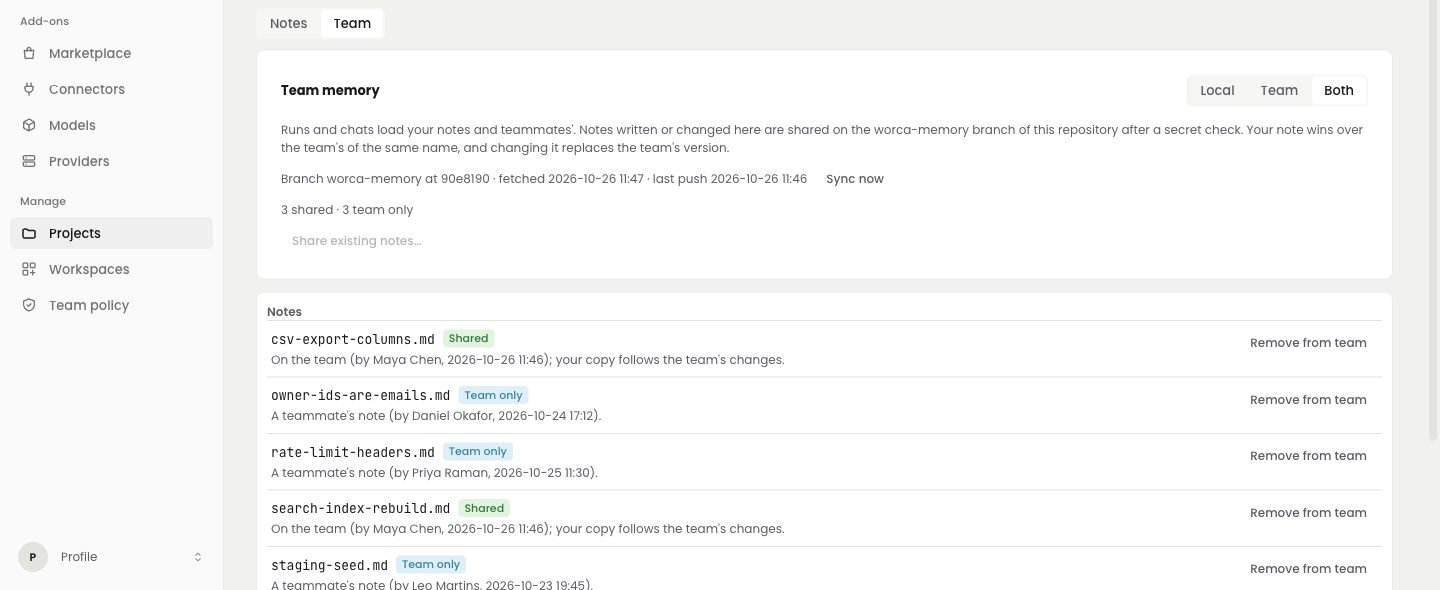
Memory › Team: what is shared, what came from teammates, and who wrote it.
Chats, organised like your runs.
Lost track of which chat had the answer?
Now the Chats column works like the Runs list: Pinned, Today and Recent, archive, and search from the top bar. Put related chats in a group with a suggested name, and ⌘-click or Shift-click to select several. Commands in a chat show a one-line summary of what they do, and a reply no longer moves your place or your cursor.
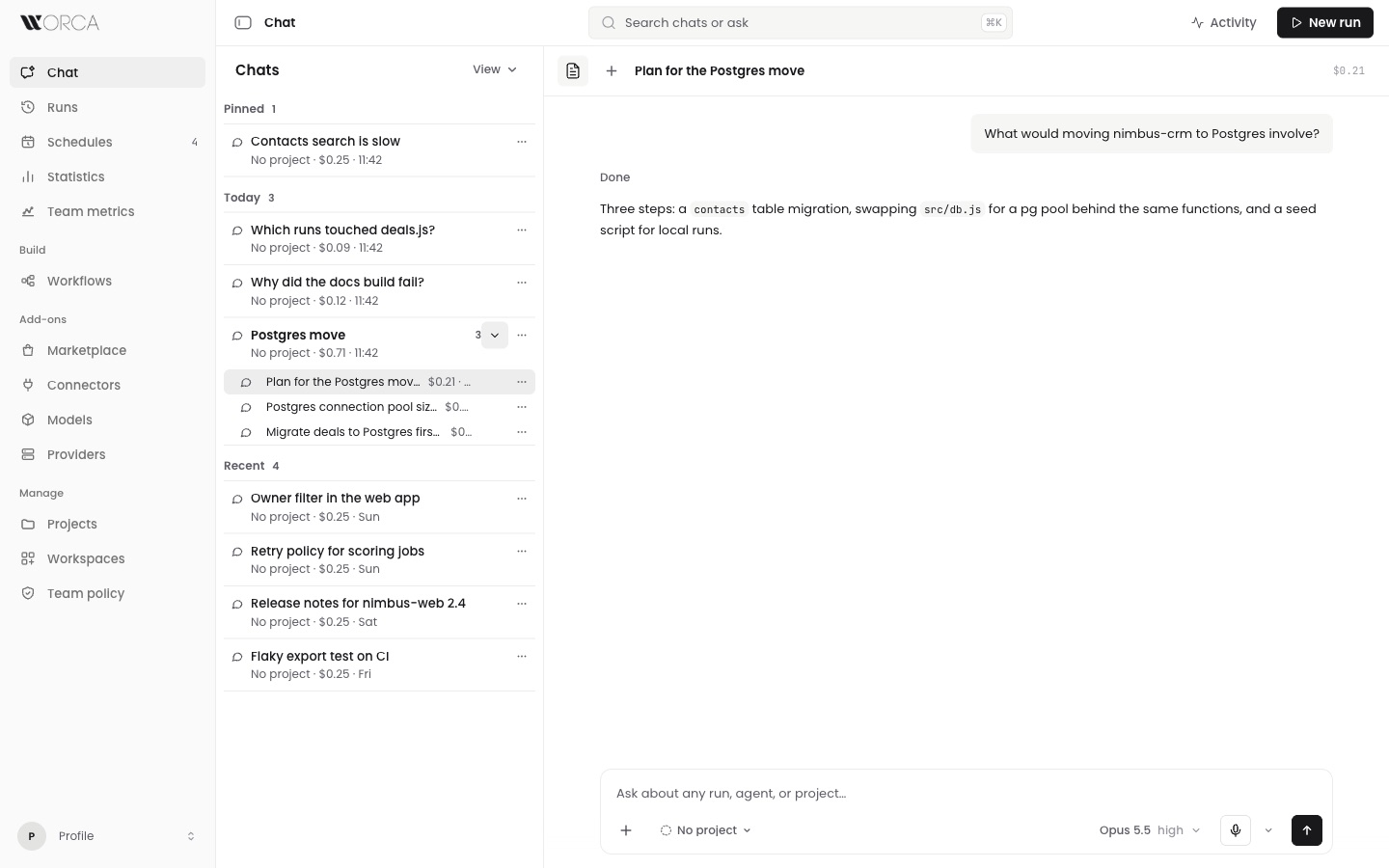
The Chats column: a pinned chat, a group of three, and the rest by day.
Run logs get the same Summaries and Raw switch.
Start a run from a Jira ticket.
Copying a ticket into Worca, then pasting the PR link back?
Now the Jira plugin lists a project's issues, with a JQL filter and search, and a run starts with the ticket's description and comments as its task. It is titled with the ticket's key and title right away. Turn on Write result back and a finished run comments on the ticket with its summary and PR link, and can move it to the next status.
The same goes for GitHub and Azure Boards tickets.
a comment with the summary and PR link
Define a feature before it is built.
A run went wrong because the task left half the questions open?
Now describe a feature in a few sentences and Worca interviews you, a few questions at a time, then writes a spec you can test: goal, flow, edge cases, rules and acceptance criteria. Six checks say when it is Ready, and Start in Worca begins an ordinary run with the spec as its task. Nothing runs before that.
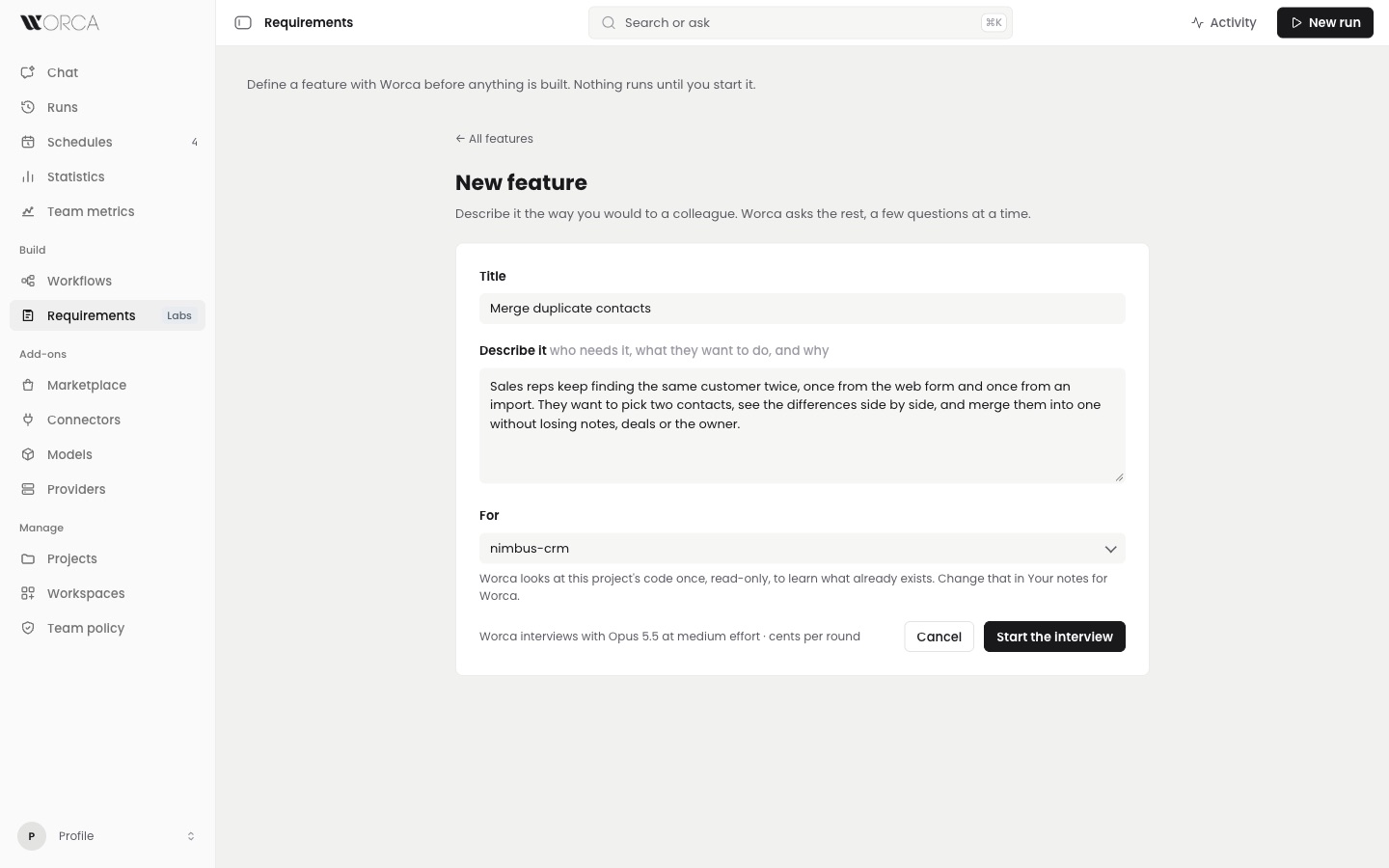
New feature: describe it the way you would to a colleague.
- 1Describe it in a few sentences
- 2Answer a few questions at a time
- 3Six checks pass: Ready
- 4Start in Worca runs it
A product brief per project means every interview starts from what exists.
Shipped, tested, verified live.