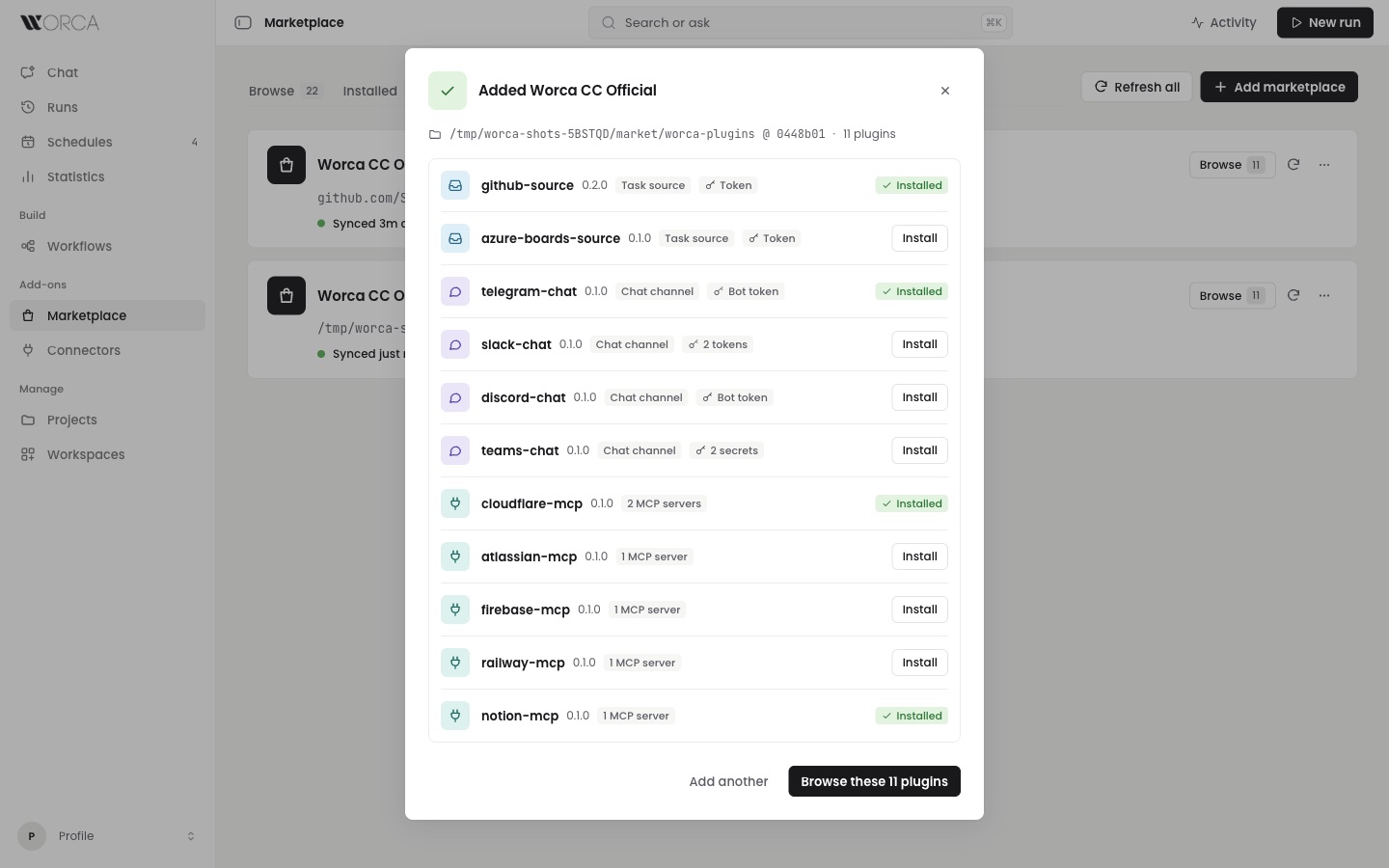
A new Marketplace.
Smarter runs.
Find, install and set up plugins on one Marketplace page, let a small model suggest each run's title and branch, plan with Shaper by default, turn a plain folder into a git project, and create pull requests from the same button everywhere.
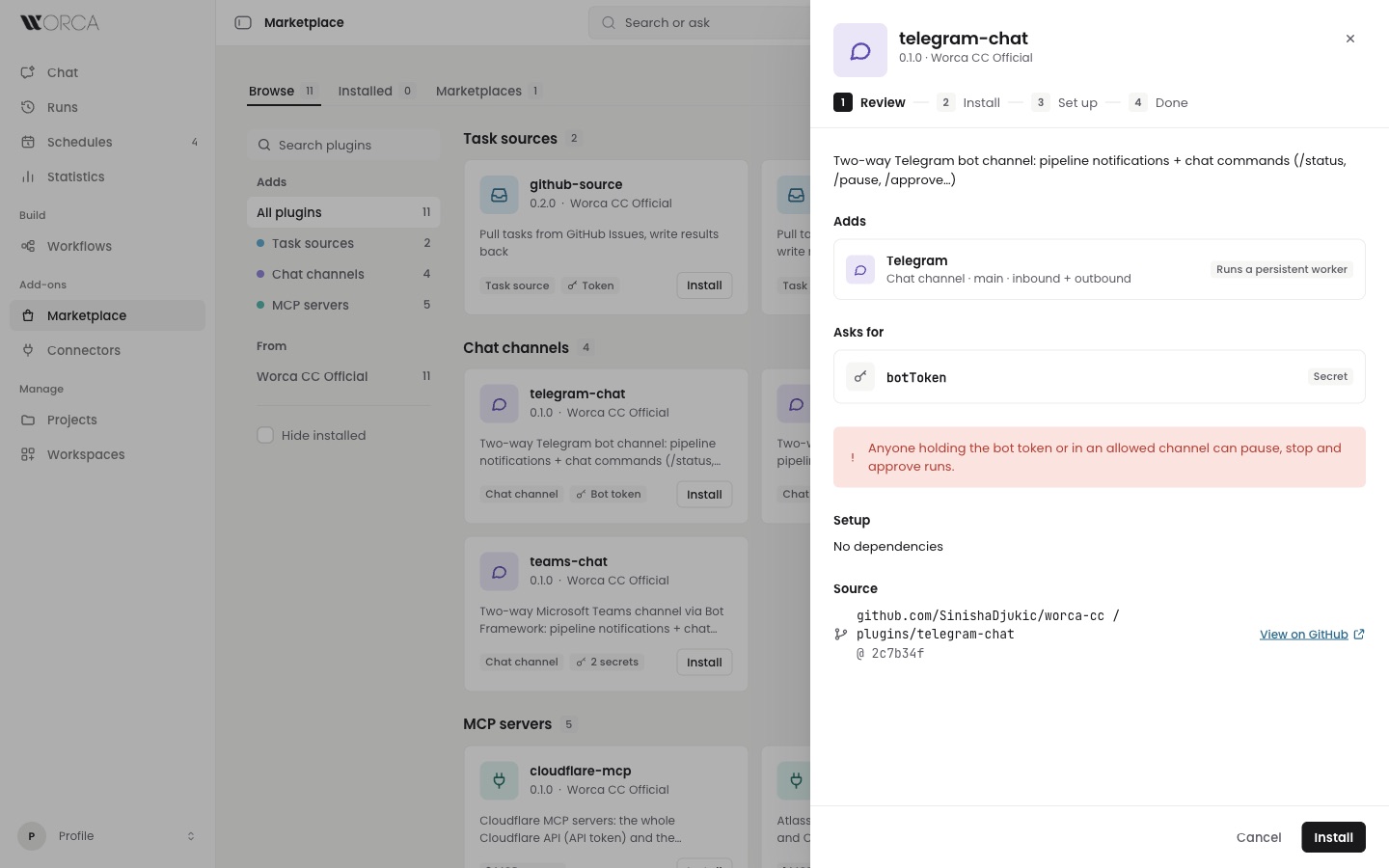
Find, install and set up plugins.
Not sure what a plugin adds, or what it needs before it works?
Now the Marketplace page shows every plugin grouped by what it adds. Installing one opens a sheet: review what it adds and the secrets it asks for, install, then fill in its settings straight away. The Installed tab puts plugins that still need setup first, and updates are reviewed one at a time.
- 1Review what it adds and asks for
- 2Install the version you reviewed
- 3Set up its settings, or skip for now
- 4Done: it shows in Installed
Errors stay inside the sheet, next to the step that failed.
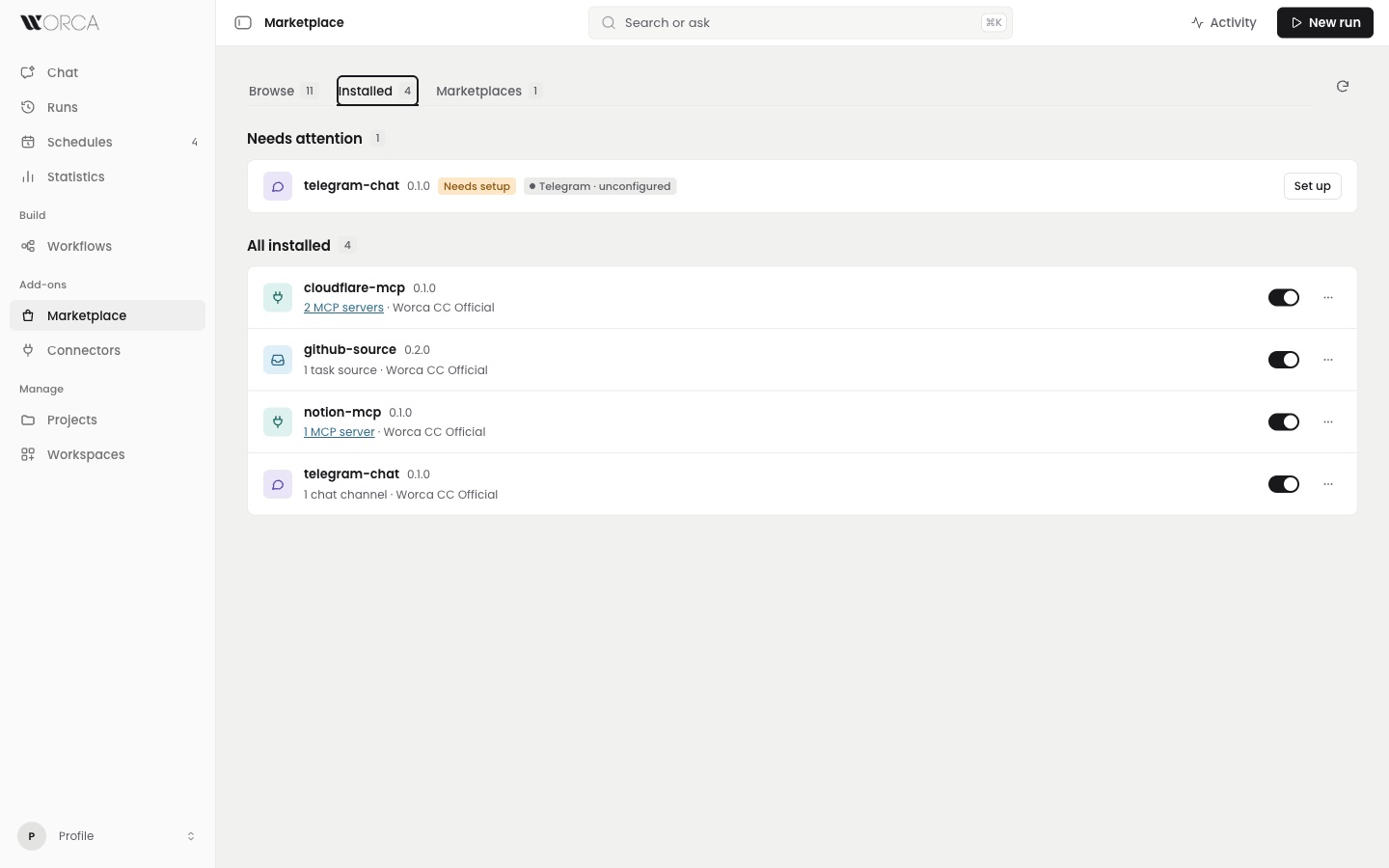
The Installed tab: what needs setup first, then every plugin with its switch.
Runs that name themselves.
Tired of runs called after the first words of a long task?
Now, with Smart run naming on, a small model reads the task as you type and suggests a short title and a branch name in your team's style, like feat/rate-limit-contacts-search. Change the type and the branch follows. Type over either field and Worca keeps your words.
The branch follows your pattern, set per project in Settings › Runs.
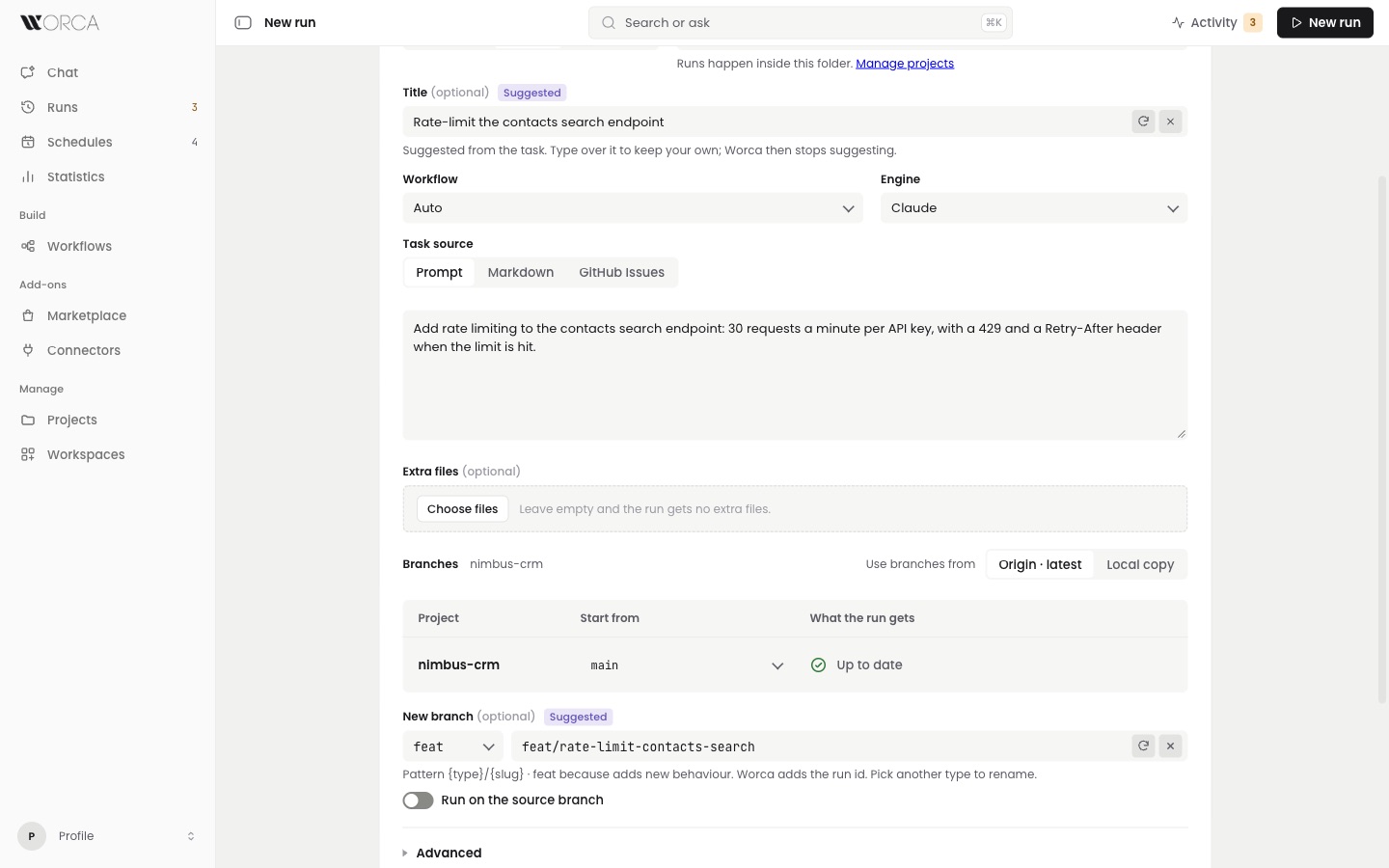
New run: a suggested title and branch, each marked Suggested until you change it.
Shaper is on for everyone.
Missed Shaper because it was hidden in Labs?
Now Shaper, which plans a task with you before anything is built, is in Beta and switched on. Pick it on the Chat home, describe the problem, and approve the plan before a run starts. If you had turned it off, it stays off.
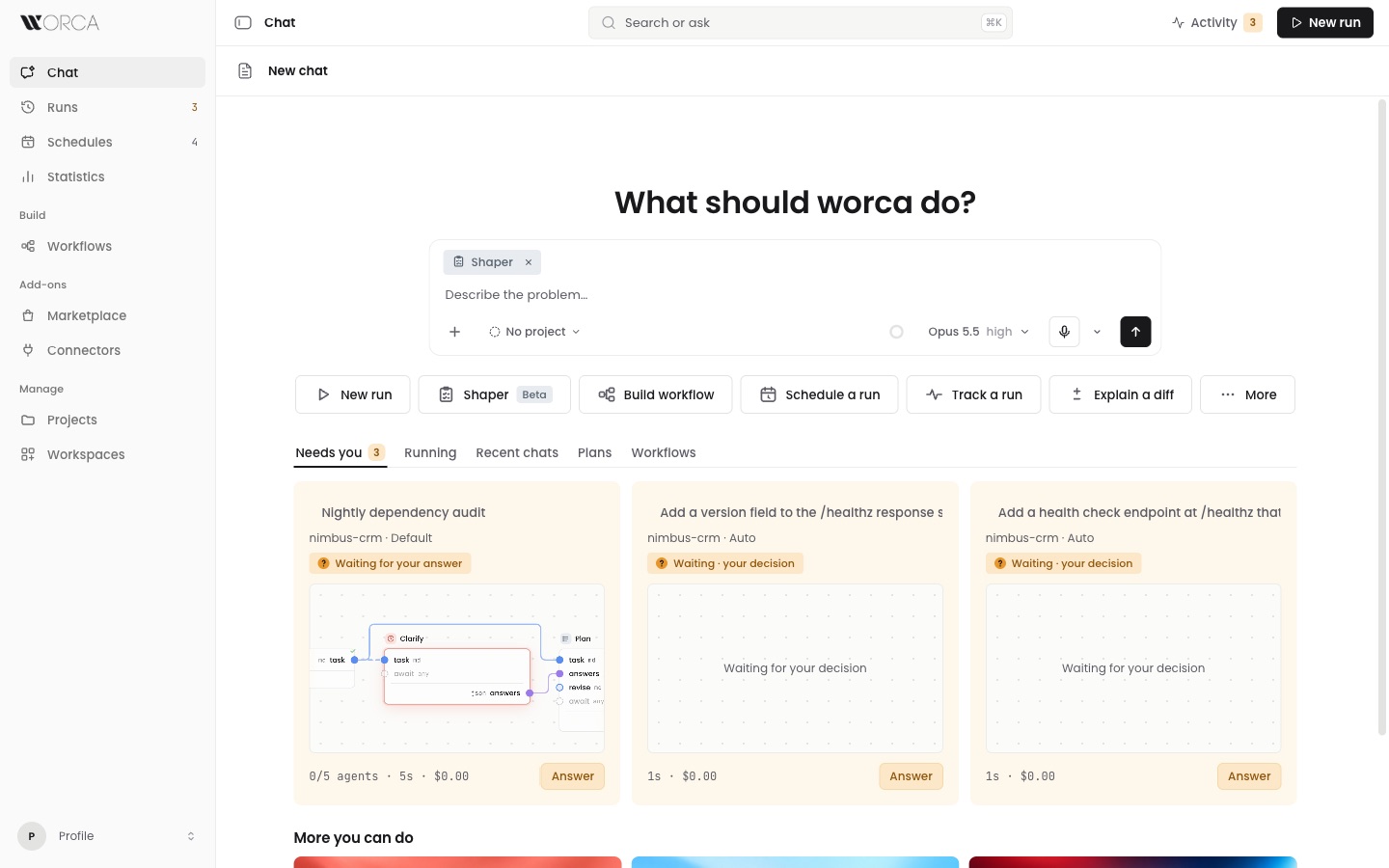
The Chat home: Shaper picked, waiting for the problem.
only the default changed
Turn a folder into a git project.
Want branches and pull requests for a plain folder?
Now press Use git on a Folder project. Worca sets up git in place, links a remote if you give one, and the project gets its sync bar and Branch card without a reload. A git project with no remote gets Link remote instead.
The first run commits the files that were already there.
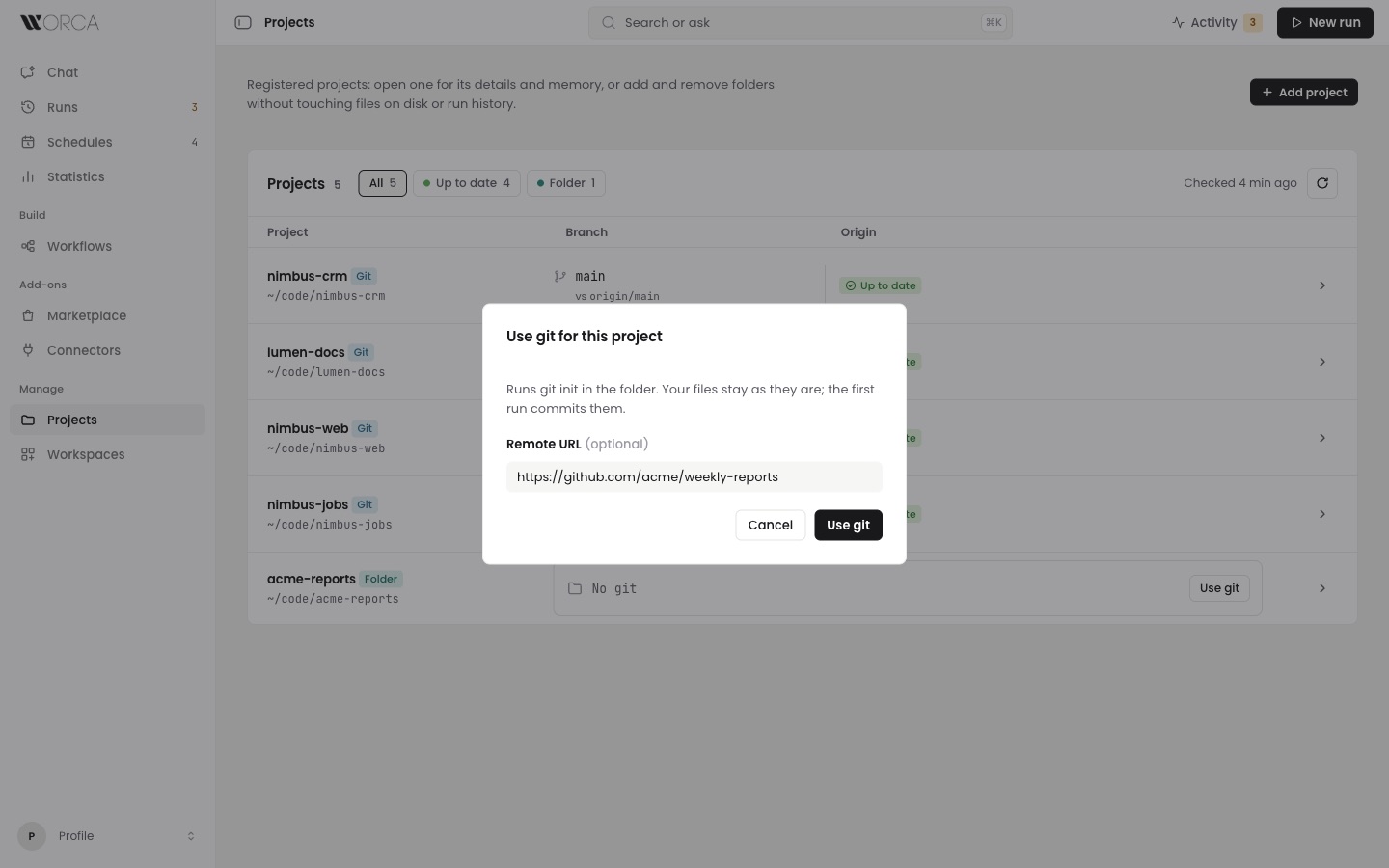
Projects: Use git on acme-reports, with a remote to link.
Create PR, the same button everywhere.
Ship it, open a pull request, push: which button does what?
Now a finished run offers one Create PR button, styled the same on its page, in the Runs list and in Chat. Run after is back as its own button on the run bar, and on a wide screen the live view sits beside the run card.
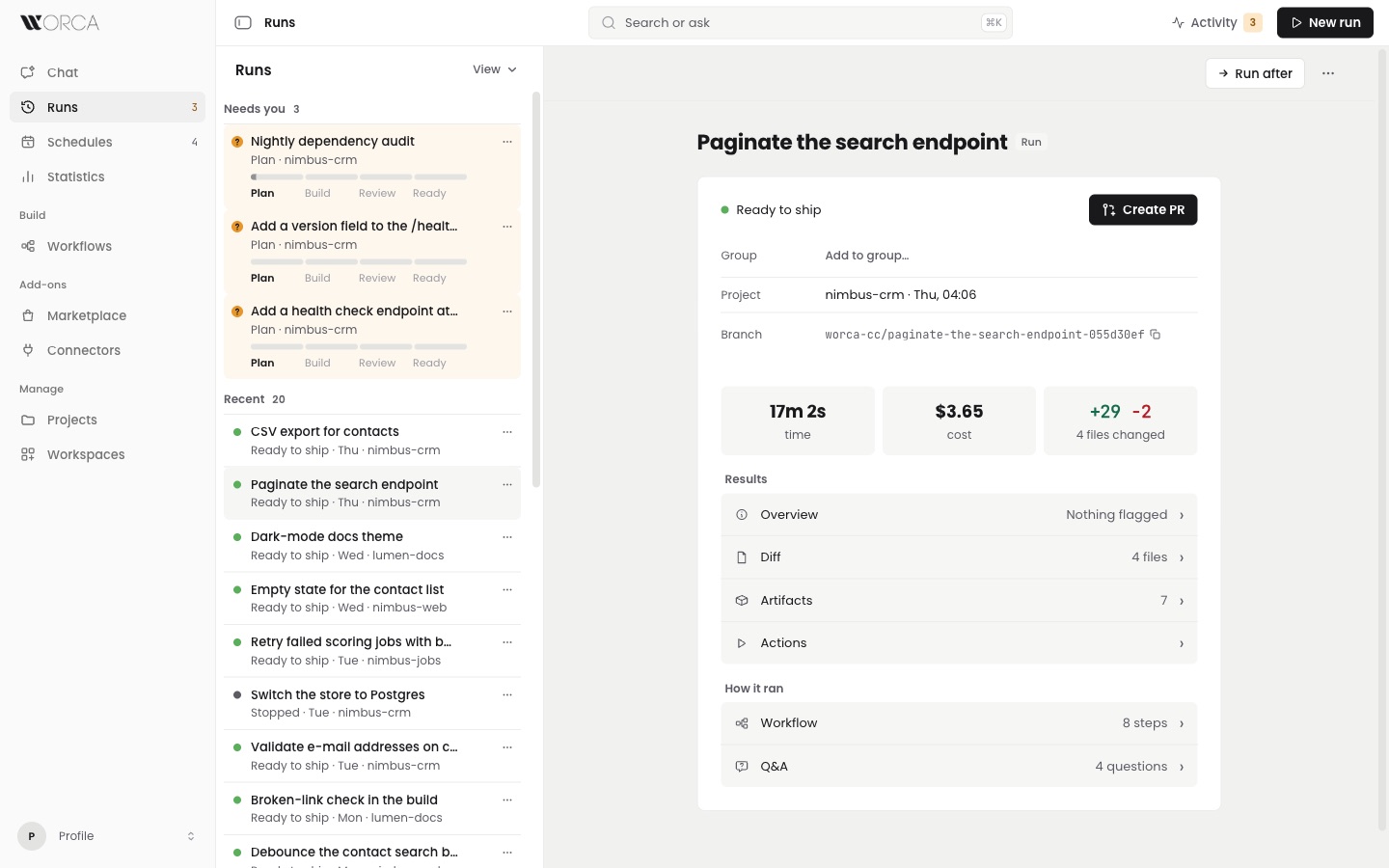
A finished run: Create PR on the card, Run after on the bar.
Pull request
Run bar
Keyboard focus, save messages and page addresses were made consistent across the app too.
Away and Keep awake, one click.
Keeping the computer awake meant a trip to Settings?
Now both are switches in the profile menu, side by side. While you are away, your avatar shows a walking figure. Settings sections sit on white cards, the sidebar is narrower, and the model that writes new agents is your choice in Settings.
the avatar shows a walking figure
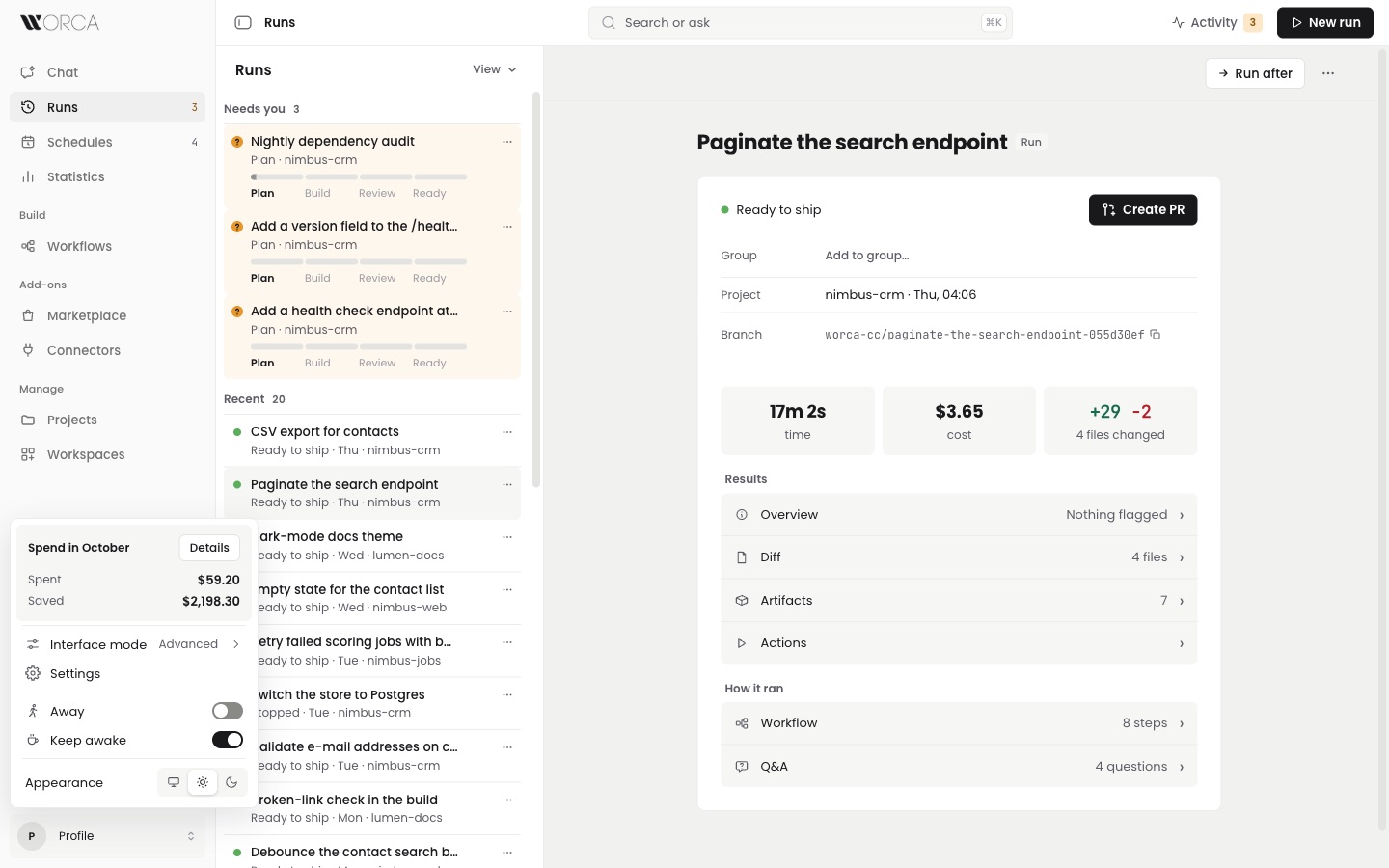
The profile menu: Away and Keep awake together.
Bug fixes and security updates.
Lost a run’s work to an interrupted git command?
Now Worca clears the lock files a killed git command leaves behind, so a run still saves its work. Show in folder opens the project's copy when a run's own folder is cleaned up. Three libraries got security updates, and 1.13.1 fixes the New run form saying "Run not started" for a run that had started.
If both are gone, the message says why.
Shipped, tested, verified live.