
A new look.
Plans first.
Runs look the same everywhere they appear, Shaper plans a task with you before it builds, Chat shows files and runs inline, presets start a run in one click, cost tags split spend by client, and any folder can be a project.
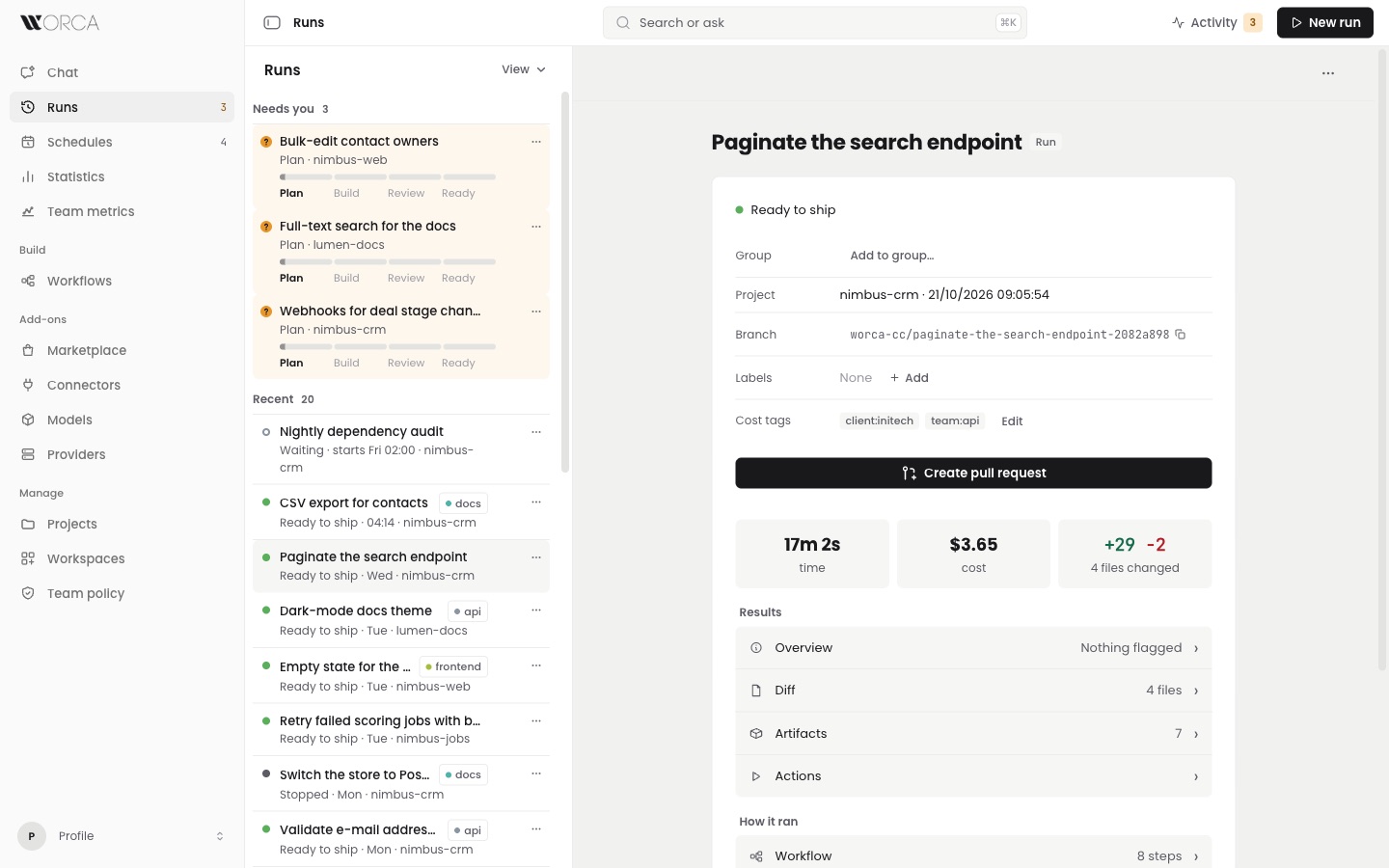
Runs look the same everywhere.
Hard to tell at a glance which runs need you?
Now every run shows one status line and one progress bar, Plan · Build · Review · Ready, in the Runs list, on its page and in a chat card. A ? marks a run waiting on your answer and a ! one that failed. Filter and group from View, and tick rows to stop, archive or delete several at once.
Plan · nimbus-crm
The same line and bar on the list, the run page and the chat card.
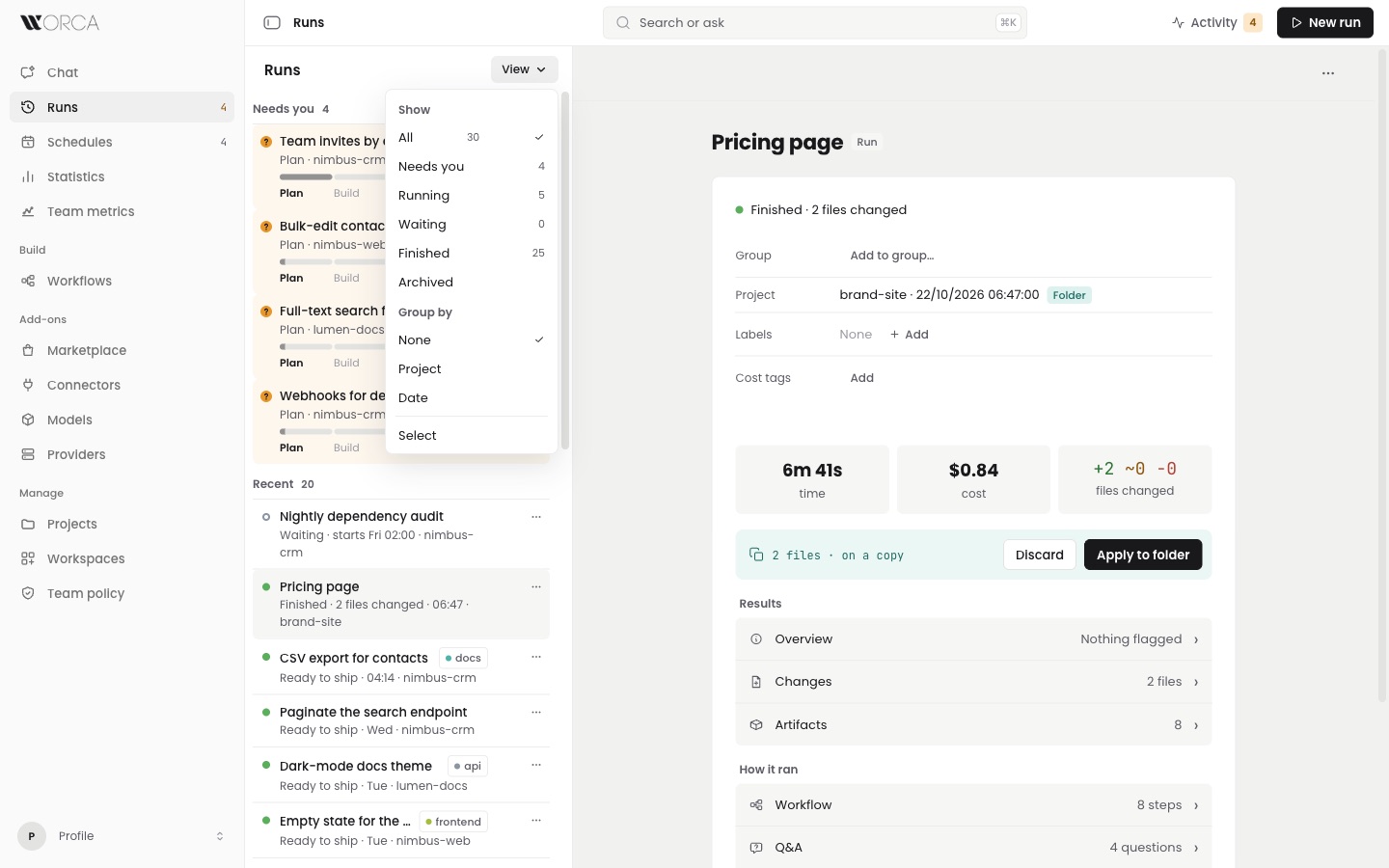
The View menu: what to show, how to group, and Select.
Plan it with Worca before it builds.
Ever had a run build the wrong thing because the task left too much open?
Now Shaper asks up to 3 questions, writes a plan, has it checked by a reviewer for each role you pick, and builds only once you approve. A task too big for one change is cut into slices, each with its own branch and pull request.
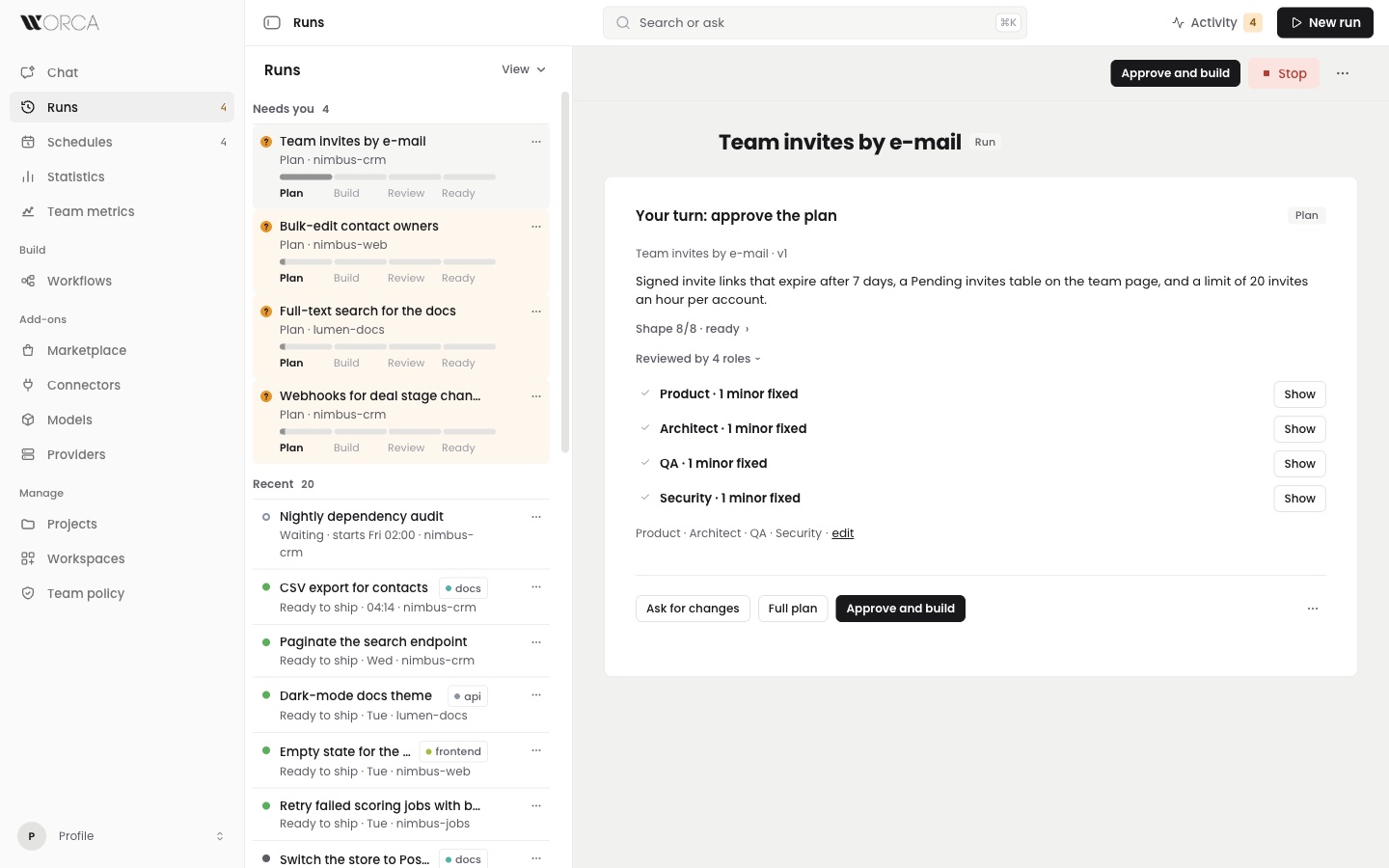
The plan card: what will be built, who reviewed it, and Approve and build.
Chat shows files and runs inline.
Want to see the chart, not a path to it?
Now Chat puts the files it makes into its answer: images inline, every other file as a row with Download and Show in folder. The runs, pull requests and chats it mentions become live chips. While it is still answering, queue your next messages, and press ↑ to reuse an earlier one.
Queued messages can be edited in place until they are sent.
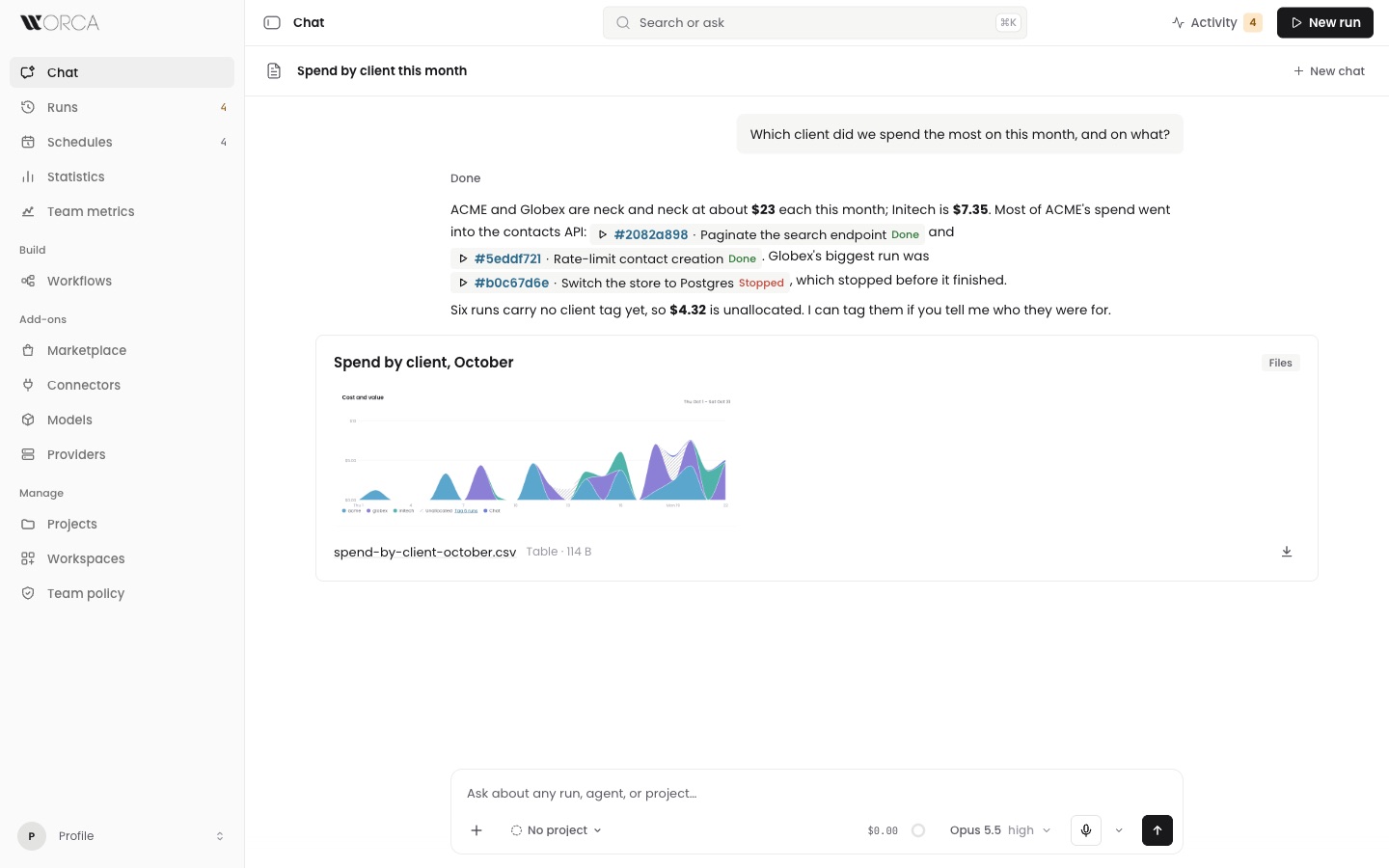
An answer with run chips and a files card: the chart inline, the CSV to download.
Save a setup. Start from it.
Setting the same workflow, models and tags for every client run?
Now save a New run setup as a preset and pick it next time: the run gets the preset's choices, and the project's settings stay as they are. Presets sit as chips on the Chat home, schedules follow them, and worca run --preset starts one from the terminal. Schedules can also run several times a day.
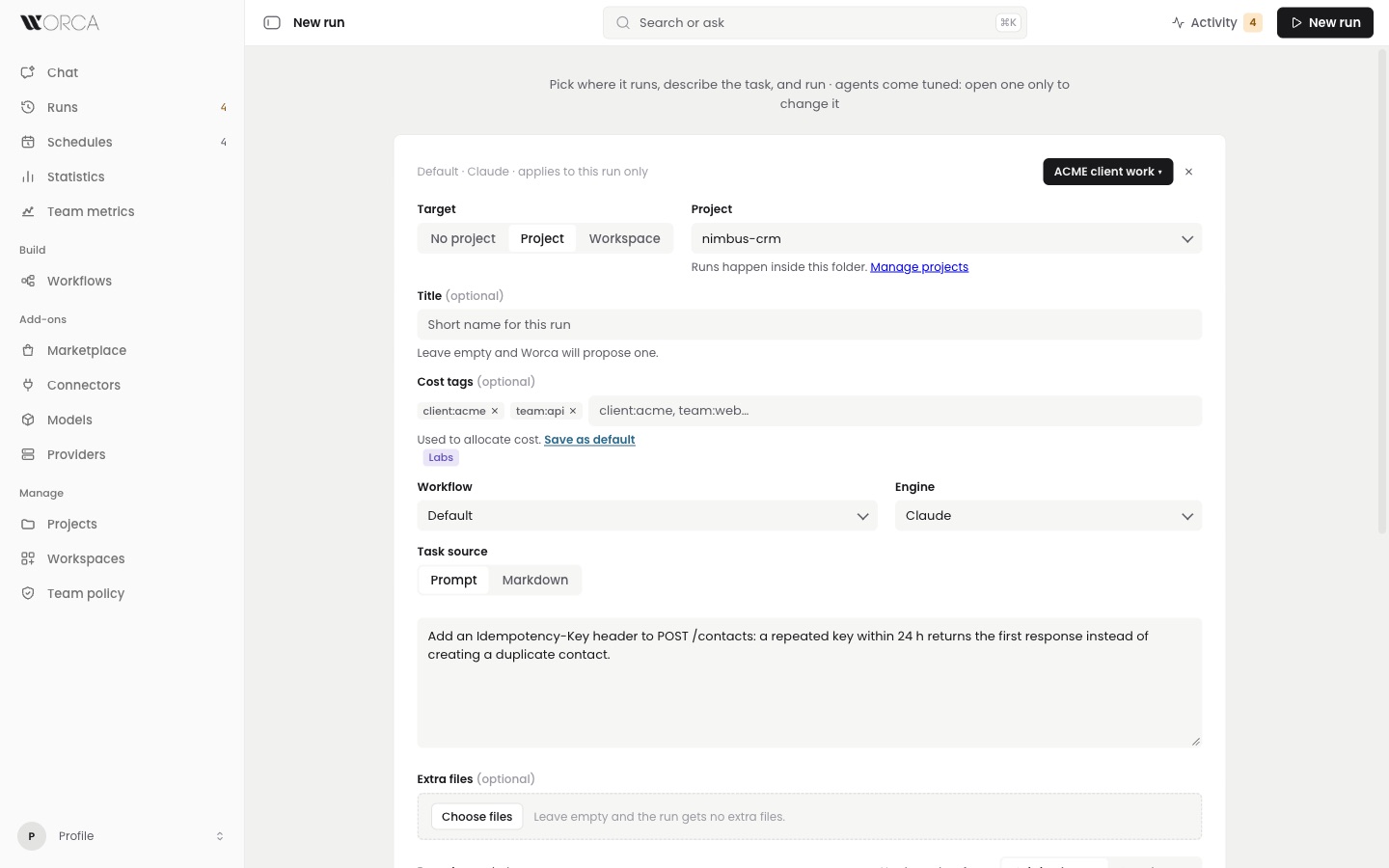
New run with a preset applied: its workflow, engine and cost tags, for this run only.
You only type the prompt.
See what each client costs.
Which client, or which team, is the agent time really for?
Now tag runs like client:acme or team:web, and Statistics › Cost splits spend, human hours and value by any tag, with a chart, saved views and a CSV download. Team metrics shows the same across the team, and a team can require tags on every run.
Untagged runs get a Tag N runs link, so the gap is easy to close.
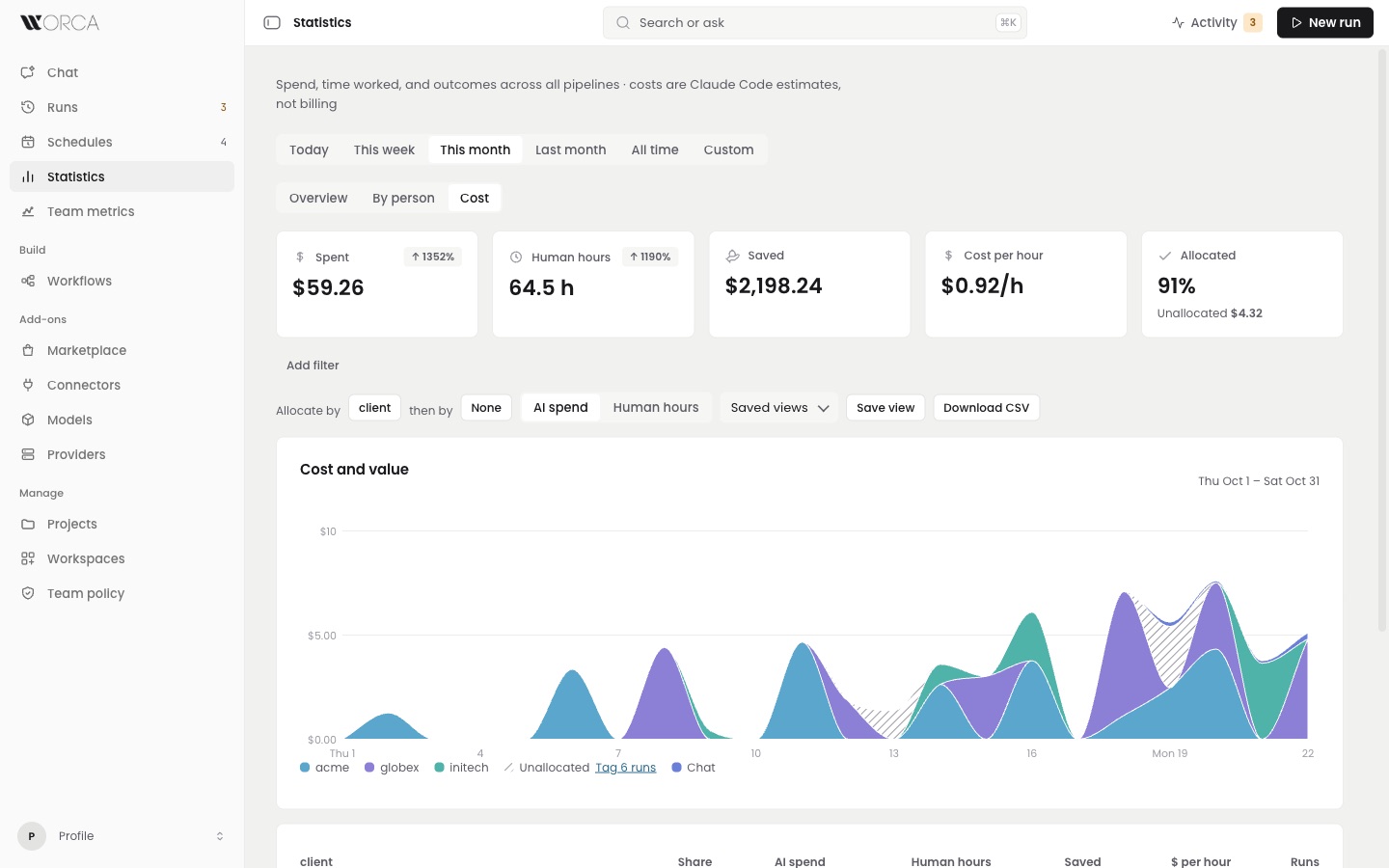
Statistics › Cost, allocated by client.
Any folder can be a project.
Not everything you want changed lives in a git repository?
Now add any folder as a project. Runs work on a copy, and you review the changes and choose Apply to folder or Discard. A run can also have no project at all, and the workspace wizard imports repositories, whole folders of them and .code-workspace files.
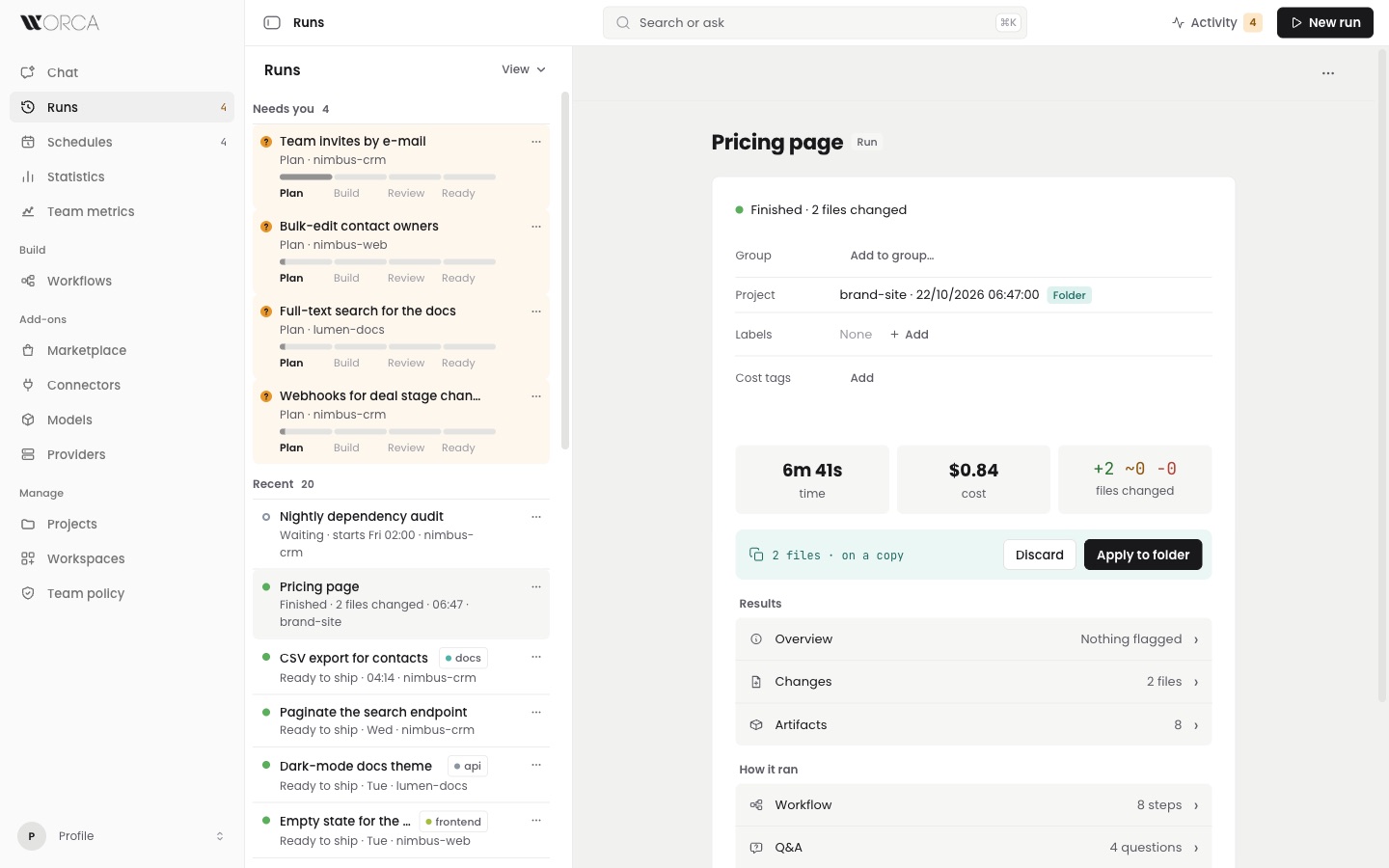
A run on a Folder project: the changes wait on a copy until you apply them.
Runs that look after themselves.
Came back to a run stuck on a dropped network, or a branch that no longer merges?
Now a run paused by a network drop resumes on its own when the connection returns. A finished run is checked against its base branch, and when the base moved or conflicts, Update branch or Resolve fixes it from the run page. Watch PR fixes report into the chat that opened the pull request.
- 1The run pauses where it was
- 2The network comes back
- 3It resumes on its own