
Chat first.
Any engine.
Chat is Worca's new home page, runs can use Codex, Copilot or Cursor as well as Claude, Worca keeps its own pull requests green, and a new workflow draws your architecture.
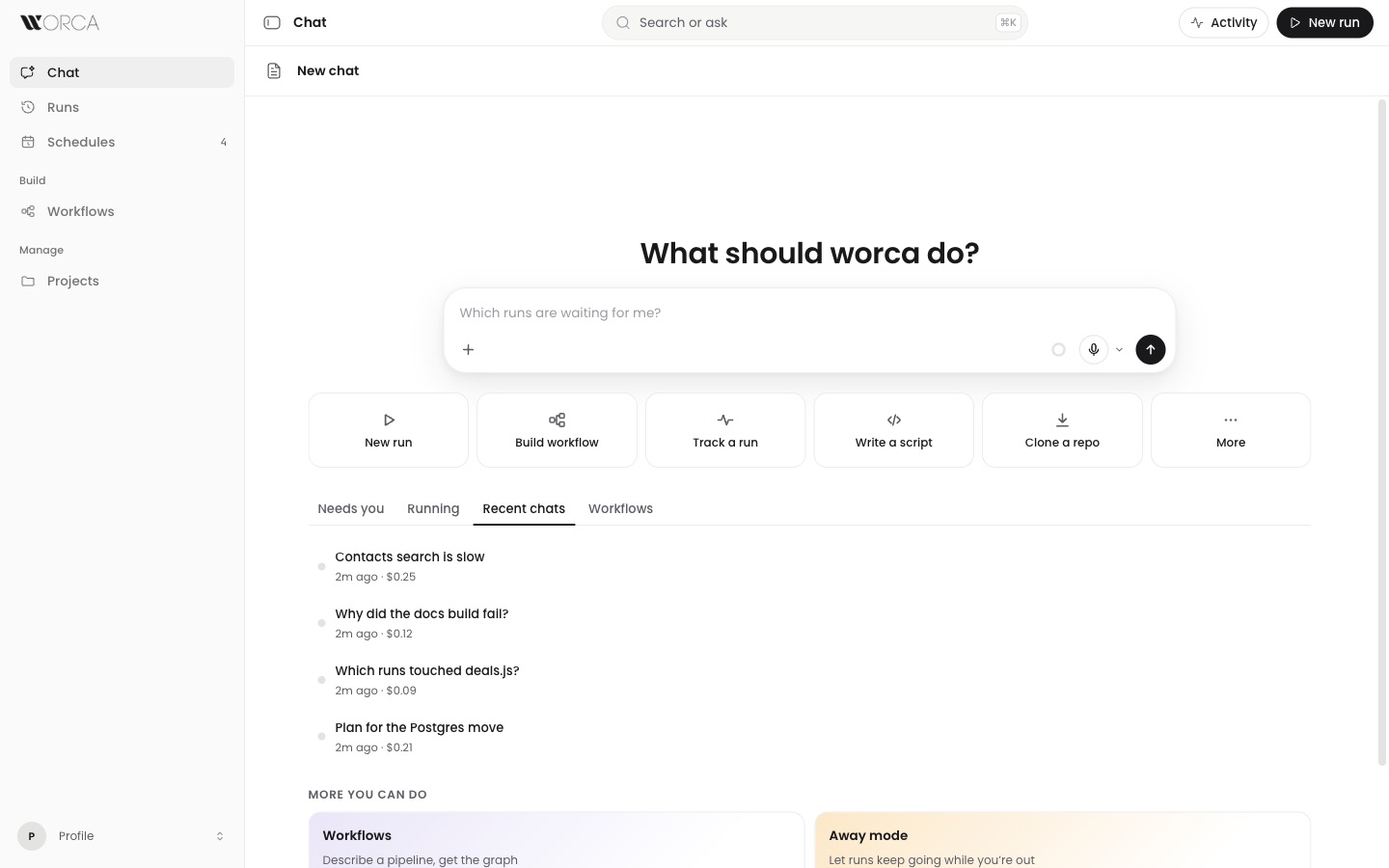
Chat is the new home page.
Tired of switching pages to start a run, answer it and check on it?
Now Chat opens first. Ask in plain words, OK the run Worca proposes, and follow it in a live card: answer its questions, pause or stop it, and open its pull request, all without leaving the conversation.
- 1Ask: the contacts search is slow, can you page it?
- 2Worca proposes a run, and you press OK
- 3The run card answers, pauses and stops in place
- 4Open run puts its full page beside the chat
- 5Create pull request, straight from the card
Tool output and commands stay folded until you open them.
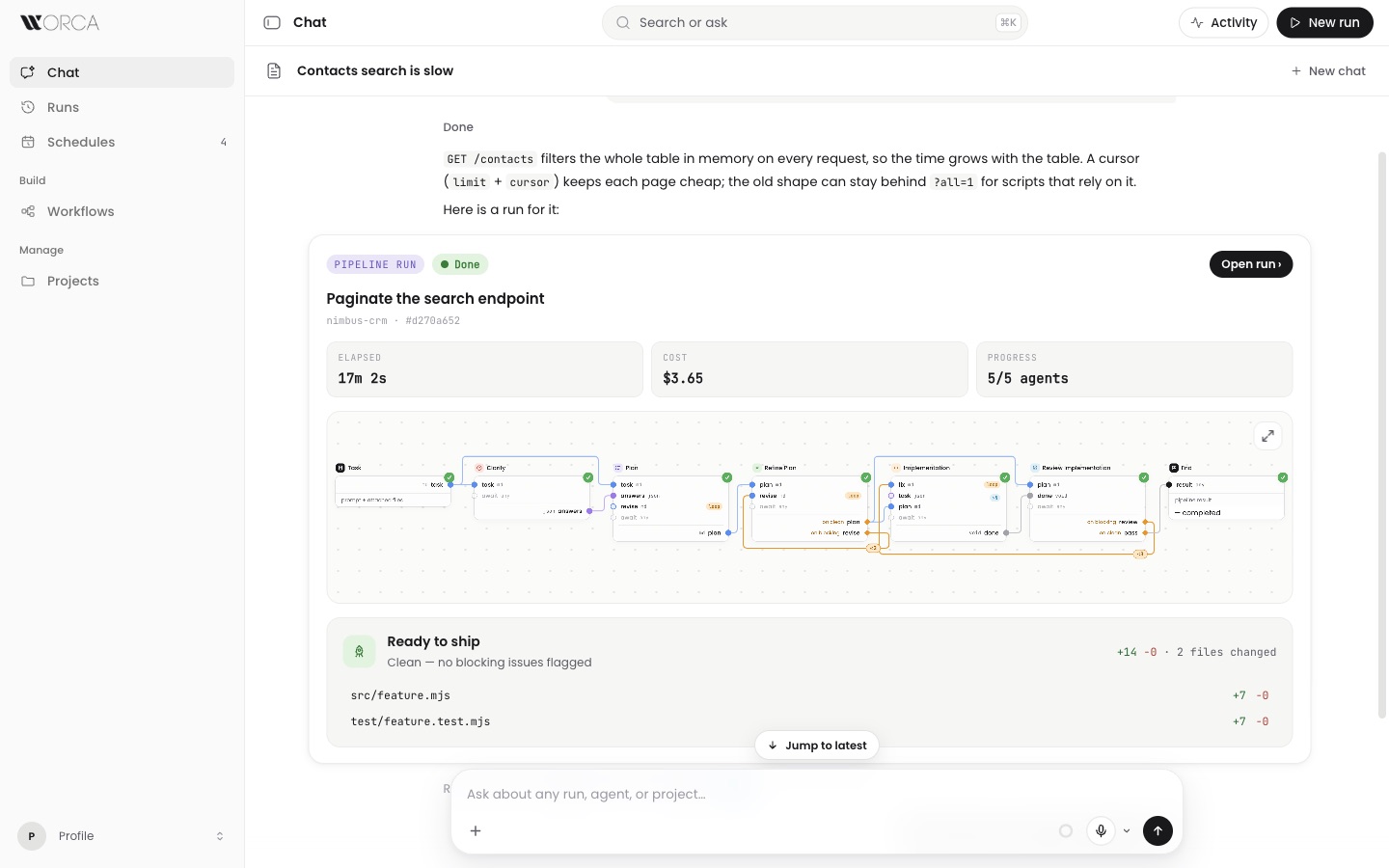
A run started from the chat, finished and ready to ship.
Run agents on Codex, Copilot or Cursor.
Does your team pay for another coding agent, or want a second one when Claude hits its limit?
Now pick the engine per run, or set a default for you or for a project. Codex, Copilot and Cursor are in beta; Claude stays the default, and a run that never picks another engine works exactly as before.
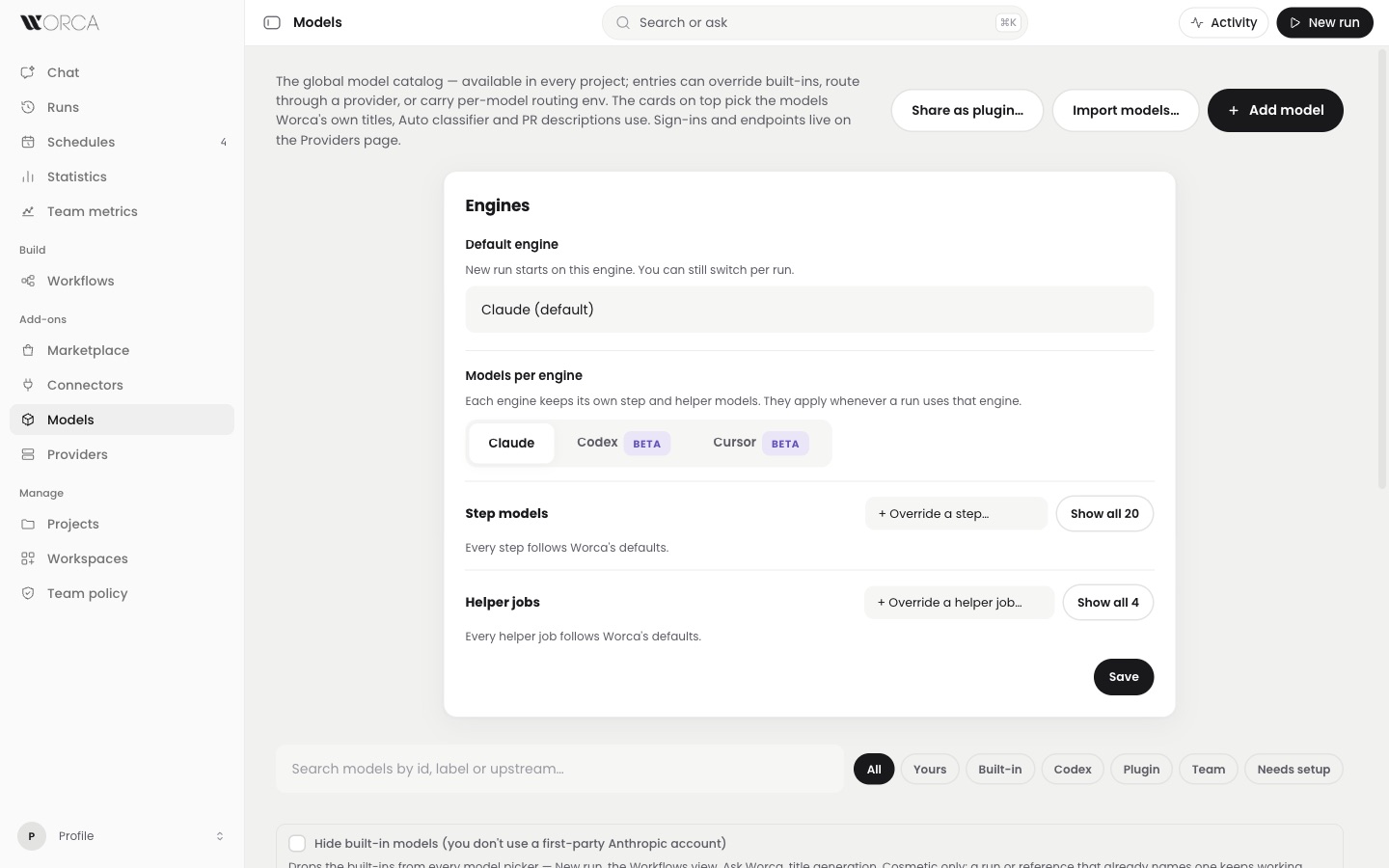
Settings › Models: a default engine, and models per engine.
Rules an engine can't enforce are listed, and need your OK first.
Worca keeps its pull requests green.
Opened a pull request and came back to red checks, a conflict and review comments?
Now tick Watch PR. When a check fails, the branch conflicts or a reviewer asks for changes, Worca starts a fix run on the pull request's own branch and pushes the fix.
- 1Fails on dev too? Not this pull request's fault: leave it
- 2Might be flaky? Re-run it once
- 3Behind dev, and dev passes? Merge dev in first
- 4Still red: a fix run with the failing log
- 5The fix is pushed and the pull request updates
Stuck after three tries? It stops and tells you.
A workflow that draws your architecture.
Is your architecture diagram older than half the code?
Now run Architecture (C4): Worca reads the codebase, writes or updates a C4 model of it, checks the model, and renders it. Click any box to light up what it calls and what calls it.
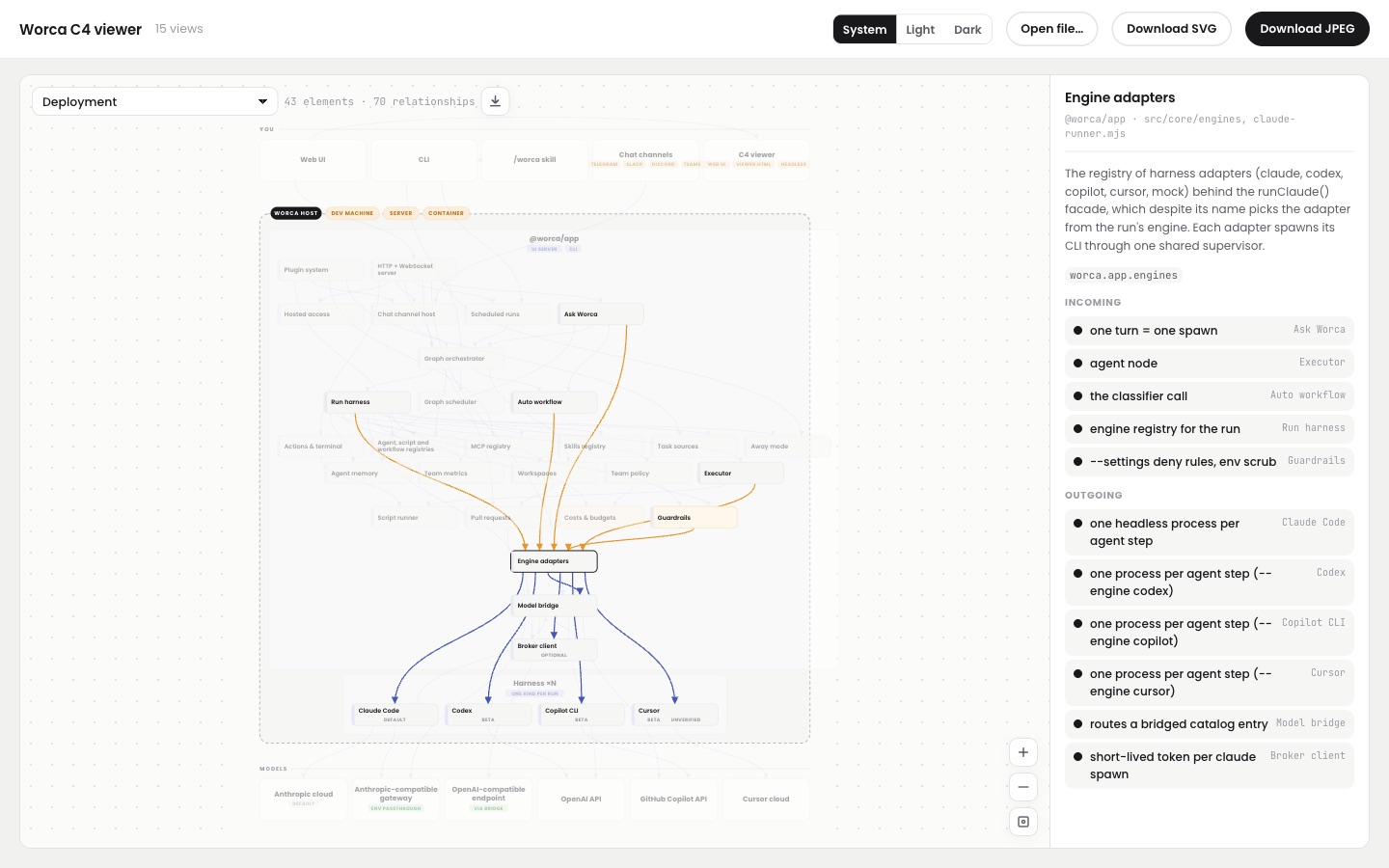
Worca's own model: Engine adapters selected, its links lit up.
- 1Discover: finds an existing model, or none
- 2Setup: you pick update or create, and how to group
- 3Architect: writes the model from the code
- 4Check: sends problems back to the architect
- 5Render: SVG and images, where you asked
Images come from a browser already on your machine, no extra install.
Select any text and act on it.
Want to question one sentence of a plan without retyping it?
Now select text in a chat answer, a plan or review, or the diff, and a small toolbar appears: explain it, see alternatives, disagree, leave a note or a comment, or quote it in the chat.
Explain answers in a small popover, with Go deeper in chat.
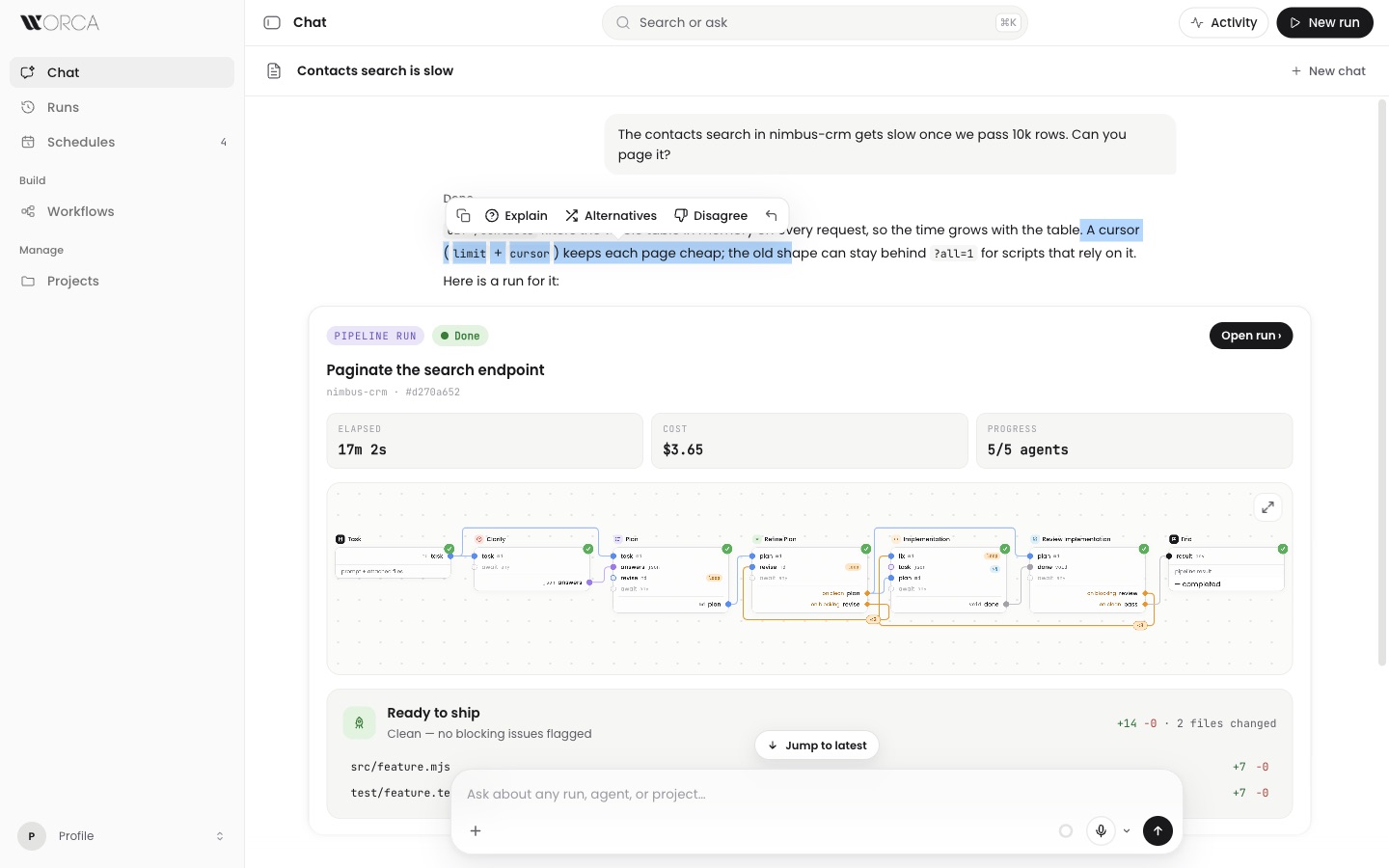
The toolbar over a selection in a chat answer.
Runs resume when the limit resets.
Hit your plan's usage limit halfway through a run?
Now the run says when the limit resets and offers Resume at that time in one click, or resumes on its own if you turn that on. You can also continue it on another engine, and an alert tells you it paused.
resumed on its own when the limit reset
While paused it shows: Limit resets at 14:30, in 2h 10m · Resume at 14:30.
Errors, cost caps and chat cards waiting for an OK alert too.
Smaller things you'll notice.
A few everyday steps got shorter.
Now an Activity button in the top bar lists what needs you, what is running and what is scheduled. A run can commit straight onto its source branch, New run starts empty after a run with Reuse last task one click away, and a step's log opens under the workflow.
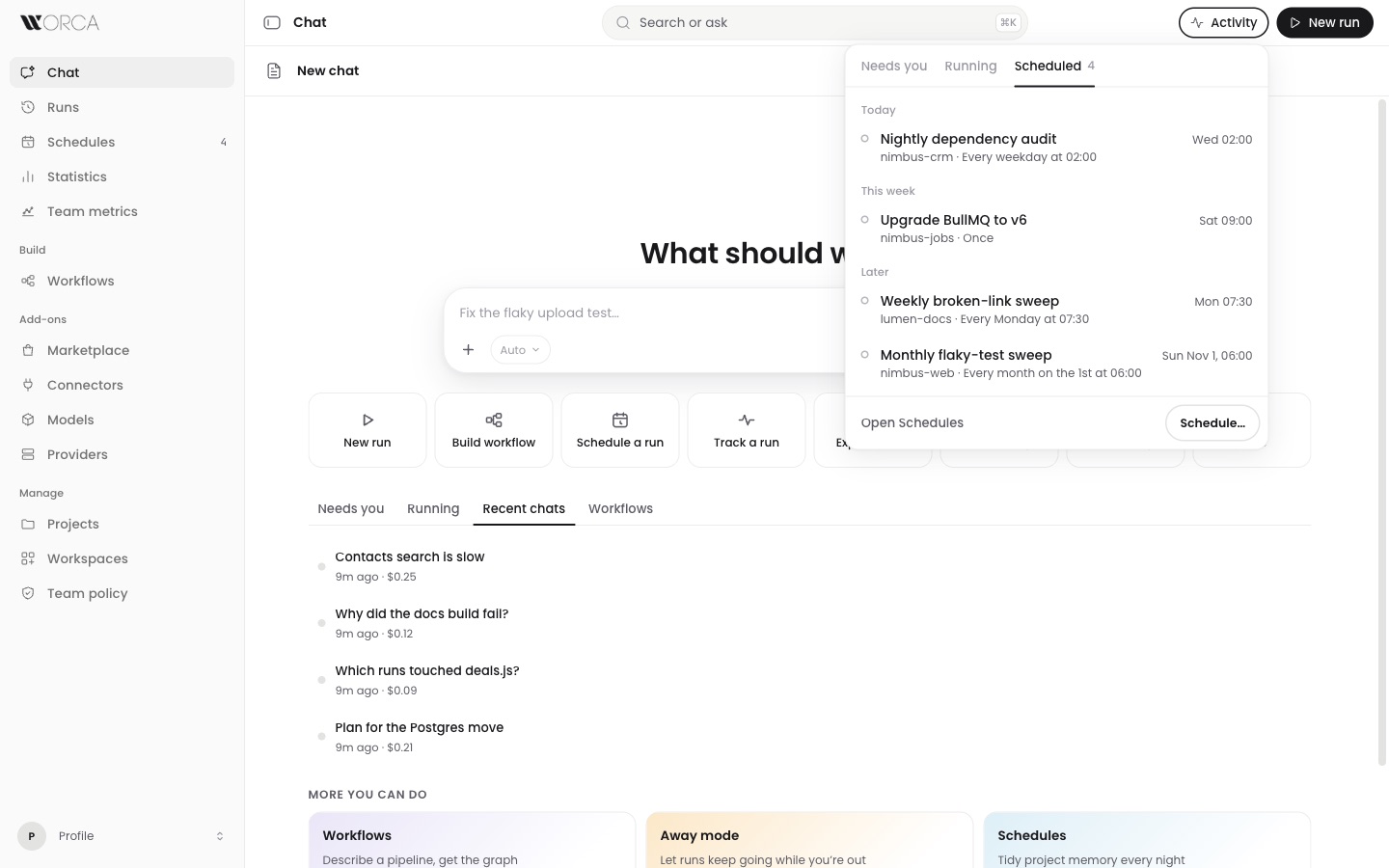
Activity: Needs you, Running and Scheduled, from any page.
On the source branch, the work lands only as a fast-forward, never a forced change.