Publish now.
PR later.
Share a run's branch before any pull request, ship to Azure DevOps too, give agents your team's skills, and hear from Worca when a run needs you.
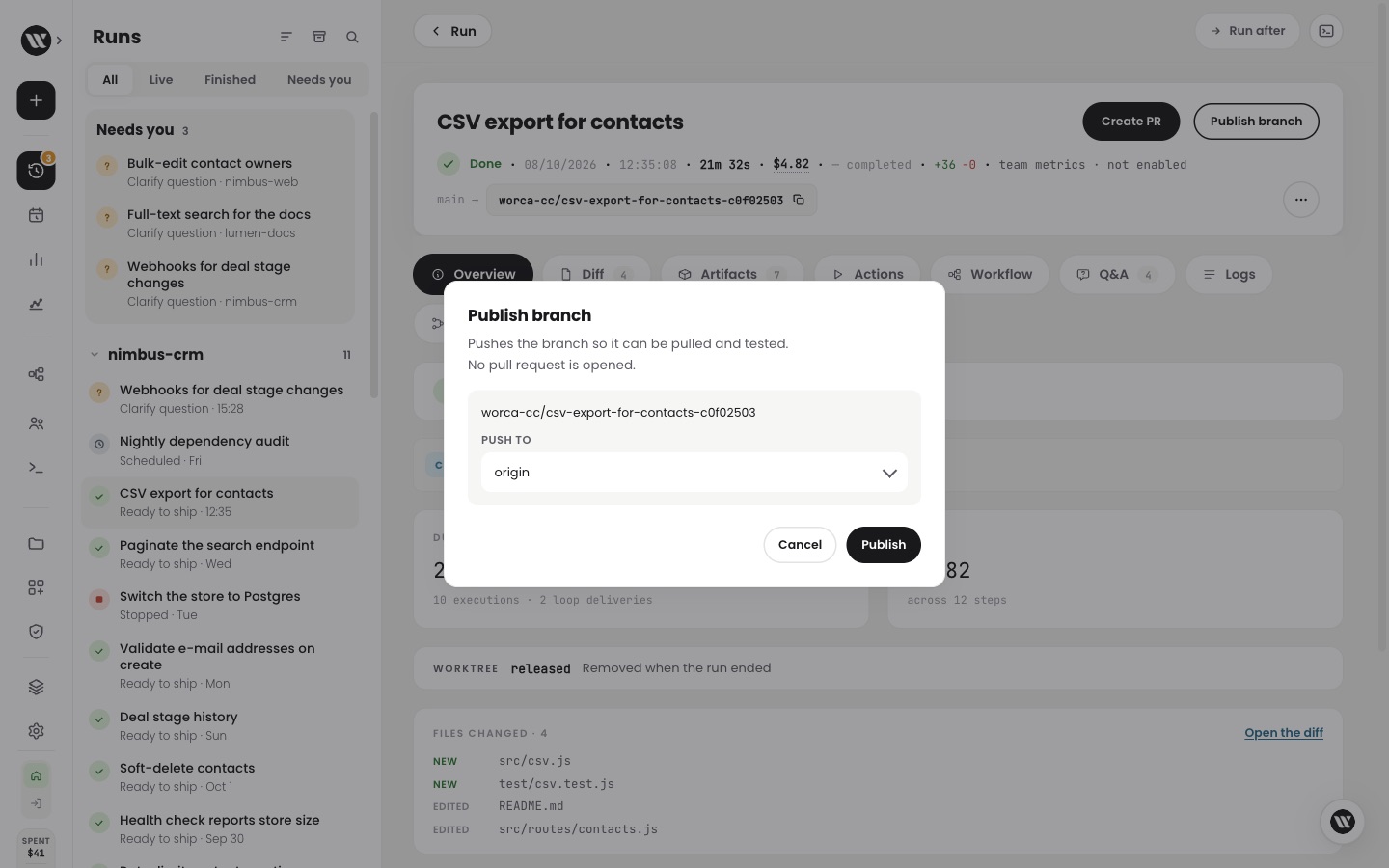
Publish a branch without a pull request.
Want a teammate or CI to try a run's work before anyone reviews it?
Now press Publish branch: Worca pushes the branch and opens no pull request. Fix what testing finds, press Push changes, and open the pull request when it is ready, as a draft if you like.
- 1Publish branch: the branch is on origin, no pull request yet
- 2A teammate or CI checks it out and tests it
- 3You fix what they found and press Push changes
- 4Create PR, ticked Open as draft
- 5The merge closes the issue the run came from
Workspace runs publish one branch per project, each with its own tick.
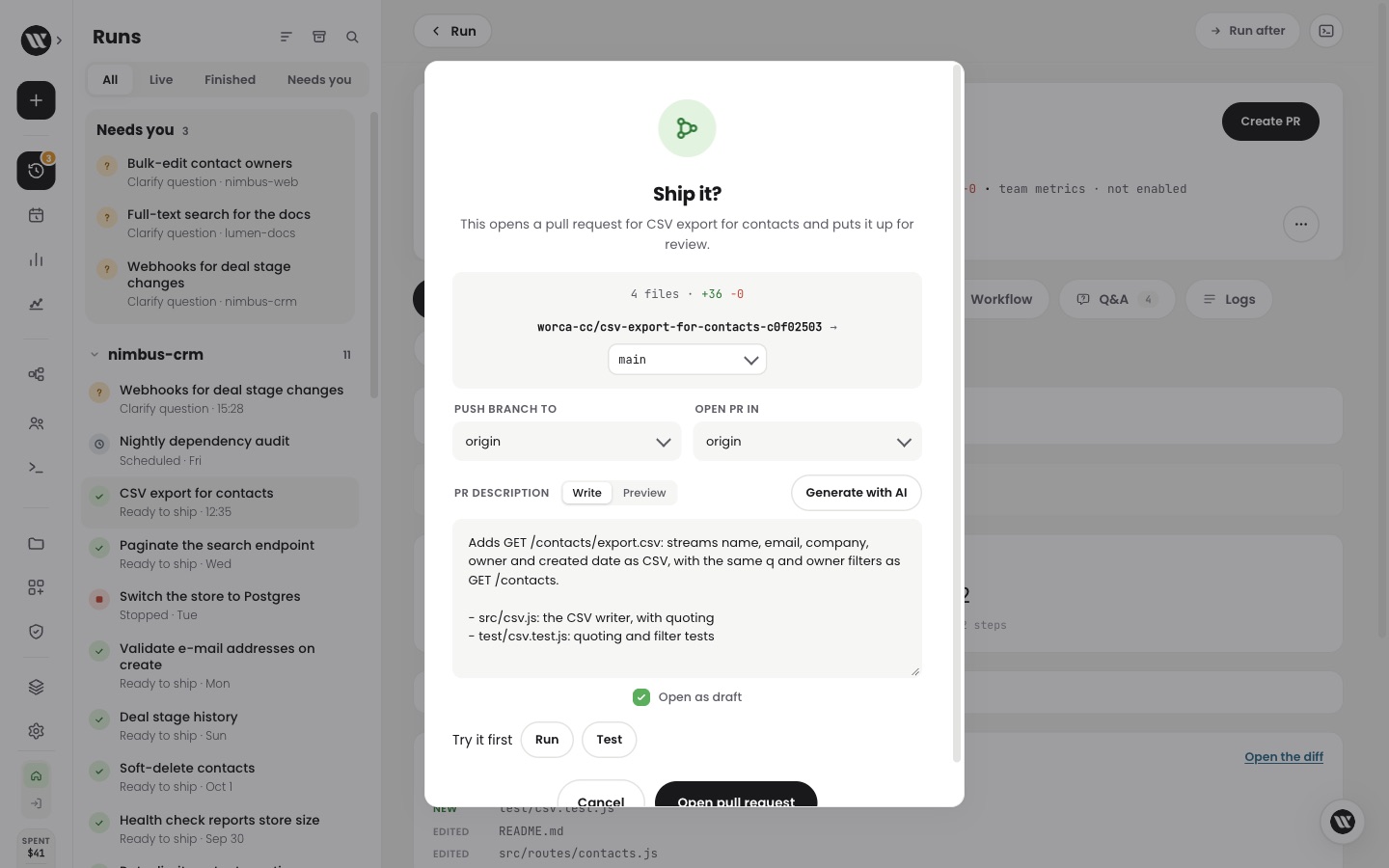
Ship it: the pull request can now open as a draft.
Azure DevOps works like GitHub.
Is your code on Azure DevOps instead of GitHub?
Now Worca clones, pushes and opens pull requests there too, with one personal access token. Team metrics see your merges, and a new plugin picks tasks from Azure Boards.
Clones, pushes and team metrics all agree it is the same repository.
- 1Pick a work item from Azure Boards as the task
- 2The run works on it
- 3Create PR opens the pull request in Azure DevOps
- 4The pull request links the work item
- 5The work item closes when the run completes, if you turn that on
Give every agent your team's skills.
Want your agents to follow the same checklists and style guides every time?
Now import a skill from a folder, a git URL or a pasted SKILL.md, add it to a set, and every run and Ask Worca chat on that set's projects can use it. Nothing is written into your repository.
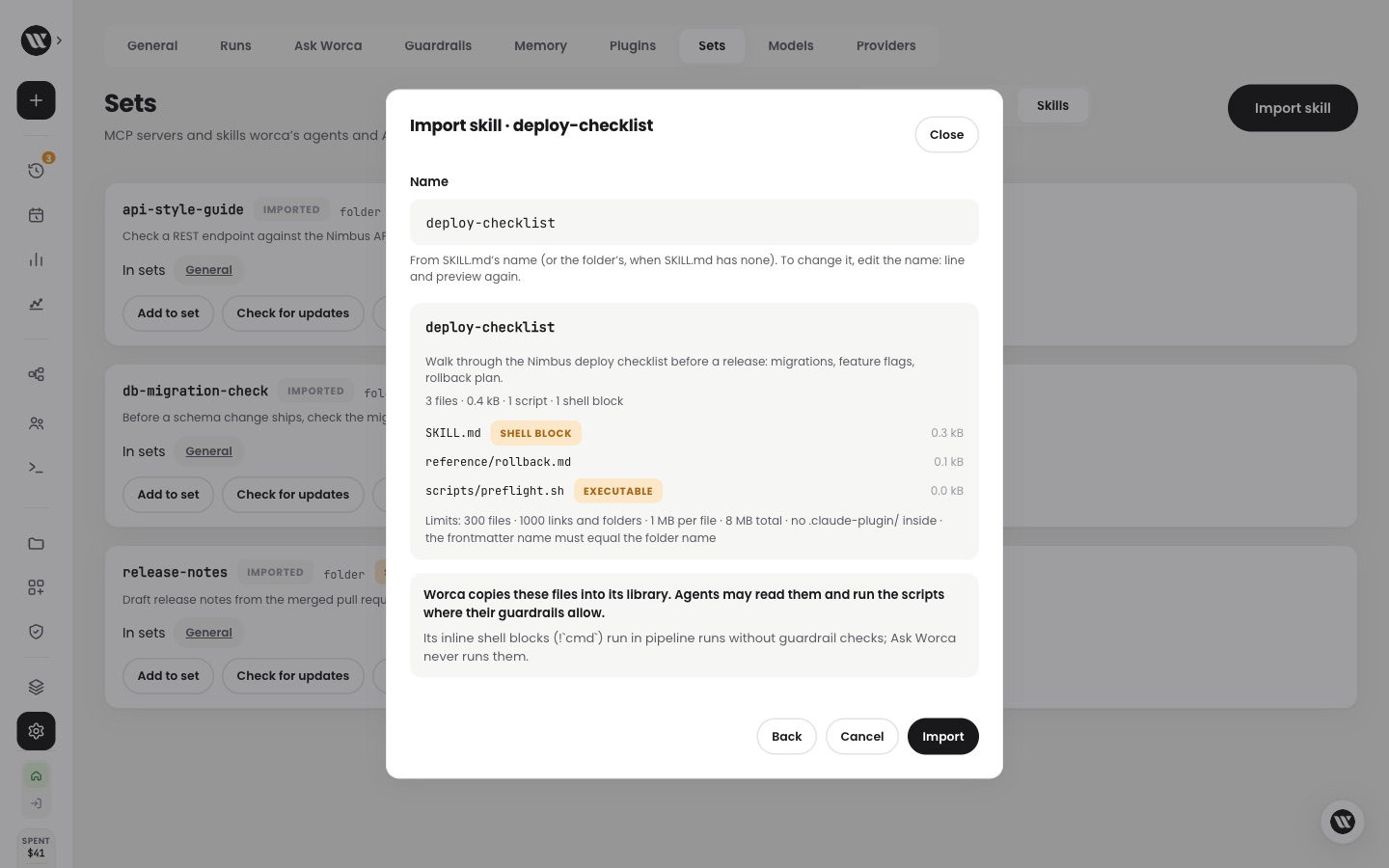
Import preview: every file, with anything that runs flagged.
A desktop alert when a run needs you.
Ever found a run that had been waiting on you for an hour?
Now Worca can show a desktop notification when a run stops for a question, an approval or a decision, and puts a count on its browser tab. Click the notification to open the run.
Answer the question and the notification goes away.
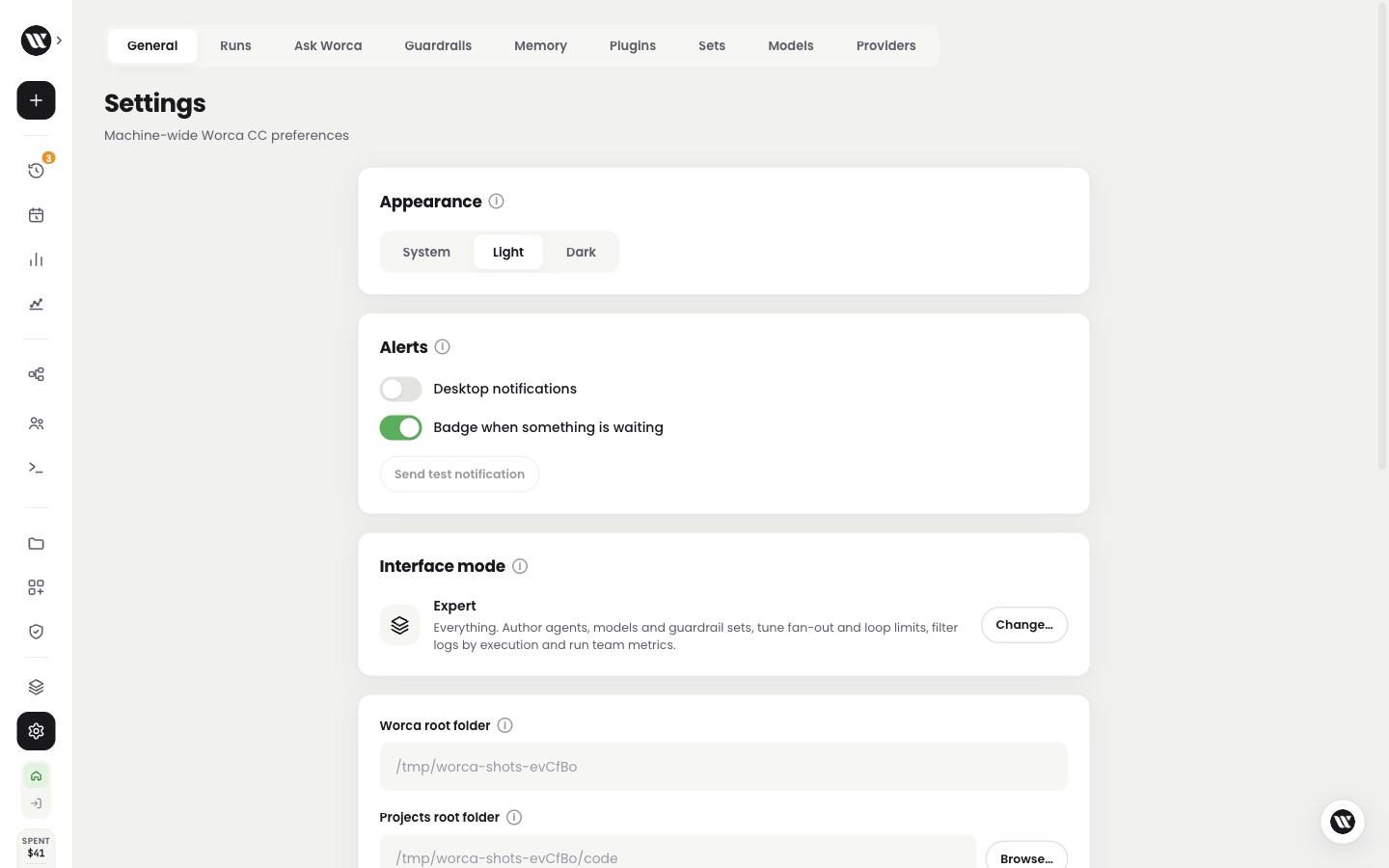
Settings › General › Alerts, set per browser.
Auto picks the workflow for workspaces too.
Running one task across several repositories?
Now start a workspace run on Auto and Worca reads every project, proposes a workflow that plans and reviews per project, and waits for your OK. Branches are made only in the projects the run changes.
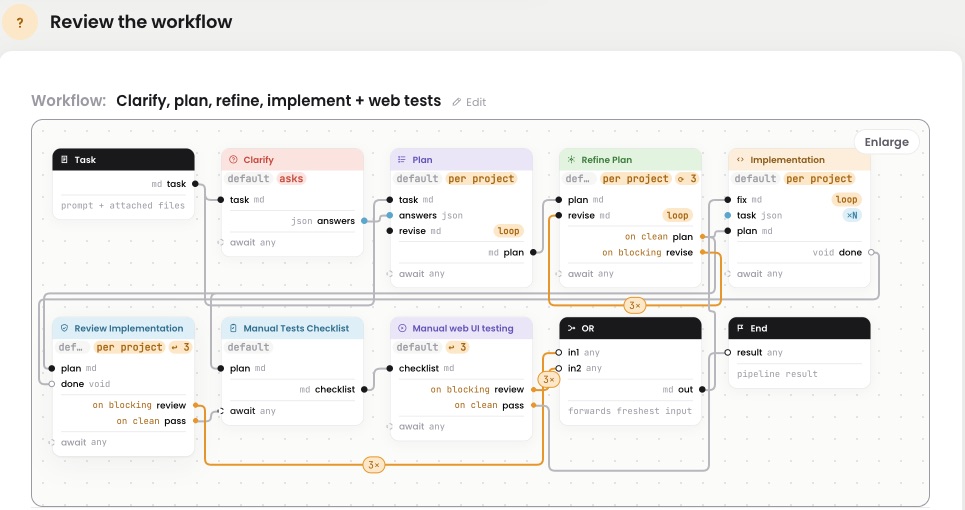
Auto's proposal for the Nimbus workspace: steps run per project.
an untouched project keeps no branch to clean up
Agents can't touch Worca's own files.
Worried a prompt-injected agent could rewrite the tool that runs it?
Now the Normal and Strict guardrails keep agents out of Worca's database, settings and secrets, and away from its plugins and scripts. Strict also blocks the network commands it missed before.
Smaller things you'll notice.
A few clicks that should have worked already.
Now a step card on a live run opens that step's live log, each terminal tab has its own close button, and Ask Worca sits in a round button in the corner instead of a bar over your work.
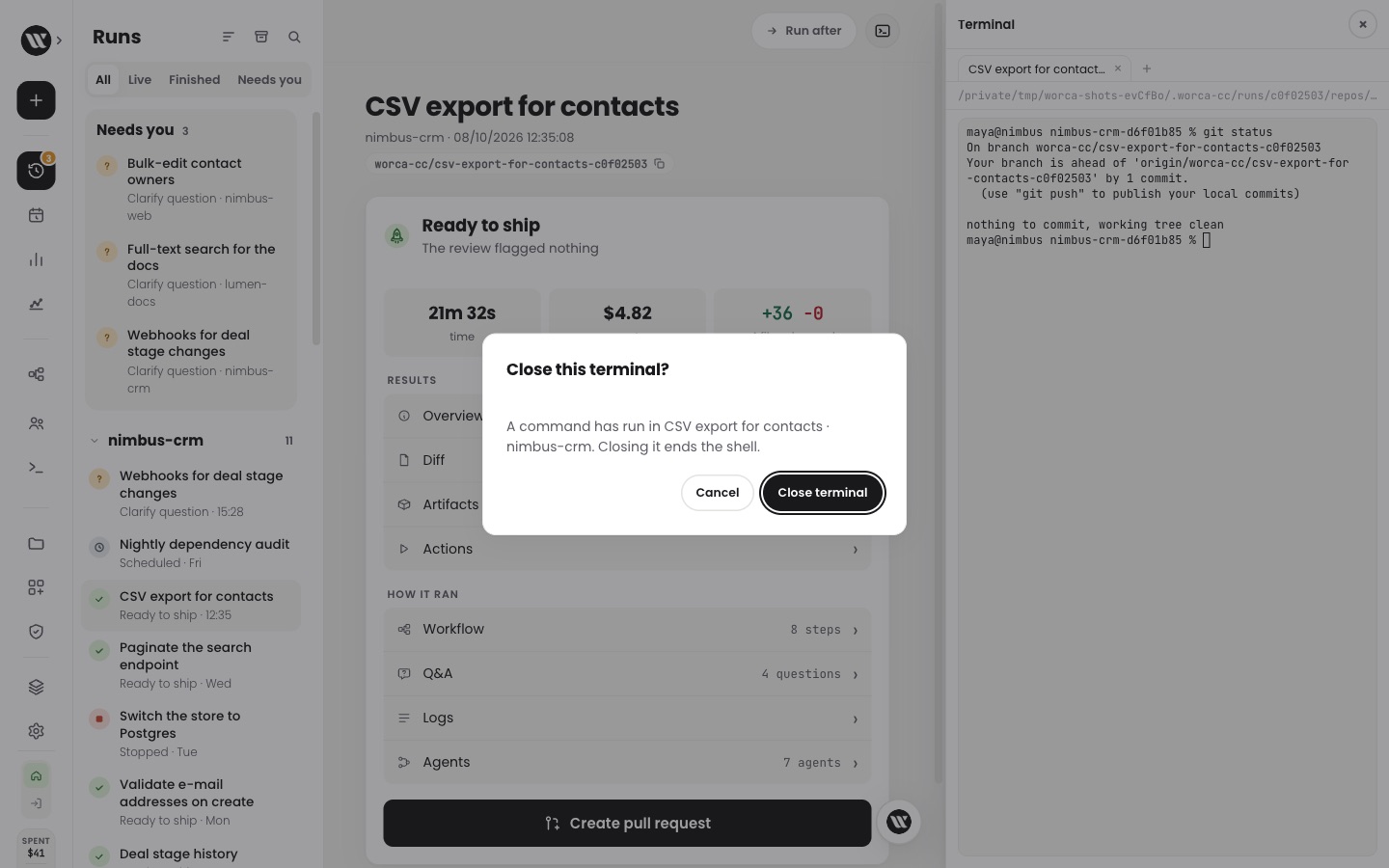
A terminal that ran a command asks before it closes.
A step that never ran stays plain: there is no log to open yet.
Shipped, tested, verified live.