
What's new
in Worca.
All your runs in one view, an Ask Worca you can talk to, a workflow that writes slide decks, and runs that start from up-to-date code.
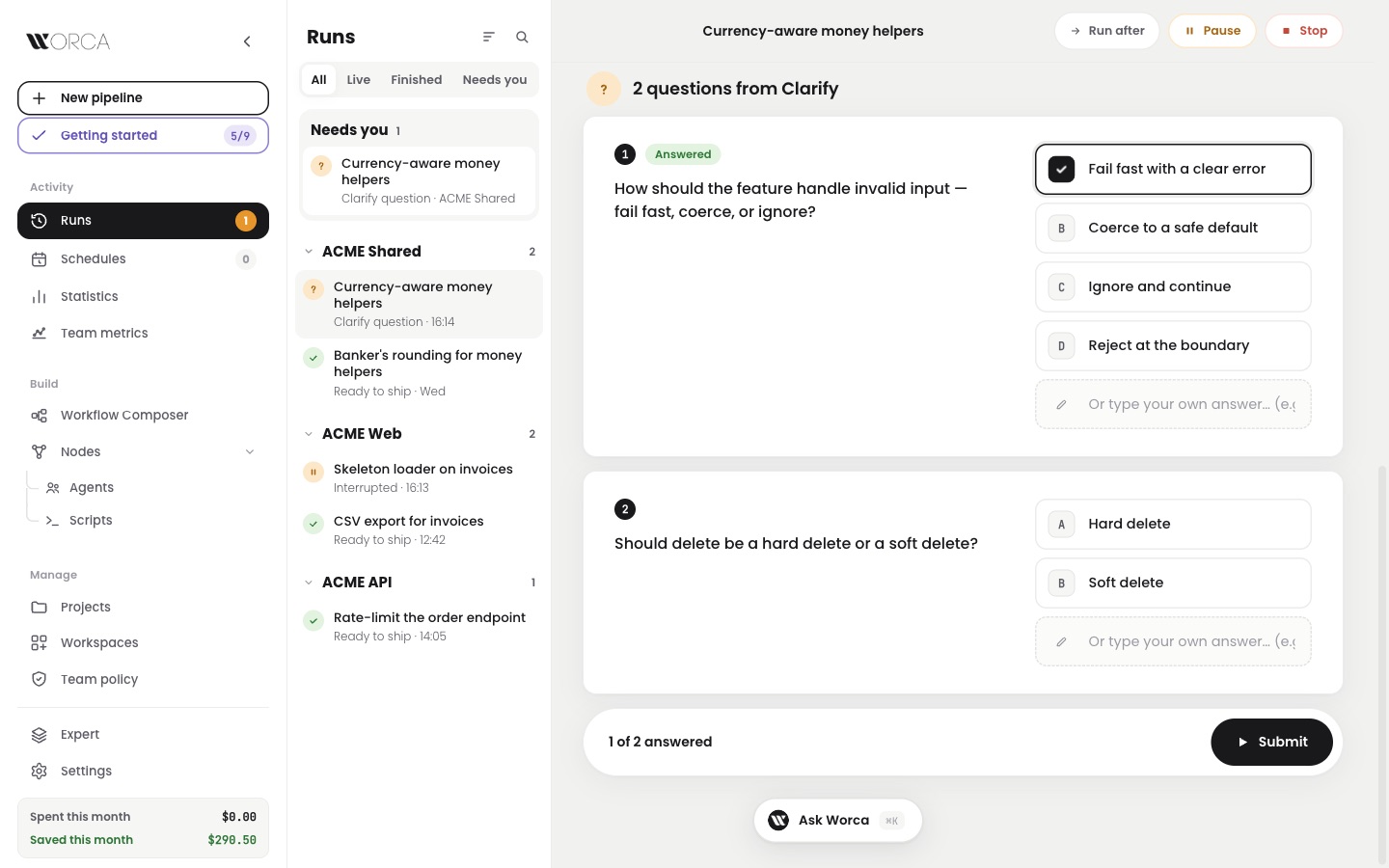
All your runs, in one view.
Running here, History there — and where was that question?
Now Runs is one page: the list on the left, with the runs that need you on top, and the run you picked on the right. A run opens on a short summary — status, time, cost, changes — with the details one tab away.
Needs you
ACME Web
ACME API
A narrow window shows the list, then the run.
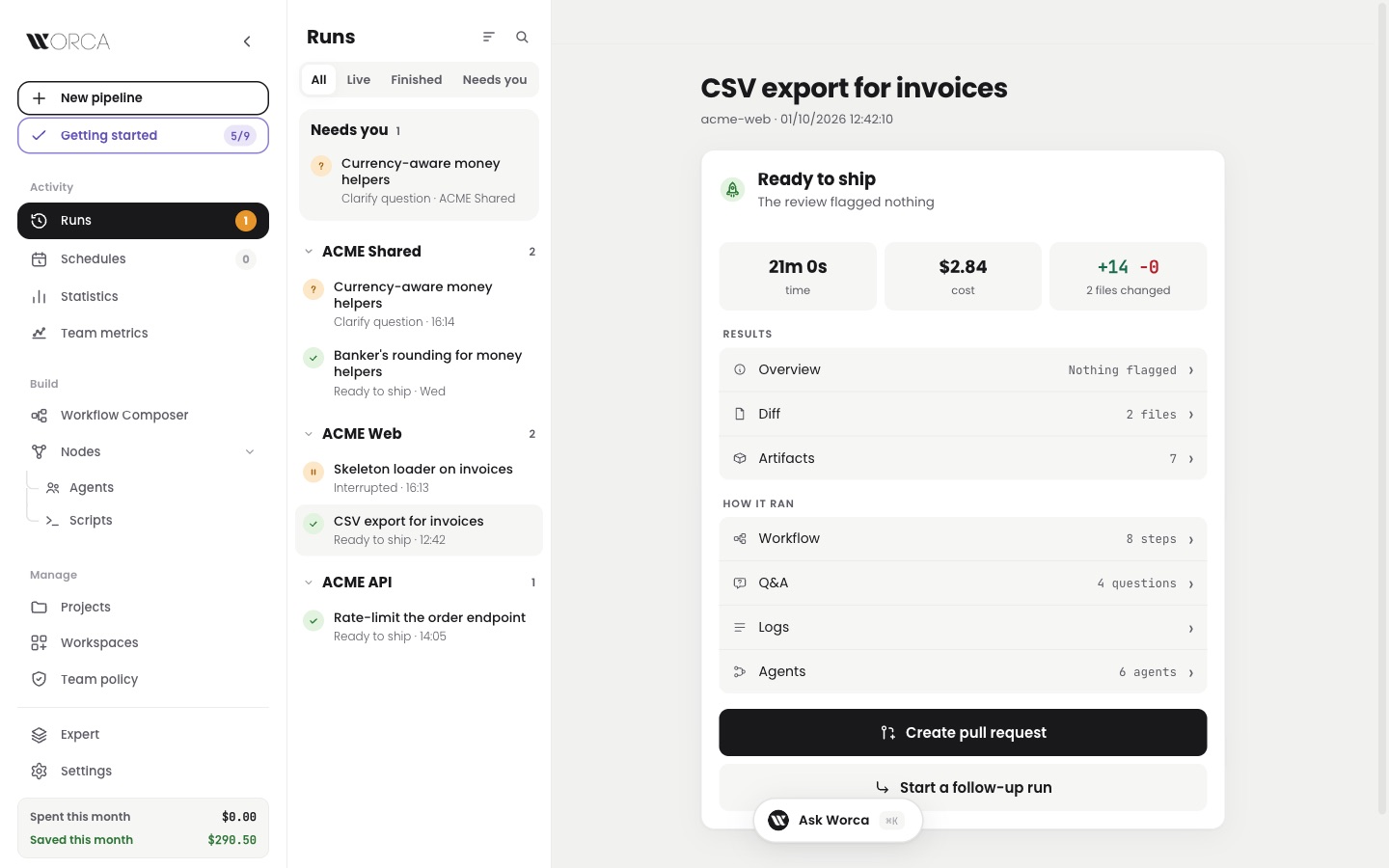
A finished run: what it produced first, how it ran below.
Talk to Ask Worca.
Rather say it than type it?
Now Ask Worca listens. Dictate one message, talk and read the replies, or go hands-free and hear the answers read aloud. Speech runs in your browser, so your voice never leaves your machine.
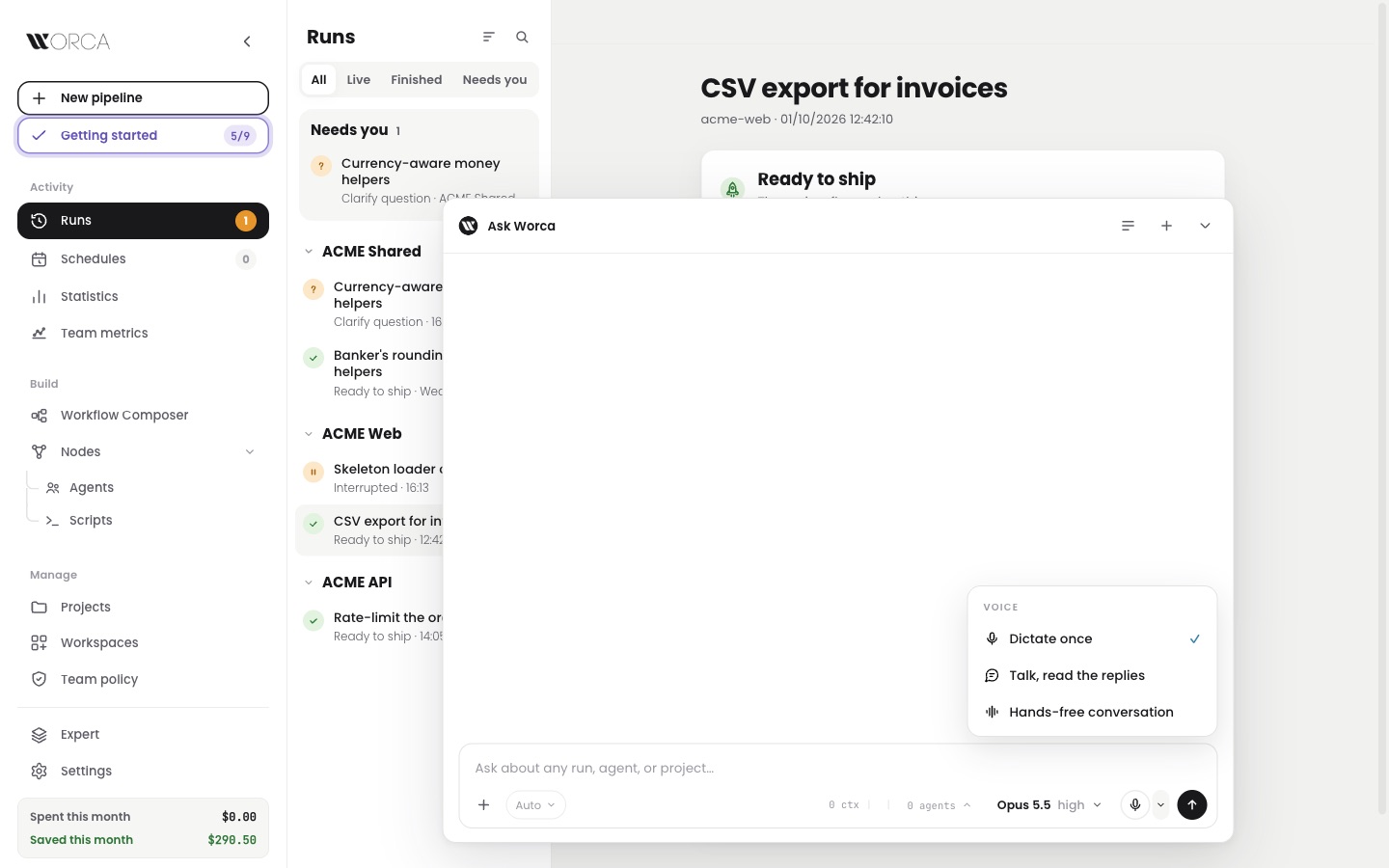
The mic in the Ask composer, and its three voice modes.
- 1Listens until you pause
- 2Sends what you said
- 3Reads the reply aloud
- 4Listens again
Start talking over the reply and it stops to listen.
From a prompt to a finished deck.
Need slides by Friday and all you have is an outline?
Now the Presentation workflow turns a prompt into a slide deck. Seven agents plan the story, set the look, build and check the slides, and hand you one HTML file. You approve the storyline and the look along the way.
- 1Clarify — who it is for
- 2Narrative — the storyline
- 3Visual system — the look
- 4Build — the slides
- 5Audit — text size and contrast
- 6Review
- 7Export — one HTML file
“Show the trend, not the table” — goes back to the writer
The look gets its own check: colours, type and sample slides.
Every run starts from the latest code.
A run built on a branch three commits behind?
Now Worca fetches before a run starts and brings your branch up to date when that is safe. It never merges, rebases or resets your work: if your branch and origin have both moved, it asks first. Projects and workspaces show where every repo stands.
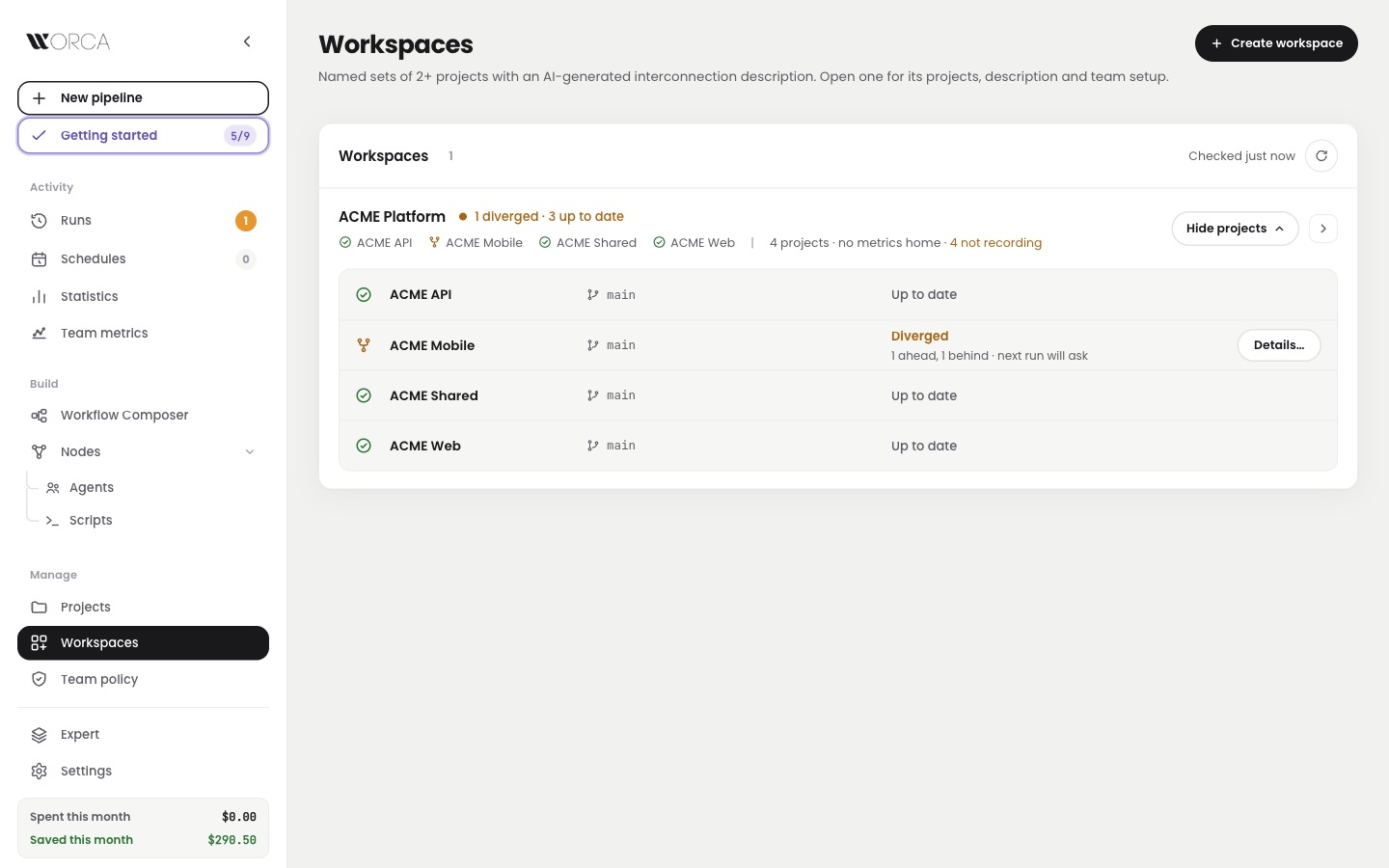
Workspaces: one line per repo, and the one that needs a decision.
Scheduled runs start from origin, since nobody is there to ask.
See how your projects connect.
Which apps break if the order API changes?
Now a workspace scan maps who calls whom — routes, packages, message topics and tables — and every link names the file and line it was found on. Review it on the Map tab; agents in a workspace run get the same map. Projects can join or leave a workspace later.
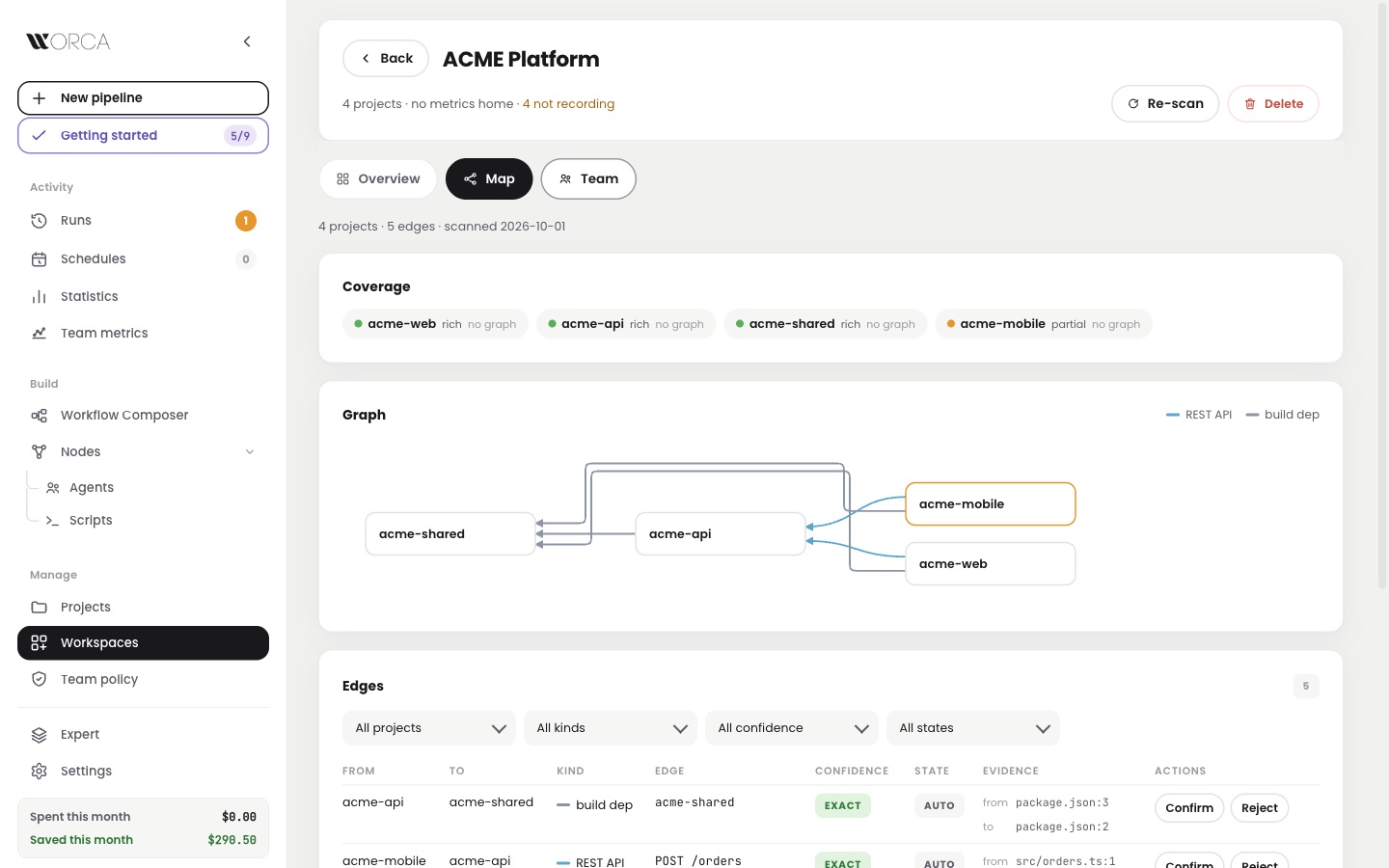
The Map tab: coverage per project, then who calls whom.
Pull requests that describe themselves.
A finished run, and an empty PR description?
Now Ship it has a description field with Generate with AI, which drafts the summary from what the run planned, changed and tested. Edit it, preview it, then open the pull request. A paused run can also be resumed now or scheduled for later.
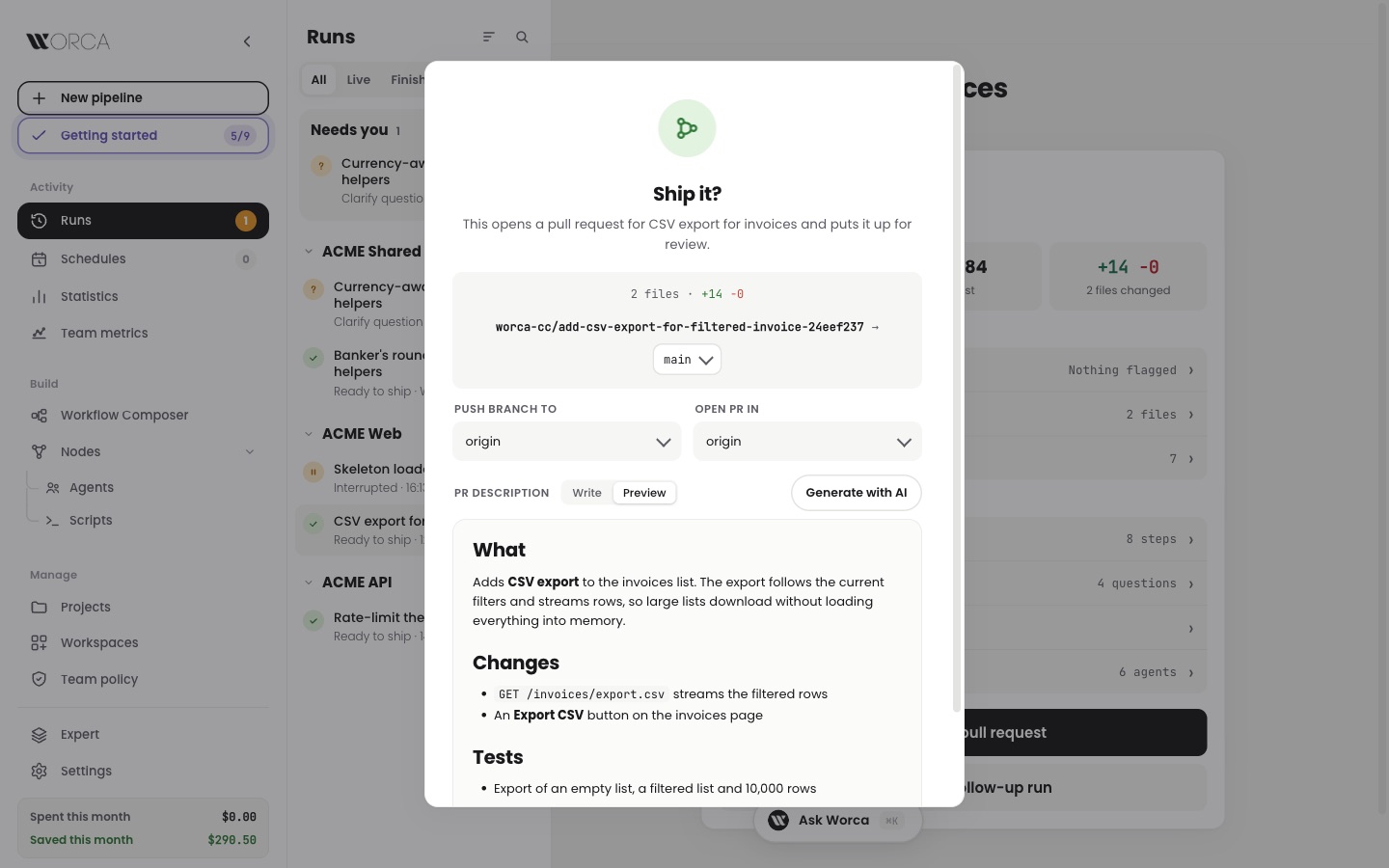
Ship it: the drafted description, in Preview, before the PR opens.
Leave it empty and the PR opens as before.
Plugin models on your own key.
One shared Worca, and one plugin key for everyone?
Now a model that comes from a plugin goes through the key service too, so each person's runs use their own key, with nothing for the team to set up. And Worca now works behind a company proxy, so Copilot sign-in no longer fails there.
If a plugin update moves the model's address, Worca asks for the key again.