
A tool panel
beside every chat.
Worca 1.20 opens a tool panel beside the chat, and any chat can start a design. Ready features go straight into a chat or a run. Away mode carries Shaper runs to the end, and the run time reads like a clock.
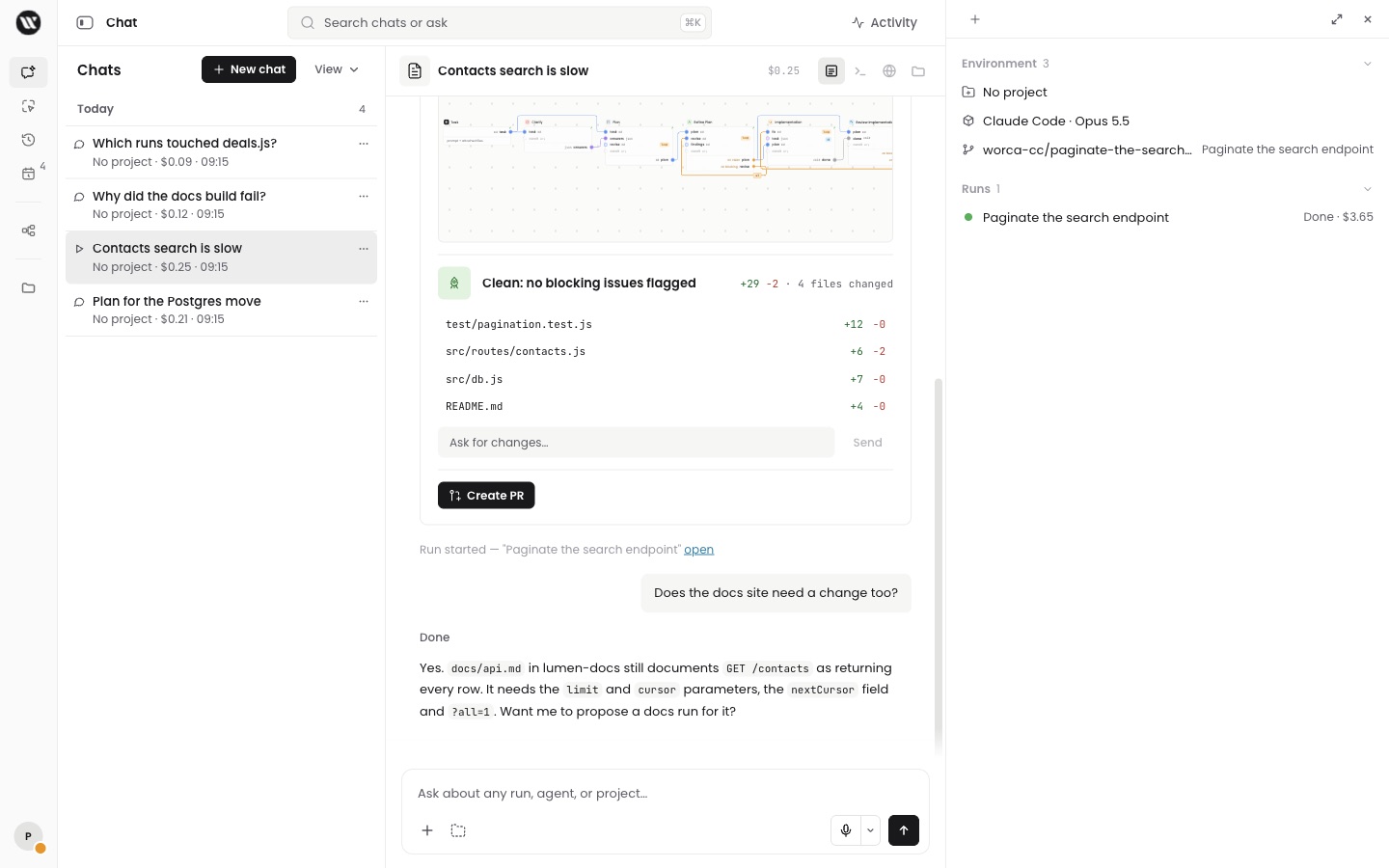
Files, pages and terminals beside the chat.
Ever lost your place switching from the chat to a file?
Now a tool panel opens beside the chat. Its Overview lists the chat's runs, pull requests and files. Terminal, Browser and Files open as tabs next to it, and they come back when you return to that chat.
The limit is read here:
src/routes/contacts.js:41Want a run that caps it at 100?
contacts.js
40 const q = req.query;
41 const limit = q.limit;
42 const cursor = q.cursor;
localhost:5173
With Tool panel on in Labs, the assistant can open, read and screenshot these tabs too.
The Overview beside a chat: its model, branch and the run it started.
Any chat can start a design.
Asked a chat for a mockup, and it sent you elsewhere?
Now the design starts in that same chat. The Design tab opens beside it, and the chat keeps its runs, tools and history. Its rounds, plan and questions show right in the conversation.
- 1"Sketch a pricing page for this app"
- 2The design starts in this chat
- 3The Design tab opens beside it
- 4Ask for changes in the same box
Design in the sidebar still opens a fresh one.
The chat asks before it needs a picture made.
Attach Ready features to a chat or run.
Want a run to build a feature you already specified?
Now pick it in Chat or New run, or type # and its name. A Ready feature goes in as its current spec, read again when you click Send or Run. Nothing starts before that.
Ready
Still being shaped
A feature still being shaped cannot be attached.
A spec item now holds up to 10,000 characters, and never ends mid-word.
Away mode carries Shaper runs to the end.
Left a Shaper run going, and came back to a question?
Now Away mode answers every stop the way you could. Each answer that decides what to build is marked for you to check, and all of them are listed in the run's Q&A tab.
- 1Clarifyanswered
- 2Requirementsagreed · check
- 3Slice outlineapproved · check
- 4Plan, check failedchanges asked once
- 5Error cardtried again · check
Sent back at most once, so a run never loops.
Run time reads like a clock.
Why did a ten-minute run say forty minutes?
Now the run time moves one second per second, counts parallel work once, and stands still while the run waits for you. The sum of every agent's time has its own tile.
- 1Four tasks run side by side
- 2The run time counts them once
- 3A question pauses the clock
- 1Task 1done before · skipped
- 2Task 2done before · skipped
- 3Task 3done before · skipped
- 4Task 4runs now
A task whose work left the folder, or whose file changed, runs again.
Your ticket hears about every run event.
Did the ticket say "done" while the PR was missing?
Now Worca comments on the run's ticket when it starts, needs you, fails, finishes and opens its pull request. The finish comment says whether a PR is open. Only that comment moves the ticket.
- 1Started
- 2Needs a personpaused
- 3Completed — no PR opened yet
- 4PR opened#128
Turn on Ticket updates in Settings › Labs.
Worca asks ssh for the real host. Nothing connects.
One path from setup to WorcaHolic.
Finished setup, and not sure what comes next?
Now Setup, Getting started and your level are one path. Finishing setup and signing in to any model provider makes you Curious. Your first real runs make you a Runner. Click your avatar to see the next steps.
- 1Curioussetup · sign in
- 2Runner6 steps · 3 real runs
- 3Hooked10 runs on 3 days · a PR
- 4WorcaHolicmerged PRs · parallel features
A dismissible offer. Your mode changes only if you say yes.
Shipped, tested, verified live.